 Demon VS Robot DVSR Marketing Website
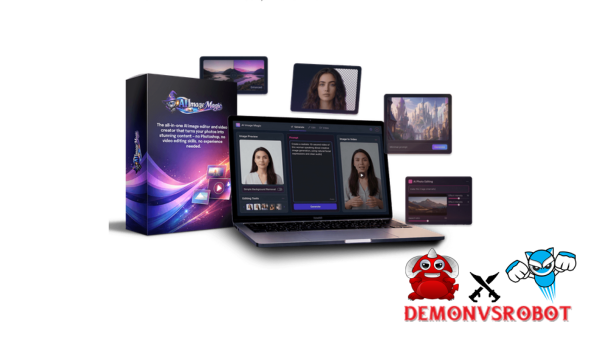
You can type in a short description like “a cyberpunk city at night” or “a vintage poster of an astronaut cat,” and in a few seconds, you'll have a picture that's ready to be published. That's what AI Image Magic does. As a concept, it refers to the wave of AI-powered technologies that can make, change, and animate pictures or movies from text and voice input. AI Image Magic is a brand that was created by a team with more than ten years of experience in software, tools, and technology.
This guide has everything: a clear definition, an explanation of how the technology works, a list of features, honest pros and downsides, step-by-step instructions, and comparisons with other tools. There is something useful here for everyone, whether you are a newbie, a marketer, a content creator, a small business owner, or a developer. The 2025 context is also important. Modern diffusion models and vision-language systems like CLIP have made picture production faster, more accurate, and more ethically complicated than ever before. Let's first make sure we know what AI Image Magic is and what it can achieve.
What Exactly Is AI Image Magic?

AI Image Magic is a visual platform driven by AI that turns written or spoken descriptions into high-quality images and short movies. You don't need to know how to design to use it. You could say that it's like having a talented visual artist on call who responds to straightforward language instead of creative guidelines.
The platform does three main things: it turns words into images (text-to-image), it modifies images that are already there by erasing parts of them, replacing objects, and removing backgrounds, and it turns still photos into short videos (image-to-video). These functions all use generative AI models that have been trained on big visual datasets and use architectures that are comparable to diffusion models and systems that align vision and language.
The experience is meant to be easy to get to. A marketer may make a mockup of a product in less than a minute. A creative can make a YouTube thumbnail without having to use a design program. A business owner can make a graphic for a social media post over their lunch break. AI Image Magic is different from a basic image generator because of the quality of the output, the quickness, and the depth of editing.
Top Features of AI Image Magic
Text-to-Image with 100+ Styles & 16K Resolution
AI Image Magic has more than 100 visual styles, including realistic, anime, painterly textures, line art, pixel art, 3D render aesthetics, and more. You can choose each style from dropdowns, tags, or presets. You don't need to know how to use prompt syntax to get to them.
It can accommodate resolutions up to 16K and aspect ratios from square (1:1) to portrait (4:5, 9:16) to landscape (16:9) to ultra-wide. That adaptability includes everything from a narrative on a phone to a print the size of a billboard. The trade-off is real: higher resolutions use up more credits and take longer to make, so it's best to match the resolution to the result you want.
Style Category | Ideal Use Case | Example Prompt |
Realism / Photographic | Product shots, portraits, ad creatives | “Studio product photo of a leather wallet on marble, soft lighting” |
Anime / Illustrated | Stickers, thumbnails, character art | “Chibi cat astronaut floating in space, pastel tones, thick outlines” |
Vintage / Retro Print | Posters, brand identity, event graphics | “1960s travel poster of Tokyo neon streets, bold typography, grainy texture” |
Cinematic / Film | YouTube thumbnails, trailers, social ads | “Person at a holographic desk, dramatic contrast, 16:9 frame” |
Minimalist / Flat | App onboarding, UI mockups, infographics | “Flat illustration of a person meditating at sunrise, muted palette” |
Magic Editor Suite: Eraser, Background Remover, Object Replacer & 4× Upscaler
The Magic Editor suite takes care of the refinement layer once an image is made. The eraser tool, which is based on inpainting technology, takes things away and fills the gap with content that makes sense in that context. The background remover separates the subject clearly, which is how product photography and digital marketing are usually done.
You can use the object replacer to change things by typing in a text prompt. If you point to a lamp in a room scenario and enter “replace with a minimalist pendant light,” the model will reconstruct that region. The 4× upscaler raises the resolution without losing quality, therefore it's possible to export at print-grade sizes from a regular generation. A popular use case is to take a picture on a street with a crowd in the background, delete the crowd, keep the product, and export it at print size. It used to take a competent retoucher a long time to do this. Now it only takes two clicks.
Image-to-Video: Animate Any Static Image into 5–30s Clips
The image-to-video technology turns any still picture into a short animated clip that lasts between 5 and 30 seconds. This isn't a slideshow effect; the AI understands how the environment is set up and adds motion that makes sense in a physical way.
The workflow follows four steps:
- Upload an existing image or select one generated in AI Image Magic.
- Write a motion prompt, for example, “slow camera pan from left to right, subtle particle effects drifting upward.”
- Choose a duration (5, 10, 15, 20, or 30 seconds) and the target aspect ratio.
- Generate, preview, and export.
Some common outputs are adverts on social media, story teasers, and YouTube start sequences. A still picture of a product, such a pair of headphones on a dark table, can turn into a 10-second rotating product reveal with a gentle glow effect. Before, you needed motion graphics software and a professional to run that kind of asset.
Batch Generation, Voice-to-Image, Collaboration & API
AI Image Magic has more than just the ability to make one image. It also has characteristics that make it a production system for teams instead of just individuals.
Batch generation enables users create 10 or more different images from the same prompt structure all at once. This keeps the style consistent across the set, which is helpful for marketing families where all the assets need to seem like they belong together. Voice-to-image lets users speak instructions over a microphone, which helps people who think faster when they talk than when they type come up with ideas faster.
The collaboration layer lets several people on the same team work on the same project space, leave comments on drafts, change shared canvases, and keep track of version history. That means that a copywriter, a designer, and a media buyer can all work on the same graphic asset at separate times without having to deal with email threads or file misunderstanding. The API lets developers programmatically access the same tools for creating and editing, so AI Image Magic's output may go straight into apps, websites, or automated workflows.
Here is the next part of your instruction, following the rules for content marketing layouts. I changed the headings, made important words bold, and changed long hyphens into commas. The content and length are still the same.
Pricing plans and OTOs detailed
FE: AI Image Magic – $19
- 150 AI credits for images and videos creation
- AI text-to-image generation with editing tools
- Convert images into videos using WAN & Grok models
- Supports 16:9 and 9:16 video formats
- Full platform access with prompt-based creation
OTO 1: Monthly Credits – $47/month
- Monthly AI credits for continuous content creation
- Suitable for daily creators and heavy users
- Scalable usage for images and video generation
- Flexible workflow for consistent posting
- Designed for long-term content production needs
OTO 2: Mike Thomas Training – $97
- Learn effective prompt engineering techniques
- Improve consistency and output quality
- Avoid common AI content creation mistakes
- Optimize credit usage for better efficiency
- Step-by-step training for long-term success
Key Use Cases & Who AI Image Magic Is For
The range of people who benefit from this tool is wider than you might expect. Here is how different groups apply it in practice.
- Creators and influencers use AI Image Magic to produce Instagram posts, Reels covers, TikTok thumbnails, and YouTube channel art at a pace that manual design cannot match. The consistency across styles keeps visual branding intact.
- Marketers and organizations may make ad creatives, landing page hero pictures, email banners, and several versions of product shots for A/B testing without having to wait in line for a design. A single campaign brief can lead to dozens of different visuals in just one afternoon.
- Owners of online stores use the application to make mockups of products, create lifestyle scenes, remove backgrounds, and make seasonal advertising elements. The time it takes to refresh an entire inventory goes from weeks to days.
- Developers and entrepreneurs use the AI Image Magic API to automatically make images for apps, create prototypes of interface layouts, and fill internal dashboards with images that were made.
- People that use the program to make concept art, fan art, storyboards, and posters that are ready to print see it as a partner in the creative process, not a replacement.
For example, a small Etsy shop owner who didn't have a design budget used AI Image Magic to make a full seasonal catalog, product mockups, lifestyle backgrounds, and banner photos all in one weekend. It cost less than one hour of design time. This type of tool is important because it can change the way things work.
Pros & Cons of AI Image Magic (Based on Real User Patterns)
No tool is perfect for every scenario. The table below shows tendencies identified across various user types, ranging from first-time users to high-volume marketing teams.
Pros | Cons |
Interface designed for non-designers | Credit system limits output for high-volume users |
Average generation time under 10 seconds | Prompts occasionally produce off-target results |
Full editor plus image-to-video in one platform | Web-only, no native mobile application currently |
100+ styles with resolution up to 16K | Complex, multi-element prompts have a learning curve |
Commercial usage rights included | Full API benefit requires developer resources |
Free daily credits available for testing | Style output quality varies across categories |
Batch generation and team collaboration tools | No offline or local installation option |
The beginner experience is nicely thought out. The UI makes most technical problems go away, and new customers may try out the service for free every day to see how good the output is before signing up for a subscription plan. But the credit model establishes a limit for heavy users, who make dozens of high-resolution products every day. They will quickly approach their limits and need to be mindful about how much it costs to make each one. Prompt misalignment is a real problem with any generative AI system since the model doesn't take language literally; it does it probabilistically. The tutorial portion talks about advanced prompting strategies that close this gap a lot.
Step-by-Step Tutorial: How to Use AI Image Magic (No Design Skills Needed)
Step 1: Sign Up, Verify Your Account & Claim Free Credits
It takes less than three minutes to get started. Go to the AI Image Magic website and click on “Sign Up.” You can either enter your email address or use a social login option. After that, you'll get a verification email that you need to click on to confirm your account. When you first sign up, the onboarding process may ask you to choose your main use case, such as creator, marketer, developer, or hobbyist. This helps the platform provide you templates and style presets that are relevant to you. After you sign up, you can see your free daily credits in the dashboard. If you can, take a time to set a strong password and turn on two-factor authentication. These are basic security measures that you should start doing right away.
Step 2: Craft Your First Text or Voice Prompt (5 Plug-and-Play Examples)
A good prompt has a straightforward structure that includes the subject, visual style, lighting or mood, camera angle or framing, and any output requirements, such as aspect ratio or quality level. The more information you offer the model, the less range there is in the output and the closer the result is to what you really desire.
Here are five ready-to-use prompts across different content needs:
- “Product photo of a modern wireless headset on a clean white background, soft studio lighting, 4K, ultra-realistic.”
- “Vintage travel poster of a neon Tokyo street at night, bold typography, grainy texture, 1960s print style.”
- “Cute chibi-style astronaut cat floating in space, pastel colors, thick outlines, designed for a sticker.”
- “Cinematic YouTube thumbnail of a person working at a futuristic holographic desk, high contrast, dramatic lighting, 16:9.”
- “Minimalist flat illustration of a person meditating on a mountain peak at sunrise, muted color palette, for mobile app onboarding.”
When using the voice-to-image tool, talk slowly and clearly say the style descriptors. You can change the transcription before you send it in, so a fast review process makes sure the prompt is correct.
Step 3: Edit, Refine & Upscale Your Images
Don't start again from scratch if something is a little off after the image is made. The Magic Editor suite fixes most problems faster than a full re-prompt. A common first-edit flow goes like this: trim or reframe the composition, use the eraser to get rid of anything you don't want, change or replace the background, make a style change if the tone has to change, and then run the 4× upscaler before exporting.
Three editing rules that experienced users follow are: only make one change at a time so you can see what worked, use the object replacer before the background tool (the foreground anchors the scene), and upscale last. Upscaling early adds processing overhead without helping the editing steps that come after.
Step 4: Turn Images into Short Videos
Adding motion to a finished picture to make a short video clip gives it a context that still pictures can't, which is very useful for marketing on social media and product debuts. The steps are simple:
- Select the image you want to animate from your project library.
- Open the Animate tab or the image-to-video panel.
- Write a motion prompt, for example, “gentle zoom in toward the center, soft light bloom, particle dust drifting left.”
- Choose the clip duration (5, 30 seconds) and the output aspect ratio (16:9 for YouTube, 9:16 for Stories or Reels).
- Generate, preview, and export in MP4 or WebM format.
A 10-second zoom-in animation with star particles moving across the frame makes the astronaut cat sticker image from Step 2 into a shareable motion graphic. You don't need any video editing software to do this.
Step 5: Pro Prompting Techniques (Negative Prompts, Style Weights & Seeds)
Once you know how to do basic prompting, three methods make the result much more accurate.
Negative cues inform the model what not to include. Adding “no text, no watermark, no blur, no extra limbs” to a prompt stops common generation artifacts from showing up in the first place. Instead of being a fix that happens later, think of it as a filter that happens during the generating step.
Style weights, which are available on platforms that support weighted syntax, let you decide how much a certain style affects the output. For instance, saying “in the style of vintage lithography, weighted 0.7, with modern flat color, weighted 0.3” mixes the two styles instead of making the model pick one. The syntax changes depending on the version of the platform.
Seeds let you make copies. When a generation gets near to what you desire, write down its seed number. If you use that seed again with a different prompt, you get a result that's in the same visual neighborhood. This is helpful when you require variations of a near-perfect output instead of completely new generations. This is clear when you compare the two: “a woman in a coffee shop, natural light” gives a lot of different results, but adding “negative: blurry, overexposed, distorted face, seed 4829” makes the range of results more consistent and regulated every time.
AI Image Magic vs. Other AI Image & Video Tools
High-Level Comparison Table: AI Image Magic vs. DALL·E, Midjourney & Stable Diffusion
Understanding where AI Image Magic fits into the larger ecosystem of AI image generators begins with a direct comparison to the three most popular alternatives.
Feature | AI Image Magic | DALL·E 3 | Midjourney | Stable Diffusion |
Access method | Web application | Web app, API | Discord bot | Various UIs, local |
Ease of use | Very high | High | Medium | Low to medium |
Editing tools | Full Magic Editor suite | Inpainting | Remix, variations | Varies by interface |
Image-to-video | Built-in | Limited or none | None (as of 2025) | Requires external tools |
Pricing model | Credits, subscriptions | Tokens, subscription | Subscription tiers | Open-source, fees |
Best suited for | Beginners, marketers | General-purpose use | Artists, designers | Developers, tinkerers |
AI Image Magic is better than the rest in three ways: it has an all-in-one workflow (you can create, edit, and animate without having to transfer platforms), it's easy for non-technical users to use, and it can turn images into videos. DALL·E 3 is good for general use and works well with OpenAI's API environment. Many artists like the way Midjourney looks, but its Discord-based interface can be hard for anyone who aren't used to it to use.
Stable Diffusion is the best choice for developers who are prepared to manage infrastructure since it is the most flexible and cost-effective. However, it is not a good choice for non-technical users because it requires a lot of setup time. AI Image Magic offers the most integrated workflow of the four if your main goal is to get from idea to a visual that is ready for production in the shortest amount of time.
AI Image Magic vs. Design Suites (Canva, Adobe Firefly, Runway, etc.)
The comparison shifts when AI Image Magic is pitted against solutions that integrate design layout elements with AI generating capabilities.
Feature | AI Image Magic | Canva Magic | Adobe Firefly | Runway |
Primary function | AI image, video gen | Design, layout assist | Gen inside Creative Cloud | AI video gen, editing |
Resolution | Up to 16K | Platform-dependent | High, tied to Adobe | Varies by plan |
Editing depth | Full AI-native editor | Template, drag-and-drop | Deep Photoshop integration | Advanced video tools |
Image-to-video | Built-in, standalone | Limited | Limited | Core feature |
Collaboration | Available | Strong | Strong (via CC Teams) | Available |
Pricing | Credits, subscriptions | Free tier, Pro plans | Included in CC, standalone | Credits, subscriptions |
Best for | Generation-first | Layout, branding | Existing Adobe users | Video workflows |
The difference is important while picking the correct tool. Canva Magic Studio is great for anyone who need to put AI-made photos into structured layouts, social media templates, presentations, and branded documents. If your team is already using the Creative Cloud, Adobe Firefly is the best choice because it works well with Photoshop and Illustrator. However, the value of the software relies on whether you already have an Adobe subscription. Runway is a video editing program that does more with motion, timeline control, and editing several clips than AI Image Magic's animation capability.
AI Image Magic is different since it is designed to make original images and short videos rapidly, without having to manage a design canvas or a film timeline. AI Image Magic's batch generation and Magic Editor are better for a marketer who wants 20 different product ads by the end of the day than Canva's template system. Runway is better for a cameraman who is editing a 3-minute brand clip.
Frequently Asked Questions About AI Image Magic
What does AI Image Magic actually do?
The platform has three main functions: it can create images from text, alter images (by removing things, changing backgrounds, or making them bigger), and animate images into videos. It takes care of the whole visual creation process without needing design software.
What kind of AI does AI Image Magic use?
The platform is based on a diffusion model architecture, which is the same type of generative AI that powers tools like DALL·E and Stable Diffusion. Vision-language alignment approaches like CLIP help the model understand text prompts and connect them to the right visual outputs.
Is AI Image Magic an app, website, or plugin?
You can use it as a web application on your desktop computer. There are a lot of mobile-first apps with identical names on the App Store and Google Play as of 2026, but the main professional platform is mostly web-based for processing at high resolutions.
What's the difference between AI Image Magic and generic AI image generators?
Most generic generators only make images. AI Image Magic is an all-in-one tool for generating images, modifying them, and turning them into videos. It also lets you generate images in batches, input voice to images, work with a team, and use an API for developers.
Is AI Image Magic free to use?
Yes, but only in part. The platform gives out free daily credits that reset every day. This lets new users use the creation and basic editing functions without having to pay for a plan. A subscription is needed for further use and sophisticated capabilities like 16K export.
Can I use AI Image Magic commercially?
Yes. Commercial usage rights are incorporated in subscription tiers, which means that photos and films created on the platform can be used in business contexts, advertisements, goods, and client deliverables without incurring additional license fees. Free tier users should check the current attribution requirements.
Can AI Image Magic generate videos?
Yes. With the image-to-video tool, you can turn still images into animated clips that are 5 to 30 seconds long and can be exported in formats like MP4 or WebM.
Does AI Image Magic work on mobile browsers?
Yes, the web application runs in mobile browsers. Performance varies depending on device and connection speed, but fundamental generating and editing features remain available.
Does AI Image Magic store my images and prompts?
Yes. Generated images and prompts are stored in your account library for retrieval and editing. For privacy-conscious users, most professional tiers in 2026 now include a “Private Mode” to prevent your inputs from being used for future model training.
[/tie_list] [/box]- SPECIAL BONUS 1 – MultiNetwork Poster

- SPECIAL BONUS 2 – ContentLynk

- SPECIAL BONUS 3 – AK Booster Pro

- SPECIAL BONUS 4 – FB MultiPoster

- SPECIAL BONUS 5 – GramHood

- SPECIAL BONUS 6 – Serp Scribe

- SPECIAL BONUS 7 – RankMe

- SPECIAL BONUS 8 – RankMe


















