 Demon VS Robot DVSR Marketing Website
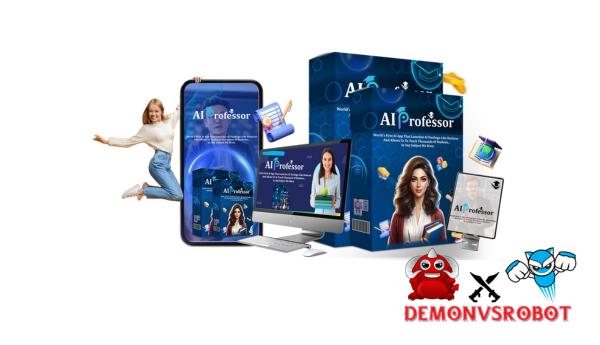
 Producing informative or explanatory videos is presently one of the most effective ways to increase trust, credibility, and online engagement. Traditional video production methods, on the other hand, frequently encounter problems such as needing to stand in front of a camera, writing clear lesson plans, recording several lessons, or gathering all available resources.
AI Professor is presented as a solution to these issues. It is aimed at customers who want to turn basic subjects into a systematic course that can be effectively presented by human-like AI instructors without the need for recording equipment or setup. In this review, we will go over how AI Professor works, including its core features, target audience, and usability for making educational video material.
What is AI Professor

AI Professor is an educational platform that employs artificial intelligence to teach and coach anyone, regardless of technological background, on how to properly grasp and apply AI capabilities. Unlike other platforms, which overwhelm users with too much information in PDF format, or dull theories and sophisticated dashboards, AI Professor functions as an online tutorial, explaining everything in simple language and step-by-step procedures.
The AI Professor app is unusual in its capacity to quickly make educational video lessons. The software can be viewed as a versatile teacher because it discusses, describes, and delivers any topic in video format. This technology allows educators to make high-quality video lectures without having to appear in them. This program will benefit both educators and marketers because it enables them to communicate their topics in video format without any technological difficulties.
In summary, AI Professor converts complicated topics into simple educational films that learners can access at any time. Whether the goal is self-learning AI, educating others, training staff, or creating educational items for sale, this program addresses typical challenges that can be easily handled with automated video training that is appropriate for everyone.
Key features of AI Professor
- AI Teacher Model: AI Professor enables you to make educational videos that feature realistic AI models of instructors speaking and seeming as genuine teachers. This method avoids the requirement to appear in front of a camera or self-record while still delivering high-quality teaching content via live presentations.
- Topic-Based Lecture Video Creator: Rather than writing down what you want to teach in class, you can select subjects and keywords that AI Professor will convert into informative videos. AI Professor will handle the process of clarifying the relationships between topics and producing instructive videos for you.
- Lecture-Style Script and Explanation Creator: Unlike most AI-powered video creation tools, its primary goal is educational presentation. AI generates structured educational scripts that include introductions, definitions, full explanations, examples, and summaries, which improves viewers' comprehension and engagement.
- Multiple Teaching Styles and Voice Options: There are numerous voices, tones, and teaching styles to select from, including professional, friendly, calm, and dynamic. This allows you to select the content style based on the length of your video, such as a short social media video or an informative film.
- Q&A Function: AI Professor helps to generate supplementary teaching films by answering frequently asked questions or explaining difficult subjects. This enables the quick development of extra videos for “student Q&A” or Q&A films.
- Customizable instructor Templates: The software includes pre-made AI instructor avatars, allowing you to get started quickly. However, you can tailor the presenting style, tone, and depth of explanation to your field and skill level.
- AI Professor offers numerous uses, including tutorials on YouTube, Shorts, TikTok, and Instagram Reels, modules in online courses, internal company training, new employee tutorials, and consumer films for businesses or agencies.
- Ready for Commercial and Client Use: This application is marketed as a business resource rather than just a creative solution. It can be used to make instructive movies for your clients, offer educational content as a paid service, or even as part of a training or content production company.
How to use AI Professor
Step 1: Choose a Learning Topic or Concept
All instructional designs require this. Begin by inputting an educational topic, keyword, or concept. Topics might range from very broad (email marketing principles) to very particular (creating a welcome email sequence for e-commerce). The more specific the instructional topic/keyword/concept, the easier the lesson will be to learn.
Step 2: Create a Teaching Script
AI Professor will create a structured course for your chosen topic. You can tailor the tone, instruction level (beginning, intermediate, or advanced), and presentation technique to your target audience. This approach eliminates the need to create a script.
Step 3: Choose an AI Teacher and Save the Video
Now you'll select a human-like AI instructor avatar and speaking style before creating your final training video. Once finished, you can download the completed video to share on YouTube, TikTok, Instagram Reels, courses, or other internal training sessions.
Why you should use AI Professor
- Record lectures without appearing in front of the camera: With AI Professor, you can generate professional-looking films that look like you're lecturing without having to appear in front of the camera. This is especially beneficial if you're not comfortable in front of a camera, don't have professional video equipment, or need to make material quickly. When you work with AI Professor, you will receive presentations and lessons from lifelike teachers.
- Transform easy topics into organized lessons instantly: Rather than outlining lesson content, creating scripts, and rewriting explanations, AI Professor takes a topic or keyword and creates a complete explanatory answer comparable to what a teacher would use in a class. It is designed to think like a teacher, presenting knowledge as definitions, examples, and step-by-step analysis, as if it were a real lesson rather than a generic computer output.
- Designed exclusively for teaching materials: While most AI videos focus on visual or entertainment elements, AI Professor prioritizes clarity, coherence, and comprehension. The content is intended to assist viewers better understand topics. This includes tutorials and training sessions on instructional content for social media.
- Scalable instructional content: Once set up, the system allows you to instantly duplicate classes, short films, and extra videos with answers. This is why AI Professor is a popular tool for content creators looking to easily post content on sites such as YouTube, TikTok, Reels, or within a course.
- Repurpose content for the platform and audience: AI Professor allows you to customize the tone, level of detail, and presentation manner, so you may use the topic for brief social media posts, longer video presentations for teachers, and internal training. This offers you the ideal opportunity to apply the notion several times.
- Support for “Q&A” and Follow-up: It also promotes continual learning by enabling the quick creation of explanatory and Q&A videos. Easily respond to frequently asked questions, explain complex points, or create new learning activities, hence increasing engagement and outcomes.
- AI Professor is useful for monetization and client projects because it is both a content production tool and a revenue generator. You can use it to create training materials, customer tutorial videos, course or online training modules, and then offer them as a service or product.
- Lower learning curve than traditional video production: Because AI tools handle scriptwriting, structuring, and design, new creators can use this tool to create high-quality educational content without the need for teaching skills, video editing expertise, or extensive software knowledge.
The Upgrade/OTO details
Front-End (FE): AI Professor – $14.99
- During the launch time, you could get entry-level access to the AI Professor platform.
- Includes AI-powered topic-to-video teaching creation with AI teacher avatars that look and act like people.
- Lets you make movies for lessons, explanations, onboarding, or education without having to film them.
- Helps people make video for YouTube, Shorts, Reels, courses, and training materials without showing their face.
- It's made for beginners, so you don't have to know anything about technology or video editing to use it.
- Pay once at start and don't pay every month.
- With a 30-day money-back promise.
OTO 1: AI Professor Agency – $97/$127
- Allows freelancers and service companies to use it at the agency level.
- Lets one account make teaching movies for many different clients.
- Made for the purpose of selling explainer, training, and teaching videos.
- great for businesses that do onboarding, SOPs, or educational material packages.
OTO 2: AI Professor Automation – $25/$29
- Adds technology to workflows to make content production faster.
- Lowers the amount of work that has to be done by hand when making movies and lessons.
- Best for people who make content often or work on more than one project at a time.
OTO 3: AI Professor DFY – $57/$67
- Provides templates, tools, or setup help that is already done for you.
- Helps people get things up and running faster without having to make everything from the ground up.
- Perfect for newcomers who want to get content templates that are already made.
OTO 4: AI Professor Franchise – $62/$97
- Adds a business-focused approach to AI Professor.
- It is aimed at people who want to grow a content or education business.
- Gives more freedom and power over how to make money.
OTO 5: AI Professor Traffic – $47/$67
- Includes tools that focus on traffic and exposure.
- Helps people get views, leads, or feedback on their videos about teaching.
- Best for marketers and creators who want to grow their base more quickly.
OTO 6: AI Professor Unlimited – $25/$39
- Takes away the front-end version's limits on how much you can use it.
- Helps people make a lot of videos in a lot of different niches.
- Perfect for people who make a lot of videos, like content makers, businesses, and teachers.
OTO 7: AI Professor Whitelabel – $247/$297
- Lets you make AI Professor look like your own platform.
- You can sell or resell entry under your own brand name.
- Made for experienced people who are making software or a business that offers training.
Advantages
- Produce instructional videos without filming: AI Professor eliminates the need to appear in front of a camera, purchase recording equipment, or reshoot many times. You can produce totally AI-powered tutorial videos for individuals who prefer faceless material and wish to create it quickly.
- Fast workflow from beginning to end: Everything is streamlined from concept to finished video. Instead of creating screenplays, filming, and editing independently, you only need to go through one step, which greatly decreases production time and complexity.
- Teaching-focused structure, not general avatar output: While other avatar tools merely read text, AI Professor can explain concepts like a teacher, utilizing definitions, step-by-step logic, and an organized presentation to aid comprehension.
- Suitable for education, training, and faceless informative videos: This platform is ideal for use cases such as educational YouTube channels, new employee tutorials, standard operating procedure (SOP) training, and explanatory video material where clarity takes precedence above dazzling visuals.
- AI Professor has a high monetization potential for agencies and freelancers because its output is ready for the client. It may be sold as a service for explanatory films, training modules, new employee lectures, or short educational movies without adding additional burden.
- Helps to balance content consistency across different domains: You can experiment with multiple themes, angles, and domains in a fraction of the time, without having to reinvent your workflow each time. This makes it ideal for producers and marketers who value quantity and consistency.
Disadvantages
- correctness still requires human review: As with any AI-powered educational content, you should evaluate the script to assure correctness, particularly in technical, legal, and medical subjects.
- Some avatars or voices may sound/feel AI-like: Depending on the settings you pick, the presenter may sound slightly fake. Fine-tuning the tone and speed is beneficial, but it is not a total substitute for a real instructor.
- The sales funnel focuses on add-ons: This product contains several upgrade options, which can easily lead to overspending if you don't know what you truly need.
- AI Professor is not intended to replace professional video editing software, as it concentrates on teaching clarity rather than cinematic effects, complicated animation, or advanced editing.
Who is it for?
- instructional channel creators who do not need to appear in front of the camera: This product is ideal for people who produce instructional content on a regular basis without having to stand in front of a camera or handle difficult production settings.
- Course developers want to generate lessons faster: Ideal for building small, rapid modules or courses without sacrificing structure or clarity.
- Coaches and consultants who require tutorial or pre-training videos: Reduces repetitious explanations by converting commonly taught topics into reusable instructional movies for customers or learners.
- Companies or freelancers offering explanatory or training content: Enables you to scale your professional educational videos while increasing profitability without adding personnel or editing time.
- Small firms develop standard operating procedures (SOPs) and internal training programs to explain processes, tools, or workflows to staff in a uniform and repeatable manner.
- Marketers use education to establish credibility: It supports content strategies that prioritize trust, explanation, and value-driven marketing over direct sales.
What You Get (Compared to Buying at DemonVsRobot)
- Special Offer for More Use: When you acquire AI Professor software from this website, you will receive more than just the basic software bundle. When you buy this bundle, you will also get extra materials to help you utilize the software efficiently, such as lesson plans and other tools.
- Step-by-Step Guides for Beginners and Setup Advice: We make no assumptions about your technical knowledge. Our guides will help you achieve your goals, from idea to released instructional video, without confusion or trial and error.
- Practical Applications, Not Just Advertising: Rather of a succession of sales messages, our examples will include faceless videos, customer explanation videos, user guide videos for new customers, and training videos. These movies explain the true importance of AI Professor in your workflow.
- Access help and knowledge right away: By purchasing from our website, you will gain access to suggestions and methods that we will continue to create in the future. This will allow you to continue improving after your original purchase.
FAQs
- Do I need video editing skills to use AI Professor?
No. AI Professor is for everyone. You simply select a topic, construct a lesson, choose AI Professor, and export the video. There is no need to film anything or use video editing tools. - Can I use AI Professor for commercial purposes or for my clients?
Yes. AI Professor prides itself on being a business-friendly offering. Depending on the license you have, you can generate educational content and tutorial videos to sell to clients. - What types of videos can I create with AI Professor software?
The software can be used to make lectures, explanation videos, tutorial videos, training videos, brief educational videos for social media, and standard operating procedures (SOP) movies for businesses. - What will the video look like with a robotic/natural voice?
The teacher's voice is intended to be clear and easy to understand, though some voices may have a slight “AI” quality depending on your computer configuration. Tone, pace, and style of speaking can all contribute to a more authentic sense. - Does AI Professor replace professional video editing software?
No. It was not meant for professional video production. AI Professor's purpose is to improve teaching skills in terms of clarity and speed, rather than professional video production. - Is there a money-back guarantee?
Yes. AI Professor also offers a money-back guarantee, so you may test the site risk-free to see whether it meets your needs.
Conclusion
AI Professor should be viewed and appreciated as a tool to aid in the creation of instructive videos, rather than a standard video editor. The advantage of AI Professor is its capacity to simplify the transfer of an idea into an easily accessible, instructive film, as opposed to marketing or presentation content. AI Professor is an excellent choice for making instructional explanatory films, training videos, lectures, or social media tutorials that do not require user participation. Don't wait; buy it on our website immediately and you'll get the best rates and attentive service.
[/tie_list] [/box]- SPECIAL BONUS 1 – MultiNetwork Poster

- SPECIAL BONUS 2 – ContentLynk

- SPECIAL BONUS 3 – AK Booster Pro

- SPECIAL BONUS 4 – FB MultiPoster

- SPECIAL BONUS 5 – GramHood

- SPECIAL BONUS 6 – Serp Scribe

- SPECIAL BONUS 7 – RankMe

- SPECIAL BONUS 8 – RankMe


















