 Demon VS Robot DVSR Marketing Website
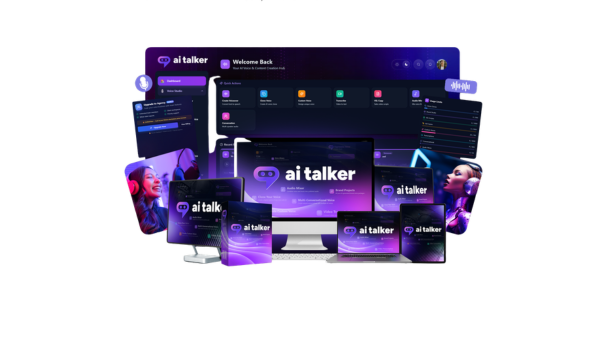
 If you've typed “AI Talker” into a search bar, you're likely looking for one specific thing: a way to turn written text into human-like voiceovers, without a recording setup or audio editing background. AI Talker is not a chatbot or a screen reader, it is a cloud-based AI voice design engine built to produce custom, production-ready narration from a typed script.
The platform serves a wide range of users, YouTubers building faceless channels, podcasters working solo, marketers producing video ads, educators recording course modules, and small business owners who need consistent brand audio at scale. With over 10 years of experience in software and technology tools, AI Talker understands what creators actually need: fast output, flexible voice control, and zero studio dependency. Take a blog post, paste it as a script, and walk away with a narrated video in minutes. That's the core promise here.
This guide will walk you through:
- What AI Talker is and the problem it solves
- How it actually works, step by step
- The key features, voice design, cloning, multi-voice dialogues, and audio controls
- Real-world examples across creator, marketer, and business use cases
- An honest comparison with other AI voice tools on the market
- A clear answer to whether AI Talker fits your specific situation
Start with the definition first, then work through the deeper breakdown of how AI Talker functions and when it's worth your time.
What Is AI Talker?

AI Talker is a cloud-based AI voice design engine that turns text into human-like voiceovers, letting you shape personality, emotion, tone, age, and scenario, without recording or editing a single audio file.
The platform runs entirely in the browser. No software installation, no rendering on a local machine, just a modern browser and an internet connection. This makes it accessible on any device, including laptops, desktops, and tablets.
What separates AI Talker from a basic text-to-speech (TTS) reader is the concept of “voice design.” Rather than selecting a fixed preset and pressing play, you control the character of the voice: how old it sounds, what accent it carries, how excited or calm the delivery feels. A YouTuber can generate a high-energy narration for a product review. A small business can build IVR (interactive voice response) phone prompts that match their brand tone. Both are generated from text, in minutes, with no microphone involved.
The practical advantages are direct. Teams produce studio-grade voiceovers from raw scripts. They skip the cost of hiring voice actors, which in Vietnam can range from a few hundred thousand to several million per session, or globally from $50 to $500 per finished minute. They also maintain a consistent voice and tone across every piece of content, which matters for brand recognition.
AI Talker supports over 2,000 voice options across more than 100 languages and accents, a range that opens the door to localization campaigns, multilingual training content, and global audience targeting. These features will be detailed in the sections ahead.
Understanding what AI Talker is naturally leads to asking how it actually works under the hood.
How Is AI Talker Different From a Regular Text‑to‑Speech Tool?
Standard TTS tools read text aloud. That's where they stop. The output tends to sound mechanical, fixed intonation, no emotional range, limited control over pace or character. Free browser-based TTS or OS-level readers work well for accessibility, but they aren't built for production content.
AI Talker operates on a different model. The voice is not just selected, it is designed. You control personality traits (confident, playful, authoritative), emotional tone (calm, excited, serious, warm), delivery pace, age register, and scenario context. The platform includes preset templates built for specific content types: ad voiceovers, storytelling, corporate training, IVR systems, and podcast hosting. Each template is a starting point you can then adjust manually.
Suppose you're recording a promotional video for a new product. A free TTS tool gives you a flat, robotic reading of your script. AI Talker lets you select an “energetic young host” persona, dial up the emotional intensity for the opening hook, and slow the pace for the call-to-action. The result feels closer to a hired voice actor, without the booking process, revision rounds, or studio fee.
AI Talker functions more as an “AI voice studio” than a read-aloud utility. The distinction matters when the output goes directly into a video, podcast, or customer-facing phone system.
To see why it feels different in practice, it helps to walk through what it's like to actually generate a voiceover with AI Talker.
How AI Talker Works: Step‑by‑Step Workflow
The process from first login to finished audio file follows a clear sequence. Here is how a typical session runs.
- Step 1: Sign up and access the browser interface. AI Talker requires no installation. You create an account, log in, and the full workspace opens in the browser. The interface is structured around a script editor, voice selector, and audio preview panel.
- Step 2: Paste or type your script. Drop your written content into the script editor. For a 60-second YouTube intro, that's roughly 120–150 words. For longer content, an audiobook chapter or a full e-learning module, you can break the script into sections and process each one separately, then assemble the final track. Clean, well-punctuated scripts produce cleaner audio output. Avoid run-on sentences and unclear pauses in your text.
- Step 3: Design or select a voice. This is where AI Talker separates itself. You choose from a library of 2,000+ voices, filterable by language, region, gender, age, and style. Beyond selecting a base voice, you apply design controls: sliders for emotion intensity (excitement, authority, calmness, sadness), pace, and pitch register. Scenario templates simplify the starting point, pick “energetic young podcaster” or “soft storyteller” or “corporate narrator,” and adjust from there.
- Step 4 (Optional): Clone a voice. If you or your client has an existing voice, say, a podcast host who records weekly, you can upload a clean audio sample and train a cloned model. The sample needs to be clear, single-speaker audio. This step involves processing time and, depending on the platform's policies, may include a review step to prevent misuse. Only clone voices with full consent and rights to use that audio.
- Step 5: Generate and preview. Click generate. The audio renders in seconds for most standard scripts. Listen to the preview, identify any sections where the tone or pace needs adjustment, and re-generate with updated settings. Iteration is fast, changes take effect immediately on the next render.
- Step 6: Enhance and export. Before exporting, you can layer in background music from the built-in royalty-free library, adjust overall volume balance, and control fade transitions. Export formats include MP3 and WAV, ready for direct upload to video editors, podcast platforms, or phone systems.
The entire workflow is cloud-side. No rendering waits on local hardware. A practical tip: prepare a polished script before you start, and segment longer content into logical chapters or scenes. This gives you more control over pace and tone consistency across the full piece.
Core Features of AI Talker (What You Actually Get)
Custom Voice Design & Presets
AI Talker's voice design system lets users build a voice from a descriptive text prompt, specifying traits like tone (authoritative, warm, playful), age range (young adult, middle-aged), emotional register (calm, energetic, empathetic), accent, and formality. Once a voice profile is configured and tested, it can be saved and reused across multiple projects, which is particularly useful for maintaining a consistent brand voice across a content calendar.
For users who want to skip the design step, a library of preset, or “starter,” voices is available for immediate use. These cover common production needs: narrators, corporate speakers, character voices, and customer-facing personas.
Practical use cases where custom voice design changes the output quality:
- A company building a series of product explainer videos can save a single voice profile and apply it across all 20 videos, keeping the listener's experience coherent.
- An audiobook producer needs a distinct narrator persona, calm, deliberate, slightly British, that no preset quite covers, so they build it via prompt.
- A startup creating animated explainer content needs three character voices with different ages and tones, each designed and saved as a reusable profile.
Beyond custom voices, many production teams need more than one speaker in the same piece of content, which leads to cloning and dialogue support.
Voice Cloning, Multi-Speaker Dialogues & Conversations
Voice cloning refers to the ability to take a sample recording of a real voice and use it as the basis for a synthetic voice that mimics that speaker's characteristics. In AI Talker, this feature, where available within the selected plan, allows users to upload a short audio sample and generate speech that preserves the source voice's style, tone, and timbre.
Before using voice cloning, the legal and ethical rules are non-negotiable: you need documented permission from the person whose voice is being cloned. Using this feature without consent, particularly for public figures or colleagues, creates serious legal exposure around likeness rights and potential misuse. This applies whether the content is internal or public-facing.
Multi-speaker dialogue is a separate capability: users write a script with tagged speakers (e.g., “Trainer:” and “Learner:”) and assign different AI voices to each role. The platform renders the full conversation as a single audio track. This is directly useful for training content, simulated customer conversations, roleplay modules, and interactive podcast scripts.
A training scenario example: a corporate onboarding module uses two voices, an experienced senior employee and a new hire, in a scripted Q&A format. Each is assigned a distinct voice profile, and the exported audio plays as a natural conversation that learners can follow.
The cloning and dialogue features only justify their complexity if the base speech quality and emotional range are convincing enough for the content's audience.
Text-to-Speech Quality, Emotions, and Fine Controls
The quality of AI Talker's generated audio sits in the neural TTS tier, meaning the speech has natural prosody (the rhythm and intonation patterns of human speech) rather than the flat, uniform output of older synthesis systems. This distinction matters in production: neural voices hold listener attention in a way that robotic synthesis doesn't, particularly in content longer than 30 seconds.
Controllable parameters in the generation interface include:
- Speed: Rate of speech from slow to fast, adjustable per generation
- Pitch: Shifts the voice register up or down
- Emphasis: Marks specific words for stress, affecting natural delivery
- Pauses: Manual or automatic pause insertion for breath control and pacing
- Emotional style: Preset emotional registers, calm, excited, serious, empathetic, that adjust the prosodic pattern of the delivery
A 30-second ad needs fast pacing, moderate pitch, and energetic delivery. A 30-minute audiobook narration needs slow pacing, neutral pitch, and a delivery pattern that doesn't fatigue over time. These two use cases require different settings, and AI Talker's control set makes both achievable without switching tools.
Multi-language and accent support extends the production range across international markets. Where this falls short is in highly complex emotional performance, sarcasm with precise timing, hyper-dynamic acting, or nuanced character work that depends on micro-expressions in the voice. For those cases, human voice talent remains the more accurate choice.
With the voice quality and controls mapped, the practical question becomes where this fits in an existing content pipeline.
Integrations, Formats, and Workflow Fit
AI Talker exports audio in MP3 and WAV formats, which are accepted by the tools most production teams already use, video editors, podcast software, e-learning builders, and customer service platforms.
The browser-based architecture means there's no plugin to install and no local processing dependency. Any device with a browser and internet access can run it, which makes it accessible for distributed teams or remote production setups.
Use Case | Typical Tool | AI Talker Output |
YouTube video narration | Adobe Premiere Pro / Final Cut Pro | MP3 or WAV audio track |
Podcast production | Audacity / Logic Pro / DAW | WAV file imported as track |
E-learning module | Articulate Storyline / Adobe Captivate | MP3 voiceover per slide |
IVR / phone system | Telephony platform (e.g., Twilio) | MP3 file uploaded as prompt |
Ad creative production | CapCut / DaVinci Resolve | MP3 audio layer |
Workflow automation | Zapier (where API access is available) | Audio file via API endpoint |
For developer teams, API access, typically available on higher subscription tiers, allows AI Talker to be integrated directly into production pipelines, content management systems, or automated voiceover generation workflows.
One practical consideration for teams: project sharing and voice profile access depends on whether the plan supports multi-user collaboration. For solo creators, this isn't a constraint. For agencies or teams working across multiple client accounts, checking collaboration features before selecting a plan is a reasonable step.
Pricing Plans and OTOs detailed
Front-End – AI Talker ($27 – $37 one-time)
- AI-powered voice creation and content generation platform in one dashboard
- Create custom voices with emotion, tone, and personality control
- Generate scripts for ads, videos, podcasts, and marketing content
- Produce high-quality voiceovers instantly without recording
- Includes content optimization tools for better engagement
- No monthly fees, pay once for lifetime access to core features
- Beginner-friendly system for creators, marketers, and agencies
- Includes a 30-day money-back guarantee for risk-free testing
OTO 1 – AI Talker Unlimited ($67 one-time)
- Removes all usage limits and restrictions from the base version
- Unlocks full voice library including all styles, emotions, and languages
- Unlimited voice generation across all tools
- Access to premium voice categories and advanced features
- Ideal for scaling content production and heavy usage
OTO 2 – Voice Cloner ($57 one-time)
- Clone any voice from a short audio sample
- Generate voiceovers that sound like the original speaker
- Full control over tone, emotion, and delivery
- Useful for branding, personalization, and unique voice assets
OTO 3 – VSL Creator ($77 one-time)
- Generates high-converting scripts using proven frameworks (AIDA, PAS, etc.)
- Creates video sales letters, ads, and content scripts in seconds
- Optimized for conversions without copywriting skills
- Ideal for marketers and sales-focused users
OTO 4 – Ad Copy Creator ($57 one-time)
- Generates ad copy from any product URL automatically
- Creates multiple variations for Facebook, Google, YouTube, and more
- Extracts key selling points and turns them into ads instantly
- Saves time on copywriting and campaign setup
OTO 5 – Transcriber ($57 one-time)
- Converts audio and video into clean, editable text
- Supports multiple languages and speaker detection
- Exports into TXT, DOCX, or PDF formats
- Helps repurpose content into blogs, emails, and more
OTO 6 – DFY Agency Kit ($197 one-time)
- Complete done-for-you agency setup
- Includes website, proposals, contracts, and client assets
- Pre-built email sequences and outreach materials
- Comes with client management system and training
- Ideal for launching an AI voice or content agency quickly
OTO 7 – Clever AI Studio ($37 one-time)
- All-in-one AI marketing toolkit with 300+ tools
- Creates content, ads, emails, SEO assets, and more
- Generates brand-matched content from a single input
- Includes commercial license for selling services
OTO 8 – Viral Influencer AI ($37 one-time)
- Creates AI influencers for social media content
- Generates videos, captions, and hashtags automatically
- Supports automated posting and scheduling
- Designed for traffic generation and audience growth
OTO 9 – AI Logo Suite ($37 one-time)
- Creates and animates logos with AI
- Exports high-quality branding assets for videos and ads
- Includes templates and customization tools
- Suitable for freelancers and branding services
Who Is AI Talker For? Use Cases by Role
Creators & Influencers (YouTube, TikTok, Podcasts)
For online creators, the most direct application is video narration. Recording your own voice requires a quiet room, a decent microphone, multiple takes, and time in post-production to remove noise and edit pace. AI Talker removes each of those steps. You write the script, generate the voiceover, and export it to your video editor in minutes.
Specific use cases where this helps:
- Narration for educational YouTube videos or tutorial series
- Channel intros and outros that sound consistent across every upload
- Short-form content like TikToks or YouTube Shorts where quick turnaround matters
- Podcast voiceovers for scripted segments, sponsor reads, or episode intros
- Rapid testing of different tones before settling on a channel voice identity
The speed comparison is meaningful: a 5-minute voiceover that takes roughly 60–90 minutes to record, edit, and export can be produced in AI Talker in under 15 minutes for a trained user. That time difference compounds across a full content calendar.
One constraint creators should know: some platforms have disclosure requirements around AI-generated audio, particularly for monetized content. Checking YouTube's and TikTok's current guidelines on AI-generated voice before publishing is a reasonable precaution.
Beyond solo creators, marketers and businesses are using AI Talker to produce content at scale across campaigns and customer touchpoints.
Marketers, Agencies & Advertisers
For marketing teams and agencies, AI Talker fits into the production pipeline for any campaign that requires a spoken component. The range covers video sales letters (VSLs), product demonstration videos, landing page explainers, and ad creatives across platforms.
The specific advantage for marketing applications is iteration speed. Testing two different voice styles for the same ad script, say, a calm and authoritative tone versus an energetic and conversational one, takes minutes rather than days spent coordinating with a voice actor. A/B testing different audio approaches in paid campaigns becomes operationally practical rather than logistically expensive.
For agencies handling multiple clients, AI Talker reduces dependence on external talent for each iteration cycle. An agency producing regional ad variants for a campaign across Vietnam, Singapore, and Australia can generate localized voice versions in each market's linguistic register without booking separate recording sessions.
The metrics marketers care about, CTR, video watch time, conversion rate, are affected by how the audio performs. AI Talker doesn't automatically improve any of those metrics, but it makes the testing and iteration process fast enough to run meaningful experiments.
One honest constraint for agency work: AI voices need client approval. Some clients have firm brand standards around voice that require human talent. Establishing that expectation before using AI-generated audio on client deliverables avoids downstream revision cycles.
The same iteration logic applies to operational business contexts, particularly where voice is part of the product experience rather than just the marketing.
Businesses, SaaS Products & Customer Support
Companies use AI Talker beyond content production, specifically for operational audio: IVR systems (interactive voice response/phone trees), on-hold messages, product walkthrough narration, in-app announcements, and e-learning or training modules for internal teams.
The cost argument here is direct. Every time a phone system script changes, re-recording with a human voice actor requires scheduling, studio time, and revision cycles. AI Talker reduces that to editing the script text and re-generating the audio. For a SaaS product that updates its onboarding flow quarterly, this turns a multi-week production dependency into a same-day task.
Multi-language support extends the operational range for global teams. A SaaS platform serving users across Vietnam, the US, and Germany can generate onboarding voiceovers in Vietnamese, English, and German using the same workflow, critical for teams trying to localize at scale without a proportional increase in production cost.
Two practical considerations for business deployments: first, clarity matters more than personality in customer-facing voice applications. If the speech rate is too fast or the accent is unfamiliar to the primary audience, user comprehension drops. Testing with a sample of real users before deploying to a live system is a step that consistently catches those issues. Second, any AI-generated voice used in compliance-sensitive contexts (legal disclosures, medical information, financial guidance) should be reviewed against the specific regulatory requirements of that industry.
With these use cases clear, the honest trade-off analysis matters for anyone deciding whether AI Talker fits their work.
Pros & Cons of AI Talker (Based on 2025 Usage)
Advantages: Where AI Talker Really Shines
- Depth of voice customization. The prompt-based voice design system gives creators control over voice persona that goes beyond any fixed voice library. A specific tone, accent combination, or emotional register that doesn't exist in a preset library can be described and generated rather than approximated or abandoned.
- Neural voice quality. The output sits in the tier where listeners don't immediately identify the voice as synthetic. This is the line that matters for production, voices below this tier lose credibility in ads, training content, and brand-facing audio.
- Speed of production. A creator or marketer who previously spent an hour recording and editing a voiceover can produce the same length of output in under 15 minutes. Over a content calendar, this compresses production time by a measurable factor.
- Multi-language range. Covering multiple languages and accent variants from a single platform means teams don't need separate tools or vendors per market. This is operationally relevant for any organization with a multilingual audience.
- Browser-based access. No installation, no device-specific setup. Any team member with a browser and a subscription can access the same tool and the same saved voice profiles.
- Commercial licensing. Depending on the plan, AI Talker grants commercial-use rights to the generated audio, which means the output can be used in monetized videos, paid ad campaigns, and client-facing deliverables without separate licensing negotiation.
A concrete before/after: a marketing team that previously used a freelance voice actor for every ad iteration now runs three voice tests on the same script in AI Talker before deciding which goes to production. The quality bar is high enough to pass client review, and the iteration cycle dropped from five days to one afternoon.
Limitations & Risks You Should Know
- Prompt-writing is a skill. Getting a well-specified voice from a descriptive prompt takes practice. Vague prompts produce generic results. Users who expect to describe “a good narrator” and get a perfectly calibrated voice on the first try will find the output underwhelming until they learn how to write more precise descriptions.
- Cost at high volume. For teams generating hundreds of minutes of audio per month, the subscription cost may exceed what basic cloud TTS providers charge per character. The price is justified by quality and customization, but if the use case only requires simple utility narration (internal system alerts, basic announcements), a lower-cost TTS solution might be a better fit.
- AI voice performance limits. Neural voices handle standard narrative and conversational delivery well. They don't handle complex sarcasm, hyper-dynamic acting, overlapping emotional states, or the kind of vocal nuance that a skilled human voice actor brings to a dramatic audiobook. If the content depends on that level of performance, AI Talker will fall short.
- Voice cloning requires strict ethical compliance. Cloning a real person's voice without documented consent creates legal exposure. This risk exists at any scale, a small internal training module with an unconsented voice sample is as legally problematic as a public campaign.
- Platform dependency. AI Talker is cloud-based, which means output generation depends on internet connectivity and platform uptime. Teams with offline production requirements or strict SLAs around audio delivery should account for this dependency.
The sensible approach: start with a smaller plan, test the tool on one project, and evaluate whether the output quality matches the specific use case before committing to annual pricing.
AI Talker vs Other AI Voice Tools (Competitor Comparison)
AI Talker vs. Generic Text-to-Speech (Google Cloud TTS, Amazon Polly, Azure TTS)
Generic cloud TTS systems, Google Cloud Text-to-Speech, Amazon Polly, Microsoft Azure TTS, are utility-grade tools. They were built to synthesize speech from text at scale and at low cost for system-level applications: navigation, screen readers, internal notification systems, and automated data readouts.
Aspect | AI Talker | Generic TTS (Google / Amazon / Azure) |
Voice customization | Prompt-based voice design, persona building | Fixed library of named voices |
Emotional range | Preset emotional styles, adjustable prosody | Limited, mostly neutral delivery |
Custom persona creation | Yes, describe and save a voice | No, select from existing list |
Target use case | Content production, marketing, brand audio | System utilities, accessibility tools |
Pricing model | Subscription (feature-based tiers) | Pay-per-character / API call volume |
Commercial licensing | Included in qualifying plans | Varies, check terms per provider |
Setup | Browser-based, no code required | API integration typically required |
Output quality perception | Human-like in most production contexts | Acceptable, still recognizable as synthetic |
The production question is which use case you're solving. If you need a voice that reads database-generated text for an internal dashboard, Google Cloud TTS at scale pricing is a reasonable choice. If you need a brand narrator for a video ad campaign that runs in front of a paying audience, the quality gap between generic TTS and AI Talker's neural voice tier is the deciding factor.
At a practical level: a 30-second ad narrated by generic TTS and the same script narrated by a properly configured AI Talker voice will produce measurably different listener responses, not because one tool has better technology in isolation, but because customization directly affects how the listener perceives the brand behind the voice.
AI Talker's position relative to other specialized, premium AI voice platforms is a different comparison.
AI Talker vs. Other Premium AI Voice Platforms
The premium AI voice market in 2025 includes a handful of specialized platforms, each with a distinct design emphasis. The comparison below groups them by archetype rather than naming every competitor, since the market changes quickly and specific feature gaps close over release cycles.
Feature / Aspect | AI Talker | Emotional/Creative Focus (e.g., ElevenLabs) | Corporate Training Focus (e.g., Murf.ai) | Budget/Basic Option |
Custom voice design via prompt | Yes | Partial, strong cloning, limited prompt design | Yes, studio-style editor | No, preset only |
Voice cloning quality | Available on higher plans | Industry-leading for cloning | Moderate | Not available |
Language/accent range | Multi-language | Strong, growing | English-dominant, expanding | Limited |
UI/UX accessibility | Browser-based, accessible | Browser-based, accessible | Polished, team-oriented | Simple |
Pricing tier range | Mid to higher | Mid to higher | Mid-range | Low |
Collaboration features | Plan-dependent | Limited | Strong | No |
API access | Higher plans | Yes | Yes | Limited |
Best fit | Creative voice production, brand audio | Cloning-heavy projects, character audio | Team-based training content | Budget narration, quick utilities |
The situational decision: if voice cloning is the primary requirement, reproducing a specific person's voice style at high fidelity, ElevenLabs leads that feature area. If the workflow is team-based training content with an editor-style interface, Murf.ai's collaboration tools are more direct. If the goal is creative voice persona design with brand-consistent delivery across multilingual content, AI Talker's prompt-based system is the distinguishing factor.
Not all tools are equally strong across cloning accuracy, emotional range, language depth, and compliance features simultaneously. The clearest way to decide is to run the same 60-second script through two or three platforms and compare the outputs against the specific standard your content requires.
Many searchers, before comparing features, ask a more fundamental question: is AI Talker actually a legitimate platform?
When AI Talker Is (and Isn't) the Right Choice
AI Talker is the right fit if:
- You produce voice-led content on a recurring basis, videos, ads, training modules, or podcast segments, and production speed matters to your output volume.
- You need a consistent brand voice that sounds the same across multiple languages, channels, and content types, without re-casting a voice actor every quarter.
- You require emotional control, accent specificity, or voice persona design that generic TTS systems can't deliver with a preset list.
- Voice cloning is part of your workflow, for example, recreating an internal spokesperson's voice for multilingual content after a single recording session.
Consider alternatives if:
- You only need occasional, basic narration, reading a short product update, an internal announcement, where quality isn't a primary variable. A free or low-cost TTS tool handles that without a subscription commitment.
- Your budget is tight and the use case doesn't justify the price difference over generic TTS. Volume-based pricing on Google or Amazon may cost less per minute if the output only needs to be functional rather than branded.
- The content requires performance-level voice acting: long-form dramatic audiobooks, character dialogue with complex emotional range, or any audio where a trained human actor would produce a meaningfully different result.
A practical rule of thumb by persona:
Persona | Monthly Audio Volume | Recommended Approach |
Solo creator (YouTube/podcast) | 30–120 minutes/month | AI Talker mid-tier plan, covers most use cases |
Marketing agency | 200+ minutes/month, multi-client | AI Talker higher-tier or enterprise, batch generation and API access matters |
Enterprise team (training/IVR) | High volume, multi-language | Evaluate AI Talker against Murf.ai, collaboration features are the differentiator |
Occasional user (one-off narration) | Under 10 minutes/month | Free or basic TTS, AI Talker is overbuilt for this need |
Readers who still have specific questions about capabilities, use cases, or comparisons can find direct answers in the Q&A section below.
Supplemental Q&A: Key Questions People Ask About AI Talker
Is AI Talker free to use?
It depends on the plan. AI Talker typically offers a trial option that lets you test the platform before committing to a paid plan. The free tier, if available when you're reading this, is usually limited by generation credits or output length. For production-level use, a paid subscription is the practical path. Check the current pricing page for the specific breakdown, as tier structures update periodically.
Is AI Talker safe for commercial projects?
Yes, if you're on a plan that includes commercial licensing. Read the specific terms for your subscription tier before publishing AI-generated audio in monetized content or paid campaigns. Commercial rights are plan-specific, not universal across all tiers.
Can I use AI Talker voices on YouTube and in paid ads?
Yes, but with one important condition: check both AI Talker's terms of service and the platform's current policy on AI-generated audio. YouTube, Meta, and other ad platforms have disclosure requirements for synthetic media that are actively updating in 2025. Disclosing AI-generated audio where required protects your account.
Can AI Talker work without a microphone?
Yes. AI Talker generates speech entirely from text input. No microphone, no recording setup, and no audio editing software are required to produce the output. This is one of the practical entry points for creators who don't have a recording environment.
Is AI Talker suitable for non-English content?
Yes. Multi-language support covers a range of languages and regional accents. The depth of support varies by language, major languages like English, Spanish, French, Vietnamese, German, and Japanese tend to have better model coverage than less common languages. Test the specific language you need before committing to a plan.
Can I cancel my AI Talker subscription anytime?
Yes, as a standard SaaS subscription, cancellation is available at any time through the account settings. Check whether cancellation takes effect immediately or at the end of the current billing cycle, and whether generated assets remain accessible after cancellation.
What types of voices can AI Talker create?
AI Talker's voice output covers the following categories, based on intended production context:
- Narrators — calm, measured delivery for documentaries, explainer videos, and educational content
- Corporate voices — formal, clear delivery for business presentations, training modules, and IVR systems
- Conversational personas — warmer, more relaxed delivery for podcasts, brand storytelling, and customer-facing audio
- Character voices — distinct personas for animated content, game audio, and multi-speaker dialogue
- Ad voices — energetic or persuasive delivery for 15–60 second commercial formats
- IVR / phone tree voices — clear, neutral, and paced for telephone-based interaction
What main feature categories does AI Talker offer?
The platform's capabilities fall into five functional groups: voice generation (script-to-audio conversion using neural TTS), voice customization (prompt-based persona design and parameter control), voice cloning (replicating a voice from a sample recording), collaboration (team access, project sharing, and voice profile reuse across accounts), and integration (API access and export compatibility with production tools).
What use-case categories does AI Talker support best?
Four use-case clusters map most clearly to AI Talker's strengths: content creation (YouTube, TikTok, podcast narration, and educational series), marketing production (ad creatives, VSLs, and product demos), customer support audio (IVR systems, on-hold messages, and live chat voice scripts), and training and e-learning (instructional narration, scenario-based dialogue, and onboarding modules).
How does AI Talker compare to hiring human voice actors?
Human voice actors offer performance depth that AI Talker can't match, genuine emotional nuance, interpretive character choices, and vocal spontaneity that comes from lived experience behind a microphone. The trade-off is cost and turnaround time. A professional voice actor for a single 2-minute explainer video may cost ~$60–$200 plus revision time. AI Talker, at a monthly subscription cost, can produce dozens of equivalent generations within that same budget. The practical rule: if authenticity and performance depth drive the project's value, invest in human talent. If speed, volume, and consistency are the priorities, AI Talker is the more direct tool.
Is AI Talker better than free TTS tools for YouTube?
Yes, for most production-quality YouTube content. Free TTS tools (including basic browser extensions and free-tier versions of cloud TTS) produce output that most viewers can identify as synthetic within seconds. AI Talker's neural voice tier closes that gap for a listener who isn't specifically listening for synthesis artifacts. If watch time and channel credibility matter to your growth strategy, the voice quality difference justifies the subscription cost for regular publishers.
Should I use AI Talker or record my own voice?
Recording your own voice is the right choice when your personal voice is part of your brand, when viewers follow a channel because of who you are, not just what you say. AI Talker is the right choice when your voice isn't the product: educational narration, corporate training modules, or ad campaigns where the voice serves the message rather than establishing a personal identity. For creators still building an audience, testing both and measuring engagement gives more data than reasoning about it in advance.
When is it better to invest in a professional studio recording instead of AI voice?
Studio recordings with professional voice talent make sense in three scenarios: when the project has a significant distribution budget (a national TV ad, a major product launch), when the brand's creative direction requires human vocal authenticity as a differentiator, or when the content has long-form complexity, an 8-hour audiobook narrated across months, where even minor limitations in emotional range accumulate into a noticeable listener experience gap over time.
For everything else, the pragmatic approach is to test AI Talker on a real project, evaluate the output against your specific quality bar, and let that evidence guide the decision rather than assumptions about what AI voice can or can't do.
[/tie_list] [/box]- SPECIAL BONUS 1 – MultiNetwork Poster

- SPECIAL BONUS 2 – ContentLynk

- SPECIAL BONUS 3 – AK Booster Pro

- SPECIAL BONUS 4 – FB MultiPoster

- SPECIAL BONUS 5 – GramHood

- SPECIAL BONUS 6 – Serp Scribe

- SPECIAL BONUS 7 – RankMe

- SPECIAL BONUS 8 – RankMe


















