 Demon VS Robot DVSR Marketing Website
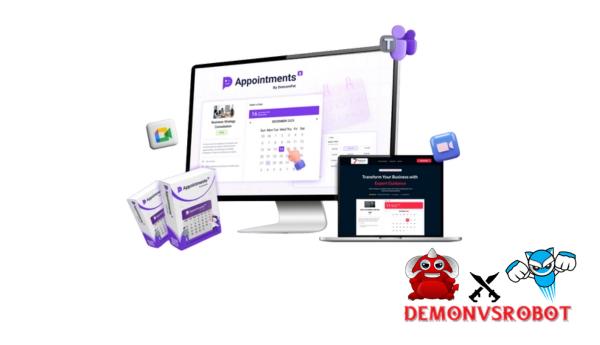 You don't have to spend hours answering booking requests, confirming appointments, sending reminders, and keeping track of payments if you run a service business. But for business owners, this is still a daily task. This review will go into great detail about Appointments By DotcomPal, looking at how it works, who it's for, and whether it can replace a lot of the tools that businesses already use to keep track of appointments. After reading this review, you'll know for sure if this service will function well with how your business works.
What is Appointments By DotcomPal

Appointments by DotcomPal is a complete customer management and appointment scheduling system made just for service organizations who need to set up appointments, phone calls, or consultations. With this system, you can take online appointments, payments, send emails and reminders, and manage clients all from one place, so you don't need to use separate, unintegrated software. Customers don't have to call you to make an appointment; they may pick the service they want and the best time for them.
The program also has a CRM system that keeps track of all customer information, such as profiles, appointment history, notes, preferences, and payments that have been made. Appointments makes it easy to keep track of frequent customers without having to use spreadsheets or CRM tools. Appointments also has a calendar sync feature for teams and agencies that lets them set up several specialists, individual timetables, repeat appointments, and service bundles.
In short, Appointments by DotcomPal is a service that makes scheduling appointments easier and faster. It automates appointment reminders, which leads to more appointments, and automatic payments, which promotes cash flow. It also makes arranging appointments easier and improves the company's image.
Key features of Appointments By DotcomPal
- Transform any service firm into a 24/7 AI-powered automated appointment scheduling machine: DotcomPal's appointment scheduling solution fully automates the appointment scheduling process from start to end. This means that any service firm can become a 24/7 AI-powered automated appointment scheduling machine. You may quickly set up a fully functional appointment scheduling system by describing the type of service you offer with AI-powered setup. It would take weeks to finish this on a regular website with pages, forms, and workflows for making appointments.
- Customized, high-conversion appointment pages: With this system, you can make professional appointment scheduling pages that fit your brand perfectly. This includes adding your business's logo, brand colors, fonts, and layout design, as well as changing the information forms and service descriptions. All of the sites where you can make an appointment will be easy to use on a phone, load quickly, and be designed to get people to convert, which will make your business look more professional from the start.
- DotcomPal's appointment scheduling system works for any type of service business and can handle any type of appointment. DotcomPal Appointments is quite versatile when it comes to booking appointments for coaching, consulting, clinics, beauty salons, businesses, or freelance labor. It lets you have one-on-one consultations, regular sessions, or service bundles, and it doesn't have to fit into a certain structure.
- Real-time calendar synchronization and duplicate booking protection: The system works perfectly with your calendar and shows updates right away. Once linked, Appointments makes sure that there are no duplicate bookings and that all devices and websites have the same calendar. You can be sure of accuracy without having to do any manual scheduling work.
- You may integrate your scheduling solution anywhere, such on a website, in a sales funnel, on a landing page, in a blog, or in other solutions. You can also get appointments from all of your digital platforms at any time, so your clients can make appointments from anywhere they can reach you.
- Smart automatic reminders to stop customers from not showing up: Customers not showing up is a big concern for organizations that provide services. The “Appointment Scheduling” module's smart reminder feature fixes this problem. This option lets you set up automatic email reminders that change based on time zones, which cuts down on missed appointments.
- Built-in client Management and CRM: The Appointment Module has a full CRM system built in where you can keep track of client information, appointment history, preferences, and lifetime value. This dashboard lets you handle relationships, sales processes, and targeted ads all in one place, making the experience more personal.
- Scheduling for more than one provider and group: The program lets you have as many service providers as you like for groups, organizations, and clinics. Every provider has its own schedule. When clients book, they can choose their preferred provider.
- Get paid right away when you book: The integrated appointment scheduling system lets you pay in full or in part by Stripe, PayPal, Square, or Authorize.NET. This saves money, improves cash flow, and cuts down on last-minute cancellations, which makes people more likely to keep their bookings.
- Recurring appointments and service packages: You may easily set up appointments that happen on a regular basis, such every week or every month. Clients can plan whole programs at once with service packages, which makes it easy to build a reliable, repeatable company with little work.
- The system runs on a very secure cloud platform with 99.99% uptime, so it has enterprise-level scalability and performance without being too complicated. Instant confirmation, SSL encryption, and enterprise data security are all technical features that don't make things harder for end users.
- AI Booking Assistant for Quick Setup: The AI Booking Assistant helps with and streamlines the process of setting up and configuring things by hand. It also helps businesses get started without having to know anything about technology by helping them organize their services, sites, and workflows.
- Smart Design Tools and a Drag-and-Drop Page Builder: You can make booking pages without knowing how to code using a drag-and-drop editor like Canva. You will get access to a design library, booking form design, conversion buttons, graphics, icons, fonts, timers for urgency levels, and headers that were made by professionals.
- Integrated analytics tools let you keep track of bookings, income, behavior, and performance analysis. They also let you do analysis, reporting, and file management. The system also has personal cloud storage for keeping track of files and other resources.
- A commercial license is provided. With a commercial license, you can create and sell the appointment scheduling system to clients under your own brand. This will turn DotcomPal Appointments from a simple appointment scheduling tool into a way for businesses and freelancers to make money.
How to use Appointments By DotcomPal
Step 1: Access the Main Dashboard & Tools
Once you log in, you'll be directed to the main dashboard, where you can quickly see all of your appointments, transactions, orders, and other activity for the day. You don't need to use a lot of different solutions to get to all the important parts, such the CRM, Website, Sales, Marketing, and Analytics areas.
Step 2: Set Up Customers, Pages & Automation
You may find client information, appointment history, contacts, and notes in the CRM area. You can make or change appointment pages and brand pages in the Website area. You may make registration forms and get automatic leads in the Marketing area, as well as keep track of them.
Step 3: Create Appointment Offers
Go to Sales > Products and choose the sort of product you want to arrange. Type in the name of your service, choose if the appointment is free or paid, and then set the price and time it is available. You can also make more offers.
Step 4: Connect Payment & Launch
Pick how you want to pay, set up your account choices, then post the deal. Customers can make appointments, pay if they need to, and more once the offer is up.
Step 5: Customize & Track Performance
The website's drag-and-drop editor lets you change all of the member and scheduling pages. You can use analytics categories to keep track of appointments, income, customer activity, and page functioning so that you can make them better for long-term outcomes.
Why you should use Appointments By DotcomPal
- Programmed to automatically fill your schedule: Appointments by DotcomPal is a tool for businesses that wish to fill their time slots automatically and get rid of empty ones. You may make appointments at any time of day or night, and you don't need to call, email, or contact anybody else. This makes it easy to turn curiosity into appointments.
- Reduce missed appointments and absences: Automatic confirmations and reminders help clients remember their appointments and show up on time. The system stops you from forgetting about appointments by sending you automatic reminders. This saves you time and money.
- Help keep your income more stable: Every missed appointment represents lost income, which could have been lost. With Appointments, cancellations and absences don't have as much of an effect on income because reminder and confirmation messages are combined with prepaid payments.
- Stop doing everyday duties by hand: You don't have to confirm appointments, issue reminders, or collect payments by hand anymore. Everything is done in one spot, which cuts down on mistakes and gives you more time to focus on providing good service.
- Appointments is an all-in-one solution that combines scheduling, reminders, payments, CRM, site management, and automation, so you don't need to use several different products every month. This cuts down on the number of services you need to sign up for, which might be expensive.
- Marketing: Appointments supports numerous calendars, suppliers, recurring appointments, and service packages, so you can grow with your business whether you're a freelancer or a business owner with a team. This means that it will expand with your business instead of making you use a lot of different apps later.
The Upgrade/OTO details
Front-End (FE): Appointments by DotcomPal – $37
- Appointments by DotcomPal, an all-in-one booking and client management tool, is accessible at the entry level.
- Includes a full appointment booking system with online scheduling, confirmations, and reminders.
- Allows service firms to accept appointments at any time of day or night, sync calendars, and automatically avoid multiple bookings.
- Built-in CRM allows you to manage clients, booking history, notes, preferences, and payment records all from one dashboard.
- Secure gateway interfaces enable payment collection during the booking process.
- Comes with a business license, which allows users to construct and sell booking systems to clients.
- 100% cloud-based, requiring no hosting, setup, or technical installation.
- A 30-day money-back guarantee ensures risk-free testing.
- Ideal for coaches, consultants, freelancers, agencies, and local service firms seeking automatic scheduling with no monthly costs.
Upgrade 1: Appointments by DotcomPal Fast-Pass Deal – $230
- All-access upgrade that includes every key Appointments feature and license in one package.
- Removes all restrictions on bookings, clients, services, team members, and use.
- This includes enterprise-level automation, analytics, superior security, and priority support.
- Obtains complete agency rights to offer appointment booking systems and keep 100% of client income.
- Allows you to manage various enterprises and customer tasks from a single consolidated dashboard.
- Includes exclusive fast-action incentives that will help you get started and monetize quickly.
- Ideal for agencies, resellers, and serious customers looking to scale without limitations and save over 75% on each upgrades.
Upgrade 2: Appointments Mega Suite Upgrade (20+ Premium Apps) – $127
- Creates a comprehensive business-growth environment around the Appointments platform.
- Get access to over 20 premium apps for content production, lead generation, marketing automation, and productivity.
- Designed to provide appointment-based businesses with additional tools and resources.
- Includes VIP training and extended premium support to accelerate growth and improve performance.
- Eliminates the need for several subscriptions by combining tools into a single suite.
- Ideal for agency builders, marketers, and power users who want a complete business stack in one place.
Advantages
- DotcomPal's appointment scheduling service simply needs a one-time payment and doesn't charge monthly fees. This implies that over time, it will save you a lot more money than most alternative scheduling tools that demand monthly fees.
- Automated appointment scheduling 24/7: Customers can make appointments at any time, day or night, and you don't have to answer to their requests by hand. This way, you'll never miss a chance to schedule something outside of business hours.
- Integrated CRM for full customer management: The integrated CRM system stores customer profiles, appointment history, preferences, notes, and payment data. You may maintain your professional contacts without utilizing spreadsheets or other CRM solutions with this.
- Automated email and text message reminders: Fully configurable automated appointment reminders help clients stay on top of things and informed, which cuts down on no-shows and last-minute cancellations.
- Smart calendar synchronization keeps you from making the same booking twice. It makes sure that your calendars are always up to date and that there are no scheduling conflicts.
- Supports recurring appointments and service packages: It's easy to set up weekly or monthly consultations or service packages, which is great for coaches, consultants, and service providers that work with the same clients again and over.
- Full customisation and branding: With a personalized domain name, logo, brand colors, fonts, and layout, you can make a booking experience that is completely in line with your brand.
- A drag-and-drop page builder that is easy for beginners to use. No programming or design abilities are needed. The editor is similar to Canva, which makes it easy for anyone, even beginners, to develop appointment pages that get a lot of people to book.
- The program works well for most service industries. It may easily work with any industry and any way of scheduling, from coaching and consulting to beauty salons, clinics, companies, and freelancers.
- Allows you to schedule for numerous providers and teams: You may add as many team members or service providers as you want, each with their own schedule and availability. This makes the software great for enterprises that are growing.
- Includes commercial licensing: You can offer the scheduling system to clients under your own brand and make money with white-label functionality. This gives you another way to make money without having to design the system from scratch.
Disadvantages
- Requires a solid internet connection: Because Appointments is web-based, accessing the platform and processing appointments is easy as long as you have a reliable internet connection.
- Initial learning curve due to feature depth: While several built-in capabilities, such as CRM, billing, automation, pages, and analytics, are undoubtedly useful, new users will require some time to become acquainted with them all, particularly if only basic scheduling capability is required.
Who is it for?
- Coaches, consultants, freelancers, and businesses: Appointments is great for coaches, consultants, freelancers, and businesses. It's a reliable, automatic way for customers to make appointments, send reminders, and pay without the professional having to do any of the work themselves. It makes you look more professional and trustworthy while saving you time.
- Local service businesses: Automated scheduling, reminders, and upfront payments can help local service firms like clinics, beauty salons, fitness trainers, tutors, therapists, and similar enterprises a lot. They will reduce no-shows and make your appointments easier to manage.
- Digital marketers and business owners: Users can design and offer appointment scheduling systems to clients as a service with the bundled commercial license. This opens up new ways to make money without having to pay for custom development.
- Non-technical novices: Appointments is still easy to use for beginners, even if it has a lot of strong features. Users who don't know how to program or use computers may easily set up a full client management and appointment scheduling system.
What You Get (Compared to Buying at DemonVsRobot)
- You get clear, practical advice, not just a download: When you buy Appointments for DotcomPal from us, you don't have to figure everything out on your own. You get clear, useful instructions. Instead of just talking about what's included, we'll talk about what you really need to use the system in a real business. This will make sure you don't get confused and that everything in your new appointment scheduling system works the first time.
- Lifetime support through guides and future updates: When you buy through our link, we get a commission that lets us make additional Appointments by DotcomPal content, such guides and advice. You may also be sure that you will benefit from changes that will happen over time.
- Same pricing, better value: You don't pay a single extra penny when you buy from our website. The price is the same as if you bought it directly from the source. The only difference is that you're receiving a lot of value for your money, as well as more clarity.
- Before you make a decision, you need to do a reliable, impartial analysis. But we don't want to oversell. We clearly show you both the pros and cons, which will help you realize what Appointments can and can't do. This is how you can make a smart choice and not buy something that makes promises that are too good to be true.
FAQs
- Do I need programming skills to use Appointments by DotcomPal?
No. This site is for people who are new to it. You don't need to know how to code to use anything on this site. - Is this a one-time payment or a subscription plan?
You can pay for appointments once and be done with it. This makes sure there are no fees for subscriptions. - Can I accept automated payments from clients?
Yes. When arranging appointments, you can accept deposits or full payments via Stripe, PayPal, Square, or Authorize.net. - How can I manage multiple team members or service providers?
Yes. There is no limit to how many people can be on a team, as long as they can work together and offer their talents. - Does Appointments by DotcomPal help prevent no-shows?
Yes. Email and text message reminders are also automated and can be very effective in preventing missed appointments. - Can I sell the appointment scheduling system to my clients?
Yes. You get a business license that lets you make and sell the appointment scheduling system under your own brand.
Conclusion
Appointments by DotcomPal is more than just a way to make appointments; it's a whole automated system for running businesses that make appointments. It takes care of client data, makes it easier to schedule appointments, lowers the chance that consumers won't show up on time, and lets clients pay in advance. You should certainly get Appointments by DotcomPal if you want to save time, reduce stress, and automate your appointments. Also, if you buy from our website, you will get our free help. Click the link below to buy Appointments by DotcomPal today and make your appointment scheduling procedure automatic.
[/tie_list] [/box]- SPECIAL BONUS 1 – MultiNetwork Poster

- SPECIAL BONUS 2 – ContentLynk

- SPECIAL BONUS 3 – AK Booster Pro

- SPECIAL BONUS 4 – FB MultiPoster

- SPECIAL BONUS 5 – GramHood

- SPECIAL BONUS 6 – Serp Scribe

- SPECIAL BONUS 7 – RankMe

- SPECIAL BONUS 8 – RankMe


















