 Demon VS Robot DVSR Marketing Website
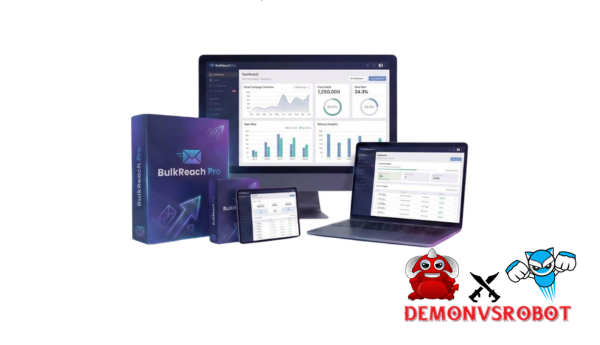
What Is BulkReach Pro?

BulkReach Pro is a one-time purchase desktop application that allows you to send limitless bulk email campaigns using your own SMTP servers; no monthly subscription is required. Consider the difference between renting a car every month and owning one completely. You buy it once, and it works perpetually.
BulkReach Pro is great at four main things: uploading large CSV lists, connecting to SMTP relays (such Gmail, Outlook, Amazon SES, or any custom server), creating personalized email templates, and tracking campaigns with statistics. That combination covers the workflow that most people who mail things really need.
Who is this meant for? Freelancers, marketing firms, small and medium-sized enterprises, people who send cold emails, and people who publish newsletters are all people who are sick of spending $29 or $79 a month just to send emails. Users say they save more than $1,200 a year compared to services like Mailchimp. When set up correctly with warmed-up domains and a dependable SMTP, open rates can be three times higher than what free tools offer.
Why Choose BulkReach Pro in 2025?
In 2025, there will be a lot of email marketing software that is pricey and, for many consumers, too complicated. Most SaaS systems charge you every 30 days for features you'll rarely use. BulkReach Pro completely changes that model.
The main problems it solves are genuine and happen over and over. Monthly SaaS prices add up to thousands of dollars a year. Free tools have limits on how many messages you can send, which makes scaling impossible. A lot of bulk senders have bad IP reputations, which makes it hard for emails to get through. Most small teams can't afford to climb the steep learning curve that comes with complete marketing automation solutions.
Here's what you get instead.
- No monthly fees. A single purchase under $50 grants you lifetime access, period.
- Practically unlimited sends. The only ceiling is your SMTP provider's capacity, not the software itself.
- Deliverability control. Connect to Amazon SES, your own dedicated IPs, or any custom SMTP. Your sender reputation stays in your hands.
- Data ownership. Your contact lists and campaign data live on your machine, not in someone else's cloud.
- Familiar workflows. CSV imports, a visual/HTML editor, and a clean dashboard keep the learning curve low.
Think about these examples. A digital business that sends out weekly newsletters to 10 clients, each with more than 5,000 contacts, may handle all of its campaigns from one BulkReach Pro seat. A SaaS tier doesn't need to be upgraded for a single campaign if an e-commerce site is holding a seasonal sale for 50,000 subscribers. A B2B consultant who undertakes compliant cold outreach to find leads doesn't need a CRM-heavy platform that costs $79 a month.
It's easy to do the ROI math. You break even in less than two months when you pay $47 once instead of $29 a month for a similar SaaS solution. The SaaS route costs $348 extra over the course of a year. You can move the money to a different budget.
Users that use BulkReach Pro with warmed-up sending domains and Amazon SES say that their open rates are always 20% to 30% on engaged lists, which is the same as or better than many hosted platforms.
BulkReach Pro Key Features Overview
It helps to see the whole picture side by side before going into how each feature works in a live campaign. The table below shows how each feature is useful in real life and when it is better than other options.
Feature | Functionality | Practical Advantage |
CSV Bulk Upload | Import contact files with custom field mapping | Handles 100K+ rows, beyond Google Sheets add-on limits |
SMTP Integration | Relay via Gmail, Outlook, SES, or any custom server | No per-email fee; use your own domain and IP |
Email Templates & Editor | 50+ built-in templates, drag-and-drop + HTML mode | Professional design without a design team |
Personalization & Automation | Merge tags, drip sequences, resend to non-openers | Targeted messaging at scale |
Tracking & Analytics | Open rates, CTR, bounces, unsubscribes per campaign | Data-driven optimization on every send |
Compliance Tools | Auto unsubscribe links, footer management | CAN-SPAM alignment, lower spam complaint rates |
List Cleaning | Duplicate detection, invalid format flagging | Cleaner lists, better sender reputation |
Scheduling & Throttling | Set send windows, rate per hour/minute | Avoids spam filter triggers from volume spikes |
Import/Export & Backup | Export lists and campaign data to CSV | CRM syncing, offline archiving, portability |
BulkReach Pro differs from credits-based solutions in that it does not charge per email. You don't count sends like a taxi meter. Each feature cluster is examined in the context of actual campaigns in the sections that follow.
In-Depth BulkReach Pro Features: How Each One Works in Real Campaigns
CSV Bulk Upload & List Management
To get your audience into BulkReach Pro, you need to start with a basic CSV file. You just drag everything in, map the columns (email address, first name, last name, company, and custom tags), and the software takes care of everything else, including removing duplicates.
Think about uploading customers_2024Q4.csv, which has fields for first name, last order date, and a unique discount code. That information goes straight into your email template. You won't have crashes or row restrictions when you use a spreadsheet-based mail merging application with lists of more than 100,000 rows.
One good rule to remember is to never start with a list you bought. Start with your most engaged group, such prior purchasers or recent signups, to build a solid sender reputation from the first email.
SMTP Integration & Deliverability Controls
BulkReach Pro doesn't send emails on its own. It connects to any SMTP server you set up and operates as the control layer. This difference is what makes the platform better at delivering.
You make sure that your outgoing mail matches your domain's SPF and DKIM records. You set the rate at which things are sent. You can either pick an IP with a good reputation or build one up over time.
Provider | Approximate Cost | Typical Use Case |
Gmail / Google Workspace | Included with account | Low-volume, personal outreach |
Amazon SES | ~$0.10 per 1,000 emails | High-volume campaigns at scale |
Custom Hosting SMTP | Included with hosting plan | Newsletters, brand consistency |
Outlook / Office 365 | Included with M365 plan | Business outreach via company domain |
Using standard SMTP credentials, address, port, username, password, and SSL/TLS setting, it takes less than five minutes to connect to any of these.
Email Templates, Editor & Design Options
BulkReach Pro includes a library of 50+ pre-built templates for newsletters, promotional campaigns, product launches, and plain-text outreach. Each is mobile-responsive right out of the box.
The editor has two modes. Drag-and-drop is useful for marketers who wish to assemble layouts visually. HTML/CSS mode is available to developers and agencies that maintain brand-specific code. A merchant running “Weekly Deals” campaigns, for example, can create the template once and utilize it for each send, replacing the product photos and pricing without changing the structure. When compared to producing from scratch in Gmail or using the simplest design options within YAMM, the difference in output quality is immediately noticeable.
Personalization, A/B Testing & Automation Sequences
BulkReach Pro allows for personalization using merge tags such as {{first_name}}, {{company}}, {{last_order}}, and any custom fields mapped during import. Place them in subject lines, greeting text, or anyplace inside the body material.
Aside from static customisation, the automated layer supports drip sequences. A practical onboarding flow could look like this: Day 0 sends a welcome email with a lead magnet, Day 2 provides a curated content roundup, and Day 5 introduces a low-pressure offer. The software also allows you to resend emails to non-openers with a fresh subject line, which is one of the most effective email marketing methods.
A/B testing allows you to segment your list by subject line variation, sender name, or content block. The end result is a feedback loop in which each campaign teaches you what the next one should look like.
Tracking, Reporting & Analytics
BulkReach Pro creates a campaign dashboard after each email that includes delivery status, open rate, click-through rate (CTR), hard and soft bounce counts, and unsubscribe numbers. You can see it for each campaign and in aggregate.
A typical result may look like this: 20,000 sends, 28% open rate, 4% CTR, and 0.3% hard bounces. For comparison, industry benchmarks place healthy open rates around 20-30% for engaged lists and CTRs at 2-5%, depending on the sector. When a campaign falls short of those expectations, the data shows you exactly what to look into: the subject line, the offer, the list quality, or the sending time. You can export the entire report to CSV for CRM import, cohort analysis, or long-term storage.
Compliance Tools, Unsubscribes & Legal Safeguards
Every template in BulkReach Pro has a footer that you can change to include your company address, the reason the person is getting the email, and a link to unsubscribe. When someone selects to opt out, the system instantly takes them off future sends.
These tools help you follow the rules of CAN-SPAM and show recommended practices under frameworks that are similar to GDPR. That being stated, the program is not a legal guarantee; it is just a tool. You are still responsible for just contacting those who have given you permission and for honoring every unsubscribe and bounce right away. Taking care of your email list and sending relevant content will do more for your sender reputation than any technological setting alone.
Scheduling, Throttling & Sending Controls
With BulkReach Pro, you can plan campaigns ahead of time and choose when to send them, such only on weekdays, at certain times, or in your local time zone. The throttling control sets a transmit rate per hour or per minute. This stops spam filters from going off when there is a sudden high-volume burst.
For instance, a campaign with 50,000 contacts can be limited to 5,000 sends each hour for 10 hours. That timing looks like how organic traffic moves, which inbox providers usually like better than a single-burst flood. A “follow the sun” strategy, which sends emails to each time zone during its local business hours, might increase open rates even more for worldwide audiences.
Pricing Plans and OTOs detailed
FE – Starter Access ($7.99 one-time)
- Basic email campaign sending functionality
- Access to standard email templates
- Entry-level sending capacity within system limits
- Includes platform branding (logo)
- Simple setup for beginners
- No recurring subscription required
OTO 1 – Pro Email Sender ($19.99)
- Import and manage CSV contact lists
- Enhanced campaign creation tools
- Higher sending capacity for larger campaigns
- Option to remove platform branding
- Priority processing for faster sending
- One-time payment with no monthly fees
OTO 2 – Unlimited Edition ($69.89)
- High-volume email sending capability
- Full white-label experience (no branding)
- Advanced email editor with customization options
- Priority system processing for better performance
- Designed for scaling email marketing campaigns
- Greater control over campaigns and output
Step-by-Step BulkReach Pro Setup: From Install to First Campaign
Step 1: Download & Install BulkReach Pro on Windows or Mac
Go to the official BulkReach Pro website and get the installation for your OS. The program works on regular hardware. A current laptop with 4 GB of RAM can easily handle most campaigns. Run the installer, choose your language, and then follow the setup tutorial until it is done. Most of the time, you don't need administrator rights, but sometimes corporate IT policies may necessitate an exception. After installing the program, open it to make sure it works without any problems.
Step 2: Connect Your SMTP (Gmail, Outlook, Amazon SES, Custom)
Navigate to the SMTP settings panel and enter the required fields: server host, port number, username, password, and encryption type (SSL or TLS). Each provider has a specific configuration:
- Gmail / Google Workspace: Use smtp.gmail.com, port 587, TLS, and an app-specific password (requires 2-step verification enabled on the account).
- Outlook / Office 365: Use smtp.office365.com, port 587, TLS, and your Microsoft account credentials.
- Amazon SES: Use the region-specific SMTP endpoint (e.g., email-smtp.us-east-1.amazonaws.com), port 587, and IAM SMTP credentials generated from the AWS console.
- Custom Hosting SMTP: Use the host and credentials provided by your web host, typically found in the email or cPanel settings.
Use the built-in Test Connection button to confirm the relay is live before importing any lists.
Step 3: Import Your Email List (CSV Mapping & Validation)
Click “Import List,” choose your CSV file, and then match each column to the right field: email (mandatory), first name, last name, company, and any custom tags. The validation stage shows you any duplicate email addresses and those that are in the wrong format, so you know exactly what is going into your campaign before it sends.
A good initial step is to do a test import with 100 contacts from your most active group. That small batch checks your setup without putting your whole list or sender reputation at jeopardy.
Step 4: Design, Personalize & Schedule Your First Campaign
Choose a template type that fits your needs, whether it's for a newsletter, a promotion, or plain text outreach. Use merge tags like {{first_name}} in the subject line and the first greeting to make it look like you are sending a lot of messages to one person. Add monitored call-to-action buttons with UTM-tagged URLs so that every click goes into your analytics.
Choose your “From” name, “From” address, and subject line. Set up the A/B split here if you want to try out different topic lines. Lastly, decide whether to send right away or set a time and date that works for your audience's active hours.
Step 5: Monitor Results, Optimize & Scale Carefully
The reporting dashboard starts to fill up within minutes of a campaign becoming live. Keep an eye on the open rates, click patterns, and bounce counts. You should look into segments that have less than average engagement. This could mean that the list is old, the content isn't relevant, or the subject line didn't work.
The optimization cycle is simple: change the subject lines based on how many people opened the email, improve the offers based on the click-through rate, and wipe the list after each campaign with a bounce rate higher than 2%. As your domain's reputation grows, you should slowly increase the number of emails you send each day. High-volume senders can spread the burden and lower the danger by rotating between numerous SMTP accounts, each with its own warmed-up domain.
BulkReach Pro Reviews, Results & Real-World Performance
People who have converted to BulkReach Pro from subscription-based platforms tend to talk about the same benefits. The most common reason is price. It is one of the few tools in this category that can figure out the return on investment (ROI) on its own for less than $50. Unlimited campaigns and contact lists, as long as you have enough disk space, take away the scaling worries that SaaS tiers cause. And since everything operates on your own computer, your data never goes to a third-party server.
It is important to explicitly state the constraints. There is no native mobile app or browser-based interface for BulkReach Pro. It is desktop software. People who need to view campaigns from more than one device usually do this by setting up a remote desktop or a VPN connection to the host system. Compared to SaaS applications, native interfaces with CRM systems or marketing stacks are restricted. However, CSV export/import and tools like Zapier or Make can connect most workflows. This isn't a “sign up and send” solution like Mailchimp, so you need to know a little bit about how to set up SMTP and deliverability.
BulkReach Pro vs Top Email Marketing Alternatives
Comparison Table: Pricing, Limits & SMTP Flexibility
Tool | Pricing Model | Send Limits | SMTP Flexibility | Best For |
BulkReach Pro | ~$47 one-time | SMTP-based, no cap | Any SMTP (SES, custom) | Cost-conscious senders |
Mailchimp | $13+/month | Tiered by contacts | Hosted only | Beginners, visual marketing |
GMass | $25+/month | Gmail daily limits | Gmail only | Gmail-based outreach |
YAMM | Free + paid tiers | 50, 1,500/day | Gmail only | Quick sheet-based merges |
Brevo | $25+/month | Tiered by volume | Yes | SMB marketing automation |
Every month, the money difference between BulkReach Pro and any other subscription-based service gets more. Most SaaS applications cost more than a lifetime BulkReach Pro license after just 60 days. The SMTP flexibility column is just as important. Platforms like GMass and YAMM lock you inside Gmail's environment, which limits free accounts to about 500 sends per day and causes delivery problems when there are a lot of them.
When BulkReach Pro Is the Best Choice
When your main goal is to send a lot of high-quality email campaigns without having to pay for them every month, BulkReach Pro is the best choice. This is the solution for you if you don't like paying monthly fees for SaaS, if you maintain email lists for more than one customer, if you know how to set up an SMTP connection, or if your work is mostly about campaigns and simple automation instead of a full CRM.
Agencies, in particular, get a lot out of this. Managing 10 client newsletters from one licensed seat, without paying per-seat or per-contact fees, is a structural cost advantage that grows over time.
When a SaaS Platform Might Be the Better Fit
In certain situations, a hosted platform is the better option. If your email strategy relies on behavior-based automation, such as triggered sequences based on website visits, purchase history, or lead scores, solutions like Brevo and ActiveCampaign provide native support for this. A whole SaaS suite makes more sense if you want landing pages, CRM pipelines, and email all in one place rather than having to link together various applications. If SMTP setting is truly beyond your team's capabilities, a managed sending platform eliminates any friction.
Frequently Asked Questions About BulkReach Pro
Is BulkReach Pro a cloud service or a desktop app?
You can install BulkReach Pro on your Windows or Mac computer. Your SMTP server, not BulkReach Pro's infrastructure, sends emails. When you compare it to cloud services, the trade-off is clear: you get full data privacy and local control, but you can't access your data from elsewhere.
Is BulkReach Pro safe and legitimate to use?
Yes, BulkReach Pro is real mass email software if you utilize it correctly. Your contact information is not collected or sent by the program; it stays on your computer. It depends on how you utilize it whether your campaigns are legal. You should only email those who have given you permission, obey the legislation (CAN-SPAM in the US, GDPR in Europe), and honor every unsubscribe request right away.
Does BulkReach Pro work on both Windows and Mac?
BulkReach Pro works with both Windows and macOS. Performance scales with your hardware; for campaigns with 50,000+ contacts, a system with at least 8 GB of RAM and a current processor can handle the load without significant slowness.
Does BulkReach Pro have any sending limits?
The software imposes no artificial transmitting limits. The SMTP provider to whom you connect determines your real limit. Gmail accounts typically send 500 emails each day (or up to 2,000 for Google Workspace). Amazon SES can handle hundreds of thousands of emails every day.
Can I use BulkReach Pro with Gmail or Google Workspace safely?
You may connect BulkReach Pro to Gmail. The setup requires an app-specific password and two-factor authentication activated on the Google account. Follow Google's sending standards, prevent sudden volume spikes, keep your list clean, and don't send to unengaged or paid lists.
How does BulkReach Pro handle unsubscribes and spam complaints?
Every design has an unsubscribe link that can be changed. When someone clicks it, BulkReach Pro marks them as unsubscribed and stops sending them emails in the future. Mailbox providers like Gmail, Outlook, and Yahoo handle spam complaints. The best way to protect yourself is to send useful content to people who want to receive it.
Can BulkReach Pro replace Mailchimp or Brevo entirely?
Yes, for many people. If all you need are broadcast newsletters, marketing programs, and simple drip sequences, BulkReach Pro can do it all for a lot less money.
How many contacts and campaigns can I store in BulkReach Pro?
There is no hard limit on how many contacts or campaigns the software can handle. Your computer's disk space and processor power set practical boundaries.
What support and updates does BulkReach Pro offer?
BulkReach Pro has video training, a knowledge base, and email-based customer assistance. The license comes with lifetime updates that repair bugs, add security patches, and add new features.
What are the best SMTP providers to pair with BulkReach Pro?
For low-volume outreach under 500 sends per day, Gmail or Outlook works fine. For medium-volume campaigns, your hosting provider's SMTP is a practical choice. For high-volume operations, Amazon SES is the benchmark: low cost, high deliverability, and straightforward integration.
[/tie_list] [/box]- SPECIAL BONUS 1 – MultiNetwork Poster

- SPECIAL BONUS 2 – ContentLynk

- SPECIAL BONUS 3 – AK Booster Pro

- SPECIAL BONUS 4 – FB MultiPoster

- SPECIAL BONUS 5 – GramHood

- SPECIAL BONUS 6 – Serp Scribe

- SPECIAL BONUS 7 – RankMe

- SPECIAL BONUS 8 – RankMe


















