 Demon VS Robot DVSR Marketing Website
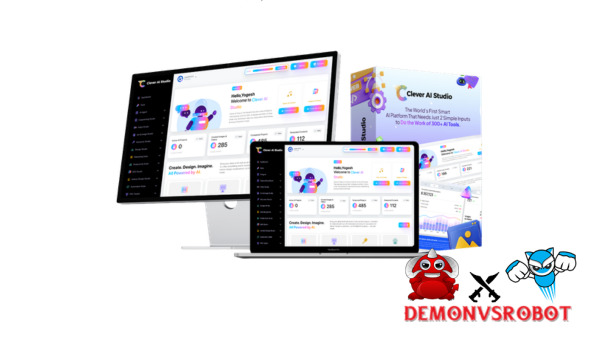
If you typed “Clever AI Studio” into Google and ended yourself here wondering if this is a Google product, a general word for smart AI tools, or something else, you're not the only one. The term can be confusing, but this guide makes things plain from the start.
This article is about Clever AI Studio, a software, tools, and technology platform made by a team with more than ten years of experience in software engineering and AI implementation. It has nothing to do with Google AI Studio or any model or provider playground.
Here is what this guide answers:
- What Clever AI Studio is and how it functions architecturally
- Which user types it is built for, from marketers to engineering teams
- What its core feature set looks like in practice
- How to go from sign, up to a deployed AI agent, step by step
- How it compares to alternatives, and where each option fits best
- Honest trade, offs and a set of targeted answers to common questions
What Is Clever AI Studio?

Clever AI Studio is a single platform for creating, deploying, and managing AI agents and automated processes. You don't have to worry about running your own servers or dealing with several model provider APIs at the same time.
Clever AI Studio brings together a language model API, a deployment pipeline, a logging system, and a governance layer, so you don't have to wire them all together yourself. Without writing any code, a marketing team can set up a campaign assistant. A developer can add a working AI endpoint to their product the same day. The platform covers the entire operational arc, from the first prompt to a deployment that is ready for production.
It's not just a simple chatbot builder that only works with one supplier. It's not just a bare-bones LLM API wrapper either. Clever AI Studio is a combination of no-code agent development, AI orchestration, serverless hosting, and monitoring. This means that it can be used by both non-technical operators and engineering-minded teams who want speed without losing control.
Key Features of Clever AI Studio
The platform's features are based on what teams really need to do: create an agent, connect it to data and tools, pick the proper AI model, ship it safely, and keep an eye on what's going on over time. This is how each feature works in real life.
No, Code and Low, Code AI Agent Builder
You don't have to open a terminal to set up an agent's full behavior, system instructions, input/output formats, logic branching, or tool calls with the visual builder. You can use an existing template or start from scratch with a blank configuration. At the same level, developers can also use custom function injection and API hooks to get more precise results. For example, a sales team may make a lead qualifying chatbot in less than an hour by linking a prompt, a CRM connector, and a scoring rule. No need to hand over engineering work.
Integrations, Data Sources, and Connectors
The data that an agent can get to is what makes it helpful. With pre-built connectors and webhook options, Clever AI Studio can link to CRM systems, helpdesk platforms, document storage, databases, and external APIs. You can add a knowledge base so that the assistance bot gets its answers from your real documentation instead of from general training data. You can set access levels at the scope level, read-only when necessary, and scoped credentials where security calls for them.
Multi, Model AI and Provider Flexibility
Different tasks don't always need the same model. You may choose the AI backend that best meets your performance and cost needs with Clever AI Studio. You can also change it later without having to rewrite the business logic you've already written. A common practice is to make a prototype with a cheaper, lighter model, test how it works, and then move to a more powerful one for production. That kind of model portability safeguards your investment in setting up workflows as the AI provider market keeps changing.
Serverless Deployment, Scaling, and Reliability
You don't have to manage containers, set up autoscaling rules, or get cloud resources ready when you deploy an agent on Clever AI Studio. That layer is taken care of by the platform. Depending on where your users are, your agent broadcasts as an API endpoint, a web widget that may be embedded, or an internal tool interface. A support bot that handles thousands of inquiries per day runs without any DevOps engineer having to touch Kubernetes or virtual machines. The same environment has built-in tools for checking uptime and reliability.
Monitoring, Analytics, and Optimization Tools
When an agent becomes live, the platform shows a summary of request volume, token use, latency, error rates, and costs all in one dashboard. That visibility does more than just meet reporting needs; it tells you what to do. If you see that error rates have gone up with a recent integration modification, you can look through the request logs, find the incorrectly set up input, and rectify it in a few minutes. Actual usage data, not speculation, helps make quick decisions about iterations and switching models.
Half the picture is knowing what features are available. The next part shows you how to build up a project and deploy your first agent in real life.
Pricing Plans and OTOs detailed
Front End: Clever AI Studio – $37
- AI marketing agent platform with 300+ built-in marketing skills
- Create content, videos, and graphics for campaigns in one place
- Generate complete marketing campaigns with automation support
- Commercial rights included to sell services or client work
- Training provided for beginners to get started quickly
OTO 1: Clever AI Studio Max
- Unlimited AI agent deployments for scaling multiple campaigns
- Faster processing speeds with priority rendering access
- Advanced campaign automation for hands-free workflows
- Extended limits for content and asset generation
- Premium templates and creative assets included
OTO 2: Clever AI Studio Unlimited
- Unlimited content creation across all formats and platforms
- Run unlimited campaigns without any restrictions
- Manage unlimited projects for scaling business operations
- No usage caps or limitations on system performance
- Ideal for high-volume marketers and agencies
OTO 3: Clever AI Studio VSL Creator
- Create AI-powered video sales letters for marketing campaigns
- Generate scripts, voiceovers, and full videos automatically
- Designed for high-converting affiliate and product promotions
- Produce professional sales videos without editing skills
- Boost conversions with ready-to-use VSL frameworks
OTO 4: Clever AI Studio Job Finder
- Automatically find high-paying freelance and marketing gigs
- Access real job opportunities across multiple platforms
- Built-in client acquisition tools for faster outreach
- Simplify the process of landing your first clients
- Ideal for beginners starting service-based income
OTO 5: AI Logo Suite
- Generate professional logos using AI-powered design tools
- Create full branding kits for businesses and clients
- Access design assets for commercial and client use
- Offer logo and branding services
- Scale a design-based income stream quickly
OTO 6: Viral Influencer AI
- Generate viral content ideas for social media growth
- Build influencer-style campaigns across platforms
- Automate posting and engagement workflows
- Use AI strategies focused on traffic and visibility
- Grow audience and reach faster with optimized content
Who Is Clever AI Studio Designed For?
Clever AI Studio is for teams that want to add AI to their workflows without having to start over every time. The platform is set up to meet the demands of four different types of users, each with its own goals but some of the same needs.
- Abstraction is what developers and technical teams seek. They need a platform that takes care of the plumbing, model routing, and deployment so they can focus on the business logic. Clever AI Studio lets them use APIs, add custom function hooks, and change the models that power their integration without having to rewrite it.
- Marketers, salespeople, and operational teams need results without having to ask engineers for help with every change. A no-code workflow builder enables them set up AI agents, content generators, lead qualifying bots, or onboarding assistants and change them on their own.
- Founders and product managers usually check to see if their ideas are good. They need to quickly create a prototype of an AI feature and show it to stakeholders before they decide to implement it fully. Using pre-made blueprints and configurable agents, a product manager may launch an AI feature that proves the concept in a week instead of a quarter.
- IT and business leaders are interested in things like governance, data security, audit trails, and vendor flexibility. Clever AI Studio solves this problem by allowing centralized monitoring, role-based access, and the ability to swap or layer AI providers without modifying the core deployment architecture.
Every persona has a separate way to enter into the platform, but they all work in the same space. This makes shared ownership and cross-functional cooperation possible instead of just a dream.
Step, by, Step: How to Get Started with Clever AI Studio
Most consumers think it will take longer than it does to get from a new account to a successful deployment. The steps are simple: set up your workspace, look at what's already there, configure your agent, test it extensively, and ship it. Here is a full list of each stage.
Step 1: Sign Up and Set Up Your Workspace
Account creation supports regular email sign-up and OAuth-based authentication. Once you're in, you give your workspace a name and set up some basic options. The workspace is where agents, integrations, and use statistics all sit together when you're working with a team. If you want to let a certain team use it, a good name to use is something like “Marketing AI.” There is a free, tiered, or trial period, and the price part of the platform shows what the current limits are.
Step 2: Explore Templates and Pre, Built Blueprints
Look through the template gallery before you start developing anything from scratch. Clever AI Studio comes with built-in starting points for typical sorts of agents, such as customer care bots, FAQ assistants, content summarizers, lead qualifying routines, and internal copilots. You can look at any template before choosing it, and then you can copy it into your workspace so you may alter it. A quicker way to get your first result: use a “Customer Support Bot” template, change the tone and knowledge base, and you'll have something you can use in less than an hour.
Step 3: Build or Customize Your First Agent
Five main aspects make up configuration: defining the use case, setting up the system prompt and instructions, creating the input and output schema, choosing the AI model, and adding optional integrations. For a FAQ helper, this entails producing a system message that defines the agent's area of expertise, the format of the question input, the structure of the response output, the model, and the knowledge base that goes with it. There is a test preview for each element so you can check its behavior in real time before moving on.
Step 4: Test, Iterate, and Approve
The built-in playground helps you test your agent before letting real users use it. A good test pass should include at least 5 to 10 real user queries, including edge situations and requests that are out of scope. Put your agent through questions it should be able to answer well, questions it should refuse to answer, and scenarios where you need it to act the same way every time. Change the system prompt, switch the model, or make the output format more strict until the answers are the same for all of the tests.
Step 5: Deploy and Integrate with Your Channels
You can deploy your app by embedding it on a website via an iframe or script element, or by giving teams working inside company dashboards direct access to the API endpoint for custom front ends. The embed option just takes a few minutes if you're sending a public-facing assistance. The API endpoint gives you the control you need if you want to link the agent to an internal Slack workspace or a product dashboard. The agent is live as soon as you copy the embed code or API key and put it into the target environment.
From here, ongoing performance tracking and team-level governance bring you back to the monitoring and collaboration capabilities we talked about previously. These features are directly related to how Clever AI Studio compares to other options.
Clever AI Studio vs Other AI Platforms
Where does Clever AI Studio fit in with the other options? What you're trying to do determines the answer. In this study, four types of options come up most often.
Criteria | Clever AI Studio | Model Provider Playground | Dev Framework / SDK | Simple Chatbot Builder |
Target Users | Makers, teams, enterprises | Developers & researchers | Engineers | Non, tech marketers |
No, Code Builder | Yes | Limited / none | No | Yes (basic) |
Deployment | Built, in, serverless | Not full product hosting | DIY infra | Limited channels |
Model Flexibility | Yes (Multi, model) | Provider, specific | Yes (Code, heavy) | Often tied to one |
Monitoring | Integrated | Basic logs | Custom build | Minimal |
Reading this table: if you're an individual researcher looking to evaluate the output of a single model, a provider playground, such as tools like Google AI Studio, provides you with direct, low-friction access to that model. That's the perfect tool for the task.
If you're an engineering team developing a production application and want complete control over every layer, a developer framework or SDK provides that flexibility, but you must create and maintain the surrounding infrastructure yourself.
Simple chatbot builders are effective for single-purpose use cases, but most lock you into a single AI backend and provide limited deployment options as your needs evolve.
Clever AI Studio is ideal for teams that need to design, deploy, and manage AI agents in a shared environment. It offers both visual configuration for non-technical users and programmatic extensions for developers. That mix is what sets it apart from the alternatives on either end of the spectrum.
Strengths, Limitations, and Ideal Fit
Not every tool works for everything. Here is a straight look at where Clever AI Studio does well, where it makes trade-offs, and who it really helps the most in 2026.
Aspect | Strength Example | Limitation Trade, Off |
Ease of use | Build and configure agents visually | Power users may want more raw code control |
Infrastructure | No servers to manage | Bound by platform's runtime choices |
Governance | Centralized monitoring and team sharing | Requires org, level buy, in to centralize tooling |
Where Clever AI Studio performs well:
The platform cuts down on the time between “we want an AI feature” and “the AI feature is live.” Teams who used to have to wait weeks for engineering capacity can now build and improve agents on their own. The unified environment, which includes building, deploying, and monitoring all in one place, gets rid of the costs of coordinating various tools. If an organization wants to use AI across several teams, it is better to have a shared governance layer than a bunch of ad hoc scripts.
Where trade, offs exist:
Clever AI Studio adds abstraction that you won't require if your use case is a single, static prompt and you only need one model. For a one-time experiment, the cost of a comprehensive platform isn't worth it. There is also a learning curve when you start using more complex workflows, branching logic, multi-step agent chains, and custom integrations. It takes time to set these things up correctly. The platform's abstraction layer may be too limiting for teams who need very specific, low-level machine learning.
- Best fit: Teams who want to use AI in more areas, companies that prefer shared infrastructure and governance over individual scripts, and product teams that need to release AI capabilities without waiting for engineering cycles.
- Not good for: Solo hobbyists testing out a model from one provider, or teams making products that need to interface with model APIs at every stage of the stack.
Key Questions About Clever AI Studio
Is Clever AI Studio the same as Google AI Studio?
No. These are different products that aren't connected in any way. Google AI Studio is a Google-made model and provider tool that lets you play around with Gemini models. Clever AI Studio is a platform made by a software and technology company that has been in the business for more than 10 years. It focuses on creating and using AI agents and automated processes for teams and organizations. The names are similar, which makes it hard to find the right product, yet the two goods are very different.
Is Clever AI Studio a no, code tool, a developer platform, or both?
By design, both. The visual agent builder and template library provide people who aren't technical a full path from idea to deployment. Developers can also access API endpoints, add their own functions, and programmatically operate with the platform at the same time. The two access modes work in the same environment, so a marketer can build an agent and a developer can add to it without having to switch platforms.
Do I need coding skills to use Clever AI Studio?
No. The no-code configuration layer includes the whole process, from describing how agents should act to connecting data sources, choosing a model, and publishing the deployment. When you need custom logic that the visual builder doesn't offer, such building a custom function that contacts an internal API with non-standard authentication, coding becomes useful. Most teams don't start with code; they simply add it when a specific integration needs it.
Can I use my own data safely with Clever AI Studio?
Yes, but only with controls. Knowledge base integrations employ scoped access credentials, and you can set up connectors with read-only permissions if you don't need to write to them. Before connecting sensitive sources to a platform, it's usual practice for businesses with stricter data handling rules to read the platform's data processing terms. This is true for any cloud or hosted software.
Can Clever AI Studio replace hiring ML engineers?
Yes, for some things. When the platform takes care of model access and deployment, you don't need to know a lot about machine learning to build, set up, and keep a group of AI agents for operational processes, content generation, support automation, internal queries, and replying. For companies that make their own models, improve their own LLMs, or do research, grade applications, or other work, professional ML engineering is still useful. Clever AI Studio makes it easier to go from business need to production deployment, but it doesn't support all levels of AI work.
What types of projects are best built with Clever AI Studio?
The platform works well for projects that use prompts, directions, and connected data to tell the AI what to do instead of custom trained model weights. A good match is made between support automation, internal knowledge assistants, content pipeline agents, lead qualification processes, and data summarization tools. If a project needs very specific model designs or inferences that happen in less than a millisecond at scale, it might need a different approach to infrastructure.
When should I use Clever AI Studio vs building directly on an LLM API?
You should use an LLM API if you need full control over all request parameters, if you're making a product where the AI interaction model is a key differentiator, or if your team has the engineering skills to build and manage the infrastructure around the API. If you want to move faster, need non-technical team members to help build and test AI processes, or want monitoring and governance built in instead of separately, Clever AI Studio is the way to go.
Is Clever AI Studio better for small startups or enterprises?
Both can use it well, but for different reasons. Startups can quickly add AI functionality to their products without having to hire a separate AI infrastructure staff. Governance features, centralized visibility, role-based permissions, and the ability to standardize how AI tools are used across departments are all good for businesses. They stop teams from collecting unconnected scripts and shadow tools.
The main principle that runs through all of this book is that you don't have to construct the whole stack yourself to add “smart” AI to real operations. With more than ten years of experience in software and technology, Clever AI Studio gives teams a solid, production-ready path from the first prompt to
[/tie_list] [/box]- SPECIAL BONUS 1 – MultiNetwork Poster

- SPECIAL BONUS 2 – ContentLynk

- SPECIAL BONUS 3 – AK Booster Pro

- SPECIAL BONUS 4 – FB MultiPoster

- SPECIAL BONUS 5 – GramHood

- SPECIAL BONUS 6 – Serp Scribe

- SPECIAL BONUS 7 – RankMe

- SPECIAL BONUS 8 – RankMe


















