 Demon VS Robot DVSR Marketing Website
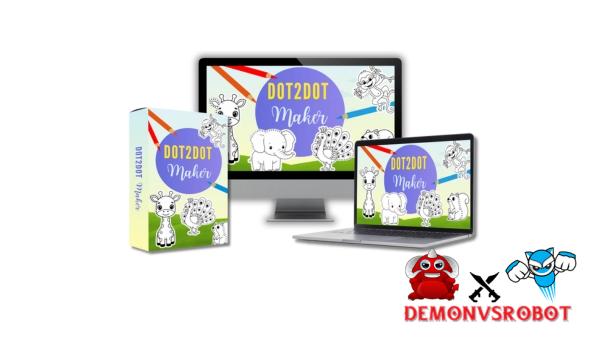
 Making connect-the-dots activity pages should be entertaining and easy, not slow, hard, and annoying. But for most authors, turning an idea into a clear, printed connect-the-dots design takes hours of drawing by hand, numbering, and making changes. That's the precise problem that Dot2Dot Maker is meant to fix. This web tool uses AI to turn any picture into a numbered connect-the-dots puzzle that is easy to understand in just a few minutes. This application automates the boring tasks so you can focus on coming up with new ideas, making them, and publishing them. It works for making children's activity books, educational exercises, and print-on-demand things for Etsy and Amazon KDP.
What is Dot2Dot Maker?

Dot2Dot Maker is a web tool that uses AI to turn digital pictures into clear dot-connecting puzzles. Breakbot is image processing software that looks at your image, finds edges and different shades of gray, and then turns these features into a dot-connecting graphic. You don't have to create outlines or put dots by hand.
You can turn pictures, drawings, or sketches into dot-connecting puzzles for kids, adults, students, or teachers with only a few clicks. Dot2Dot Maker will save you hours of labor by hand, making it very easy to make workbooks, assignments, or puzzle pages. With Dauntless dots, you may make your own dot-connecting pages and focus on ideas instead of drawing.
Key features of Dot2Dot Maker
- Create your own dot-connecting puzzle pages with a true Windows editor: Dot2Dot Maker has a WYSIWG editor built in, so the design on the home screen is precisely what you get when you export. You can make your own dot-connecting puzzle pages in a real Windows editor. You can also see where the markers go, how many there are, how far apart they are, and how the page will look after it's done. It takes the uncertainty out of it and lets you easily change each challenge, even if you don't know how to design.
- Breaking down obstacles in the dot-connecting market: To join dots the old-fashioned way, you need to be able to draw, have drawing tools, and spend a lot of time sketching each line. Dot2Dot Maker gets rid of all of those problems. AI can analyze images to help with point placement and automatic map building. This means that anyone, no matter how much expertise they have, can make high-quality puzzle material.
- You can upload as many sketches as you want without having to worry about .gzip format limits. You can use them as many times as you want, download them as many times as you want, and utilize them every month. You can upload as many shapes or pictures as you want, and you'll get a limitless amount of dot-join pages. This is extremely helpful for people who make content who want to make whole books, big product bundles, or a lot of different items without having to worry about lower profit margins or greater prices for related products.
- AI-powered outlines that are made automatically for sharp results: The software has AI tools that make sharp, high-quality outline photos that may be used for dot-join conversions. This makes sure that the edges are sharp, the forms are apparent, and the end puzzles are better, even if your initial photos aren't flawless. You don't need any additional graphic design tools to use them in the app.
- Dot2Dot Maker is a tool for making books and other things that may be published. You can export your puzzles in PDF, JPG, or PNG format at 300 DPI quality with files that are ready to print for Amazon KDP, Etsy, and Print on Demand. You don't have to format anything; you just make it and post it all at once.
- Cloud-Based Application (No Installation Needed): Everything operates via the internet. You don't have to download anything, install anything, or use hefty software. You may log in from any device at any time and start designing right away. This is great for creators that wish to be free and have a basic workflow.
- The UI is sleek and straightforward to use, even for beginners. The layout is simple and easy to understand, and the tools are well labeled. There is no need to learn how to use them. And even people who are new to the app may learn how to use it fast without having step-by-step instructions or any unique design or technical skills.
- Includes full commercial rights and PLR: You can use every dot-connecting page you make for business and personal use. You can sell, give away, package, or resell your work on Amazon, Etsy, Gumroad, your own website, or for client projects. No fees for royalties, and no rules or limits on how to use it.
- 30-Day Money-Back Guarantee: You can get your money back within 30 days after buying Dot2Dot Maker. You may check out the software and even make real pages to see if it's beneficial, all without any risk. And if you're not happy with it after that, just ask for a complete refund within the guarantee period.
How to use Dot2Dot Maker
Step 1: Create an image using AI or Upload an image
First, upload the sketch image that you want to turn into a connect-the-dots game. You may also use the built-in AI picture generator in Dot2Dot Maker to make a clean outline image right away! This gives you the freedom to do art, write, or come up with new ideas without any rules.
Step 2: Add regular dots using the auto-update feature
You don't have to draw and count each dot by hand. Just switch to Add Dots mode and click anywhere on the line where you want the dots to show up. As requested, each dot will have a number. You can also change the size of the dots, numbers, and font style to fit your own style.
Step 3: Erase the outlines under the dots
When you're done putting down all the dots, switch to Erase Mode and get rid of the lines that are under them. This feature can only delete the lines that cross the dots and leave the dots and numerals alone. This makes it easy to read the shape without having to tidy everything up by hand.
Step 4: Finishing and Styling
You can now add text, shapes, and any other design items you like to your page. These last stages will make your docking design look professional and fit with the book's concept or brand.
Step 5: Downloading the Finished Page
After you finish the design, download it in the format that works best for you. You can save it as a high-quality JPG or PNG file, or a 300 DPI PDF file that is suited for Amazon KDP and other sites.
Why you should use Dot2Dot Maker?
- Design precisely what you see: Dot2Dot Maker has a real WYSIWYG editor, so what you see on the home screen is exactly what the page will look like after you save it. You don't merely believe that the dots, spacing, or layout will appear right in the PDF or print file later. This level of visual precision takes the guessing out of the design process and makes it easy to understand and trust.
- No more trying and failing to export: Creators often have to export files numerous times, examine them, notice mistakes, and then go back and correct them. Dot2Dot Maker gets rid of this step totally. Changes happen right away on the canvas, and you can download your design in flawless condition before the final download. This saves you a lot of time and effort.
- Layout that is exact but not too complicated: Instead of using grids, coordinates, or advanced design settings, everything is arranged visually. You just put dots on the spots, space them out, and move things around like you're moving chess pieces on a board. This makes it possible to format things exactly without needing to know how to design or have any special skills.
- Dot2Dot Maker is a publishing tool that makes it easy to publish pages on KDP. You can see margins, placement, and layout in real time, so any dot-join pages you make seem just like they should in a book. Before you totally change your Word file, you should look at the information that Amazon KDP gives you about the width of the margins and the space between paragraphs.
- Instant visual changes and fine-tuning: If you wish to make dots thicker in one spot or space them out more in another, you'll notice the change right away. You can easily find the right mix between complexity and clarity with instant feedback, especially when making sites for people of different ages or skill levels.
- The editor is straightforward enough for beginners to use in minutes and powerful enough for experienced creators, teachers, and publishers to make their best work. It's not just for developers. You don't even need to know how to use any software, let alone professional software, or how to sketch or be trained in design.
The Upgrade/OTO details
FE: Dot2Dot Maker Basic – $27
- Convert any image to a numbered dot-to-dot puzzle automatically.
- WYSIWYG editor displays the exact final output before export.
- Manual dot placement and auto-numbering
- Clean line-erasing tool for natural dot-to-dot flow.
- Export as JPG, PNG, or 300 DPI PDF.
- A user-friendly interface that does not require any design abilities.
- Full commercial rights to all developed pages.
OTO 1: Dot2Dot Maker Upgrade ($37–$77)
- Remove all restrictions on dot-to-dot creation.
- Advanced layout and styling controls.
- Faster workflow for bulk page creation.
- Ideal for full-activity book publishing.
- Improved export flexibility for print platforms.
- Designed for large volume Etsy and KDP vendors.
- Increase production without limits.
OTO 2: Dot2Dot Maker DFY ($17)
- Ready-made dot-to-dot pages are included.
- Skip the design and setup completely.
- Instant use for books or printouts.
- Professionally organized puzzle layouts
- Editable and configurable templates.
- Save hours of creative time.
- Commercial rights included.
OTO 3: Emoji Word Search Generator – Basic ($17)
- Create emoji-based word search puzzles immediately.
- Fun, kid-friendly puzzle format.
- There are no manual grids or puzzle designs.
- Perfect for worksheets and activity books.
- Simple editor with quick generation
- Printable export formats are supplied.
- Commercial use authorized.
OTO 4: Emoji Word Search Generator – Pro ($27)
- Advanced emoji puzzle customizing tools.
- Create complete emoji puzzle books faster.
- Options with a higher puzzle complexity
- Unlimited puzzle generation.
- Optimized layouts for KDP and Etsy
- Professional print-ready exports.
- Designed for scalable puzzle publication.
Advantages
- Very user-friendly: Dot2Dot Maker is really straightforward to use, which is one of the things that makes it stand out. You can start making connect-the-dots games practically right away because its interface is straightforward to comprehend and use. You won't have to spend a lot of time learning how to use it or deal with technological issues.
- You don't need to know how to draw, trace, or even design pictures; all you have to do is drag and drop. The built-in AI and visual editor handle all the heavy work for you, so anyone can make gorgeous connect-the-dots pages.
- Significant time savings: A process that used to take hours or even days to trace and number by hand now only takes a few minutes. This tool that saves time is especially helpful for people making activity books with more than one page or full pages.
- Dot2Dot Maker is made for the publishing sector and is perfect for people who make print-on-demand content. You may make print-on-demand products on Amazon KDP and other well-known POD sites like Etsy by exporting high-resolution PDF files.
- Good for teaching kids: You can easily make quizzes or teaching tools that are right for their age that help them learn numbers, enhance their hand-eye coordination, and solve issues.
- Never run out of upload limits: You can make as many connect-the-dots pages as you like without worrying about hitting a limit. This is great for people who plan to use the service for a long time.
- Includes commercial and PLR rights: You have complete commercial and PLR rights for any page you make. This means you can sell your designs exactly like we do with templates on the JVZoo marketplace or other sites.
Disadvantages
- Only for connect-the-dots puzzles: The program is mainly for making connect-the-dots puzzles. This is not a full-fledged drawing or graphic design tool that can take the place of professional drawing software.
- Results rely on the quality of the image: The quality of the uploaded or generated image is what matters most. Connect-the-dots puzzles are best with simple pictures, but more complicated or “noisy” pictures will need some minimal editing to be completed.
- Dot2Dot Maker is not a drawing tool; it's more of a puzzle maker. It's not for expert graphic work. To keep the tool simple, it doesn't offer complicated shading, coloring, or freehand sketching tasks.
Who is it for?
- Kids' Book Creator: This is a great tool for those who write or publish picture books, activity books, coloring books, commercial puzzles, activities, games, puzzles, cartoons, math, word search books, and even amusing fact books for kids!
- Teachers and Educators: A large online library of resources lets teachers make tailored learning activities, worksheets, and other tools to use in the classroom.
- Sellers on Etsy and Amazon KDP: This is great for sellers who only have three or four courses and want to start selling print materials and workbooks without having to hire a designer or spend hours making pages.
- Print Worksheet Creator is great for marketers who sell digital content that is either instructive or fun. It makes it easy to make high-quality junction pages quickly.
- Learning Activities Made by Parents: Parents can make their kids' own connect-the-dots puzzles using their favorite things or animals as themes. This way, the game will definitely help them learn!
- Family Home Learning: Open Learning: Families who learn at home can make structured print resources to help their kids master early numeracy and motor skills.
- The Dot2Dot Maker app is a good choice for novices who want to make creative things without taking too many risks. It's straightforward to use, even if you don't know how to design, so it's a good place to start if you're new to print items or activity books.
What You Get (Compared to Buying at DemonVsRobot)
- You own the entire, verified version: When you buy Dot2Dot Maker from our website, you get a significant bonus: you get the most recent version of the software from Luke and Mickey Kazam, fully updated! No speed constraints, no missing export data, and no copies that are not part of a group.
- Exclusive Bonuses and Updates: When you buy from our website, you'll get all the launch bonuses, future updates, and feature upgrades for free! Over time, you won't lose out on improvements that make it easier and faster to write books.
- We don't just direct you to the sales page and leave you there. We help you every step of the way. When you buy these books, you also get explicit instructions on how to use them, how to utilize them in any subject, and how to make good dot-connecting books that people will actually buy from Amazon KDP and Etsy.
- We only suggest technologies that are easy to use, useful, and for real service providers, not hype. Dot2Dot Maker achieves that criterion by reducing time, making it easier to develop, and giving you one easy-to-use workspace.
- Buy with no risk: Our 30-day money-back guarantee lets you check out our products without having to spend a single thing.
FAQs
- Do I need design experience to use Dot2Dot Maker?
No, this Dot2Dot Maker program is easy for beginners to use. The AI-powered image editor will do most of the work for you. It will automatically look at your image and put numbered dots on it. - Can I use my own images?
Yes. You may either bring in your own sketch images or utilize the app's AI image creation function to make new and one-of-a-kind creations straight in the app. - Can I sell the dot-connecting pages I draw?
Yes, for sure. You get commercial and PLR rights to everything, and you can use them for as many designs and products as you like. You can sell or publish them, and you can even use them in your gift or product packages. - Are there any limits on the number of pages I can create?
No. Your data doesn't have any monthly restrictions, credits, or other limits. You can add as many dot-dot pages as you want. - Is Dot2Dot Maker cloud-based?
Yes. Dot2Dot Maker only works online. You don't have to download anything or install any software. Just log in, fill out a few facts about your business, and you're good to start. - What if I don't like the tool?
You have 30 days to return your product for a full refund if it doesn't work.
Conclusion
Dot2Dot Maker takes away the hardest parts of making dot-dot pages and provides you speed, ease, and control. Instead of spending hours painting, erasing, and exporting files, make professional, stunning dot-dot pictures that are ready to post to KDP in only a few minutes. Dot2Dot Maker is a safe choice if you want a simple, dependable approach to turn your ideas into a publishable dot-dot book without having to worry about design or technical issues. When you buy Dot2Dot Maker through our website, you can be sure that the whole order process will go smoothly and that you will have full assistance.
[/tie_list] [/box]- SPECIAL BONUS 1 – MultiNetwork Poster

- SPECIAL BONUS 2 – ContentLynk

- SPECIAL BONUS 3 – AK Booster Pro

- SPECIAL BONUS 4 – FB MultiPoster

- SPECIAL BONUS 5 – GramHood

- SPECIAL BONUS 6 – Serp Scribe

- SPECIAL BONUS 7 – RankMe

- SPECIAL BONUS 8 – RankMe


















