 Demon VS Robot DVSR Marketing Website
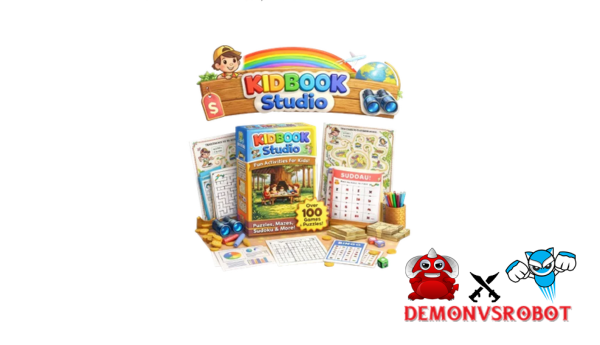
You're not the only one who has seen “Kidbook Studio” pop up in YouTube reviews, side-hustle forums, or instructor communities lately. The site has gained a lot of popularity in 2025, mostly because it makes one clear promise: make and sell kids' books in 60 seconds.
We should look more closely at that assertion. This guide explains what Kidbook Studio is, what it can and can't accomplish, and whether or not it will work for you. This is what you'll discover inside:
- What Kidbook Studio is and how it works
- Its real capabilities and known limits
- Pricing and monetization potential
- Who it genuinely serves, and who it doesn't
- Risks worth knowing: copyright, AI output quality, and platform policies
Let us begin with the most direct question: what precisely is Kidbook Studio?
What Is Kidbook Studio? Clear Definition & Core Purpose

Kidbook Studio is an AI platform that runs in the cloud and makes storybooks, activity books, puzzles, worksheets, coloring books, and short animated videos for kids based on text prompts. You don't need to know how to draw, write, or design. From the time generation is done, every output is either ready to be printed or uploaded.
The platform attracts a lot of different types of users:
- Parents, teachers, and homeschoolers who need personalized learning materials fast
- Content creators and digital product sellers active on Etsy and Amazon KDP
- Side-hustle operators building a children's content catalog at volume
The “Studio” positioning makes it different from a self-assembled workflow of ChatGPT, Midjourney, and Canva. It's a workspace that has everything you need. You can take a concept from start to end on one platform, without having to coordinate three different tools. When you type “Dinosaur Adventure,” Kidbook Studio gives you a short tale and a themed puzzle pack that are already structured, drawn, and laid out.
Core Features of Kidbook Studio (What It Can Actually Create)
The platform puts its output into several content modules. They all have the same basic logic: issue a prompt and get a final product. Each one is meant for a distinct use case.
| Feature Module | What It Generates | Typical Age Range | User Input Level |
| AI Storybooks | 10,20 page illustrated narrative with text per scene | Ages 3,10 | Low (1 prompt) |
| Activity & Puzzle Books | 60+ puzzle types: mazes, crosswords, word searches, sudoku, and more | Ages 4,12 | Low,Medium |
| Worksheets & Printables | Math, grammar, science, reading comprehension, time, shapes | Grades K,6 | Medium |
| Coloring Books | Thematic line-art pages, print-optimized | Ages 3,10 | Low |
| Animated Kids' Videos | Slideshow-style or animated stories with text overlays | Ages 3,8 | Low,Medium |
| Bulk/Niche Generation | Multiple projects at once for catalog building | Any | Medium |
You can sell what you make since all of the outputs you make are yours. There are still rules on Amazon KDP, Etsy, and Teachers Pay Teachers (TPT) that tell you what you can list and how to do it. You can read more about these rules in the FAQ section below.
AI Storybooks and Picture Books
The storybook module makes a whole tale structure, including a plot outline, scene-by-scene text, and a picture that goes with each page. You can choose the tone (funny, informative, or bedtime), the age range (3, 5, or 6, 8, for example), and the reading ability. For younger kids, you can use short, repeated sentences, while for older kids, you can use short chapter structures.
An example prompt for work is: “A bedtime story about a shy dragon learning to speak up in class (ages 5,7), warm tone, 12 pages.” The platform sends back a structured, illustrated book in less than a minute. Without specific prompts, outputs tend to follow typical tale patterns. This is why it's a good idea to spend time on your inputs instead of depending on general themes.
Activity Books, Puzzles, and Educational Worksheets
The activity and worksheet module has more than 20 different types of content, such as simple and hard mazes, word searches, crosswords, sudoku for kids, dot-to-dot, matching pairs, spot-the-difference, letter and number tracing, fill-in-the-blank sentences, grammar practice, addition and subtraction, clock and time exercises, shape and color recognition, counting objects, sequence ordering, coding and logic puzzles, reading comprehension passages, science fact worksheets, themed vocabulary lists, and quiz pages.
You choose the grade level, how hard it is, and how many pages it has. This module is good for teachers who want to use it in their classrooms, homeschoolers, and people who sell digital products on TPT. It only takes a few minutes to make a “Grade 3 Fraction Practice Workbook,” but like any other academic material made by AI, a teacher should check it for accuracy and grade level before using it.
Coloring Books and Themed Printable Packs
The coloring book module makes line-art pages that are ready to print, with high-contrast outlines, pure white space, and no fill. You pick the theme (dinosaurs, unicorns, space, ocean, farm animals), how many pages there are, and how detailed the pictures are (basic for toddlers, more detailed for older youngsters).
This module's biggest strength is its seasonal and holiday packs. You can get packs for Christmas, Halloween, Easter, Ramadan, Diwali, and other such holidays. The outputs are already set up for publishing low-content books on Amazon KDP and for making printable bundles on Etsy. You can make and export a whole pack of coloring pages in one session, like “50 Cute Farm Animals Coloring Pages” or “ABC Coloring Book for Preschoolers.”
Animated Kids' Videos and Read-Aloud Stories
The video module makes tales that seem like slideshows or have light animation. It can include visual sequences, on-screen text or captions, and optional background music or text overlays. Most of the time, the lengths are between 1 and 5 minutes, however some sorts of projects might go up to 10 minutes.
| Video Type | Typical Length | Primary Use Case |
| Animated story | 2,5 minutes | YouTube Kids channel, classroom display |
| Read-aloud slideshow | 3,8 minutes | Educational website, storytime content |
| Short concept video | 1,2 minutes | Social media clips, product preview |
The output is in HD quality and has a standard widescreen aspect ratio of 16:9. The main value here isn't how good the movies look; it's how much time you save compared to putting the same content together by hand in video editing tools.
Pricing and OTOs detailed
FE – Kidbook Studio ($17)
- Create activity books quickly using basic mazes (A–Z, 0–9 in multiple shapes)
- Advanced AI illustrated mode for more creative and engaging designs
- Multiple puzzle types including Sudoku, Word Search, and Memory games
- Generate complete “Story Quest” maze books with full structure
- Includes front cover, story narrative, and back cover creation
- Beginner-friendly system for fast book production and publishing
OTO 1 – Pro Export Pack ($37)
- Unlimited puzzle and maze book exports with one click
- No download limits and Save/Load feature to protect your work
- High-quality 600 to 1200 DPI HD print-ready files
- Optimized for Amazon KDP, Etsy, and print-on-demand platforms
- Commercial license included for selling your creations
- Designed for scaling publishing and digital product businesses
OTO 2 – AI Unlimited ($47)
- 500 AI credits monthly for advanced illustrated content
- Priority generation for faster content creation
- Access to premium AI-generated maze and puzzle designs
- Ideal for high-volume publishing workflows
- Continuous stream of fresh and unique activity book content
- Supports scaling KDP, Etsy, and digital product businesses
OTO 3 – Agency License ($67)
- Add custom logo and full white-label branding
- Remove all Kidbook Studio branding from your products
- Access to exclusive premium themes and designs
- Sell puzzle and activity books directly to clients
- Build a recognizable brand in the digital publishing space
- Perfect for freelancers, agencies, and B2B services
Is Kidbook Studio Legit? Pros & Cons
Pros of Kidbook Studio (Backed by Real Use Cases)
- Speed and automation: Most projects go from prompt to download in less than two minutes. In Canva, it takes 8 to 10 hours to do the same tasks: finding illustrations, writing copy, and making layouts. Kidbook Studio cuts that down to less than an hour, including a review pass.
- Beginner-friendly: No design experience, drawing skills, or writing expertise are needed. The platform can manage all three output layers at the same time.
- Monetization, ready output formats, PDFs produced at KDP, and print margins and bleed already set up for conforming trim sizes. There is no procedure to reformat before uploading.
- There are a lot of prompts to choose from, including niche template ranges, holiday themes, school subjects, seasonal content, and curriculum-aligned topics. That range is important for Etsy and KDP vendors who want to reach specific micro-niches.
- Scalability: Bulk generating tools help you create a catalog on several topics in one session. This is a big plus for anyone who runs a digital product business with a lot of sales.
The practical picture is clear. A satisfied seller who used to spend a whole weekend making one Etsy item may now make five or six similar goods in the same amount of time. That kind of decrease in productivity makes it harder for a sole operator with limited hours to get things done.
Cons and Limitations You Should Know Before Buying
- Template sameness: Without particular prodding, outputs tend to follow predictable forms. Two users that type similar queries, such as “jungle adventure story for kids,” may have noticeably similar results.
- Editing is not optional; teachers and parents will find factual errors and difficulty mismatches in puzzles. A puzzle labeled “Grade 2 easy” may still need to be reworked before it is distributed in the classroom.
- Design control is restricted. Fine-grained layout tweaks, custom font matching, exact picture positioning, and brand features often require exporting to Canva or a similar design tool.
- Platform policy exposure: Amazon KDP, Etsy, and TPT all have policies about AI, generated content, and minimum quality criteria. What is currently approved may be subject to greater limitations in the future. Anyone creating a collection based on AI-produced content bears this risk.
- Prompting is a taught talent, and the difference in output between a vague prompt and a particular one is substantial. New users typically require several sessions to regularly create publishable material.
Kidbook Studio isn't a one-button passive income system. It's a production tool, which speeds up a process that still requires your judgment, quality control, and market knowledge.
Who Is Kidbook Studio Best For (and Who Should Skip It)?
Teachers and Educators
- It only takes minutes instead of hours for teachers to make differentiated worksheets, themed activity packs, and handouts that are ready to use in the classroom.
- There is one strict rule: educational material made by AI should always be checked for accuracy before it is given to students.
- The platform is not a curriculum authority; it is a tool for making things.
Parents and Homeschoolers
- Parents can make personalized storybooks for their kids based on their name, their hobbies, or their learning goals.
- Each week, homeschoolers can make a new themed pack, like science homework one week and a history activity book the next, without having to search through a lot of different websites.
- The tool would really work well for a homeschool parent who runs a weekly content cycle.
Content Creators and YouTubers
- Read-aloud movies and short stories with animation work well on YouTube Kids channels and educational social media sites.
- Kidbook Studio handles the production layer, while the artist is in charge of channel growth, thumbnails, upload strategy, and keeping the audience interested.
E-commerce Sellers on Etsy, Amazon KDP, and TPT
- This is likely the platform's most natural business population.
- Niche sellers who make goods like “mindfulness coloring books for kids” or “Halloween activity bundles” can make and list items faster than people who only do things by hand.
- Niche study, competitive analysis, and high-quality products are still important for success; increasing output is not a business strategy in and of itself.
Who should go elsewhere: Professional illustrators seeking complete creative control, authors pursuing literary picture books with original commissioned artwork, and anyone looking for truly hands-free passive income. Kidbook Studio delivers a large volume of work of reasonable quality. It does not substitute creative authorship.
Kidbook Studio vs Alternatives: How Does It Compare?
Before you choose a platform, it's helpful to know how it compares to tools you've already used or looked at. Four possibilities are worth putting next to each other.
| Criteria | Kidbook Studio | BookBolt | Canva | Midjourney + ChatGPT + Layout Tool |
| Speed (idea to product) | Under 2 minutes | Slow (manual design) | 30 min,several hours | Several hours to days |
| Required skill level | Low | Low,Medium | Low,Medium | High |
| Kids' content focus | Yes (native) | Partial (KDP focus) | No (general purpose) | No (requires custom setup) |
| Output formats | PDF, MP4, images | PDF, PNG, PPTX | Varies by tool combination | |
| Storybooks | Yes | No | Manual only | Yes (complex workflow) |
| Activity books + puzzles | Yes | Partial (via partners) | No | No |
| Coloring books | Yes | Partial | Manual only | Yes (complex workflow) |
| Animated videos | Yes | No | Limited | Yes (complex workflow) |
| KDP trim sizes supported | Yes | Yes | Manual setup required | Manual setup required |
| Pricing model | Subscription | Subscription | Free tier + Subscription | Per,use + subscription |
| Best for | Beginners to intermediates, content sellers | KDP sellers needing market analytics | Designers who need visual precision | Advanced users seeking custom quality |
Where Kidbook Studio Wins
The most obvious benefit is that tasks are precise. The only thing Kidbook Studio was made for was to quickly make children's content formats. Every module, whether it's a tale, puzzle, coloring page, or animated film, is made for that output. You don't have to spend time changing a tool that is meant for many things to work on a specific job.
The time difference is real and important for a merchant developing a catalog of 30 to 50 Etsy items. A skilled designer can make a personalized 50-page dinosaur activity book in Canva by hand in about 4 to 6 hours. In Kidbook Studio, the same project takes less than 10 minutes, which includes refining the prompt and doing a simple quality check. That's a drop from almost 5 hours to about 10 minutes (300 minutes to 10 minutes).
The all-in-one structure also makes it easier to coordinate. It's easier to manage one platform than to switch between ChatGPT, Midjourney, and Canva in a row. This is especially true for solo operators and small teams who don't have their own design resources.
Where Alternatives Win
Canva is the better choice if you need to be really precise with your designs. Canva's design environment is better than Kidbook Studio's internal editor at handling pixel-level layout management, custom brand elements, and proprietary typeface choices. A lot of sellers use both together: Kidbook Studio to make content and Canva to improve the final layout and branding.
BookBolt is better for KDP market research than for making content. BookBolt's main strengths are niche tracking, competitor product analysis, and listing optimization metadata. Kidbook Studio doesn't accomplish any of these things. If a seller already has a KDP catalog, BookBolt might be more useful for research, whereas Kidbook Studio might be better for making the content itself.
The best creative ceiling is when you use Midjourney, ChatGPT, and a layout tool all together. A talented user executing a selected multi-tool workflow may make really original, one-of-a-kind art and deeply personalized narrative work that no single-platform AI tool can match right now. The trade-off is real: it costs a lot more work, technical skill across several systems, and coordination. For someone making a high-quality picture book, that trade-off is probably worth it. It isn't for someone who makes 15 to 20 printable packs a month.
The truth is that Kidbook Studio has a clear space. It's made for speed and breadth in making material for kids, and it's best for people who care more about how much they can make and how easy it is to use than how much creative freedom they have. If it sounds like you, then it's evident that this is the right fit. If it doesn't, one of the options above will work better for you.
How to Use Kidbook Studio Step-by-Step (Beginner Walkthrough)
Here's a step-by-step guide for first-time users based on a real-life example: making a 30-page “Kindness Adventure” activity book for kids ages 6 to 8.
- Sign in and start a new project. Choose “Activity Book” as your project type from the dashboard. The platform loads the settings panel that is right for that type of content.
- Figure out who your audience is. Set the age range to 6 to 8 years old and the level of difficulty to Grade 1 or 2. If you can, choose your target language.
- Write your prompt. A good prompt should tell you three things: the theme, the learning goal, and the arrangement of the content. For this example, “Kindness Adventure activity book, Grade 1,2, 30 pages, mix of mazes, matching activities, and short reading comprehension passages about helping others.”
- Look over what the AI wrote. Once the book is made, look through each page. Make sure that the level of difficulty is right for the grade level you indicated. Point out any factual problems in the text or heavier portions. For a 30-page project, this quality review pass takes about 5 to 10 minutes.
- Make changes on the platform. Make new copies of any pages that don't work. Change the text exactly where the platform lets you. Change out pictures that don't fit with the theme.
- Export in the right way. Export as a standard US Letter PDF (21.59 × 27.94 cm) for Etsy printables. Choose the right trim size for Amazon KDP, such as 8.5″ × 8.5″ (21.59 × 21.59 cm) or 8″ × 10″ (20.32 × 25.4 cm). Export video content as MP4.
Prompt, writing suggestions for kids' content: Always include the age range and reading level, not just the topic. For story-based projects, say what lesson or moral you want the story to teach. When making puzzles and worksheets, be sure to say how hard they are and how many pages they have. The more parameters you set ahead of time, the less modification the output needs after it's been created.
Quick-Answer Supplemental Q&A About Kidbook Studio (Semantic FAQ Section)
Is Kidbook Studio free to use?
Kidbook Studio usually has a free trial or a limited demo tier that lets you try out the platform before you pay for it. Free tier access usually comes with limits, such watermarks on exported files, a project cap, or limited access to features. A premium subscription plan is needed for full commercial use, which includes watermarking, free printing, and ready PDF exporting. Because plan structures sometimes vary, you should check the platform's current price page for the most up-to-date tier information.
Does Kidbook Studio work on Mac, Windows, and tablets?
Yes. The platform is completely browser-based, meaning it works on any device that has a current web browser, including a Mac, Windows PC, iPad, or Android tablet. You don't need to download or install anything. The performance of tablets can change depending on the browser version and the quality of the connection, but basic tasks like entering data quickly, making content, and downloading files operate well on all types of devices.
What does “print-ready kids' book” mean in Kidbook Studio?
“Print,ready” indicates that the exported PDF matches conventional printing criteria, including correct page dimensions (trim size), interior margins, bleed area, and image resolution. A compliant interior file for Amazon KDP must match a supported trim size, such as 8.5″ × 8.5″ (21.59 × 21.59 cm) or 6″ × 9″ (15.24 × 22.86 cm), with at least 0.125 inches (3.2 mm) of bleed on each side. Kidbook Studio automatically generates files that meet these specifications, allowing you to submit directly to KDP or route to a print-on-demand service without further reformatting.
Which types of kids' content can Kidbook Studio generate automatically?
The platform has five main content categories: illustrated storybooks and picture books; activity and puzzle books (mazes, crosswords, word searches, sudoku, dot-to-dot, and more); educational worksheets (math, grammar, reading comprehension, science); coloring books with print-optimized line art pages; and short animated or slideshow-style videos. Each category has its own dedicated options panel, and all outputs start with a single text prompt.
Can I legally sell Kidbook Studio creations on Amazon KDP and Etsy?
Generally, yes. Kidbook Studio offers commercial rights to the content you create on the site. However, each selling platform enforces its own restrictions. Amazon KDP has announced stiffer criteria for low-effort AI-generated content and requires minimum quality standards for listings. Etsy also monitors artificial intelligence-assisted product listings. Selling AI-assisted material is presently permissible on both platforms; however, you are still responsible for product quality, originality, and true value to customers. Before creating a sales catalog, review each platform's current AI content policy.
Is Kidbook Studio better than Canva for making kids' books?
For speed and number, yes, Kidbook Studio can make a fully formatted and illustrated book in less than two minutes. Canva needs original writing, layouts that are made by hand, and illustrations that are found or made separately. Canva is better for getting precise designs and making changes to your brand. Canva's design setting gives you more control over things like matching fonts, placing elements exactly, and making sure that your brand looks the same across all of your products. In reality, a lot of busy sellers do both: they make content in Kidbook Studio and finish their visual branding in Canva before exporting.
Is Kidbook Studio suitable for serious children's authors?
Not as a solution on its own. The platform is for activity books, simple storybooks, educational printables, and low-content publication. It is unsuitable for literary picture books that need original commissioned illustrations, a developed narrative voice, and editorial refinement. If you want a manuscript for formal publishing or a high-quality self-published picture book, Kidbook Studio's work won't satisfy that standard. It works well as a production tool for authors that write for the low-content or educational publishing market.
Does Kidbook Studio create completely unique content?
Each output is made from your personal prompt and is not a copy of any other file in the system, thus it is probably one of a kind. There is no guarantee of absolute “one of one” uniqueness, though. It's not a problem unique to Kidbook Studio that two people providing similar queries could get outcomes that are structurally similar. This is just how huge language models and AI picture generators work. For commercial publishing, the outputs are different enough to be considered original creations, as long as you check, improve, and accept responsibility for the quality before posting.
How long does it take to learn Kidbook Studio as a beginner?
Most people feel comfortable with the fundamental operations, such making a project, inputting a prompt, reviewing pages, and exporting, within one to two hours of using it for the first time. It takes longer to consistently make work that is really worth publishing. To acquire high-quality, accurate results, you usually need to do three to five planned testing sessions to develop the prompt and writing competence. Before you decide to list or share anything you've made, give yourself a few days to try things out. The design is easy to use; the actual challenge is understanding how to write prompts and judge their quality.
What is the difference between Kidbook Studio and generic AI tools like ChatGPT?
ChatGPT is a language model that can be used for many things. It can help with narrative outlines or puzzle ideas, but it doesn't make files that are ready to print and have pictures in them. You can get there by using an image tool like Midjourney and then a layout tool like Canva. However, this workflow requires you to be skilled on at least three different platforms and spend a lot of time on it.
Kidbook Studio combines all of those steps in the manufacturing process into one tool that is made just for that purpose. The trade-off is creative range: a skilled user who knows how to use ChatGPT, Midjourney, and Canva together has far greater influence over every part. In around two minutes, Kidbook Studio lets a first-time user make a finished, exportable product.
[/tie_list] [/box]- SPECIAL BONUS 1 – MultiNetwork Poster

- SPECIAL BONUS 2 – ContentLynk

- SPECIAL BONUS 3 – AK Booster Pro

- SPECIAL BONUS 4 – FB MultiPoster

- SPECIAL BONUS 5 – GramHood

- SPECIAL BONUS 6 – Serp Scribe

- SPECIAL BONUS 7 – RankMe

- SPECIAL BONUS 8 – RankMe


















