 Demon VS Robot DVSR Marketing Website
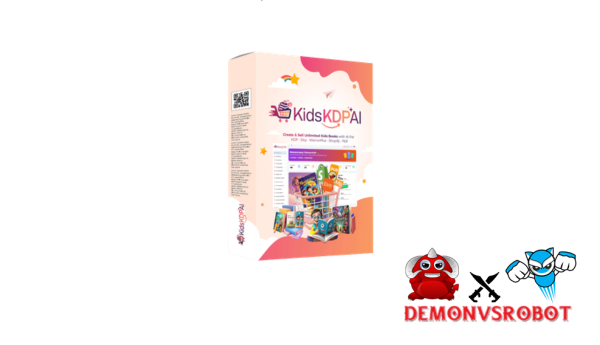
“Kids KDP AI” is a group of AI-powered tools that help you make picture books, short story collections, workbooks, and activity books for Amazon's Kindle Direct Publishing platform. Sometimes, the term is also used as a brand or product name for some software bundles. The goal is the same in either case: utilize AI to make stories, pictures, layouts, and puzzles in a fraction of the time it normally takes, and then publish them immediately on Amazon KDP in both print and Kindle ebook formats.
The world in 2026 is very clear. Amazon allows books that use AI, but the site has two rules that can't be broken: they must be honest and of high quality. When KDP asks, creators must meet the platform's content rules and be open about how AI was used. AI doesn't let you off the hook for your responsibilities; it changes how you work.
This tutorial is for four types of readers: people who are new to publishing and want to make extra money on the side, parents and teachers who want to make their own learning materials, freelancers and micro-publishers who want to increase their output, and small publishing companies that want to test out several niches at once. By the conclusion, you'll know what Kids KDP AI is, how the various tools compare, how to publish step by step, and what compliance, risks, and realistic earnings look like.
Children's books are still one of the most popular types of print on Amazon. That makes the chance real, but so does the competition.
What Is Kids KDP AI? Definitions, Components, and Use Cases

Core Definition: Kids KDP AI as a Tool Category
“Kids KDP AI” is one of many AI publishing tools, however it only works with children's content for Amazon KDP, usually for kids aged 0 to 12. It doesn't only describe one program; it represents a workflow category that includes prompts, templates, and automation that are made for the special needs of children's publishing, such as picture books, short story collections, coloring and activity books, and instructional workbooks.
These tools include the following at the component level:
- Story-text generators calibrated to child-appropriate vocabulary
- Illustration generators or curated image libraries with age-appropriate styles
- KDP-formatted layout and design modules built around standard trim sizes
- Export pipelines that produce print-ready PDFs or EPUB files
The main difference to understand is the difference between general AI tools like ChatGPT for text and Midjourney for graphics and Kids KDP AI solutions that build a children's publishing workflow directly on top of such models. A generic tool gives you a blank slate. A Kids KDP AI platform gives you a canvas that is already the right size for a 24-page picture book and has a language filter for kids aged 3 to 5.
Why Kids KDP AI Exists: Time, Cost, and Skill Gaps It Solves
Making traditional children's books takes a lot of time and money. You need to know how to write a good story for kids. A skilled illustrator usually charges between $50 and $150 for each picture, and a 20-page picture book can have 20 spreads. When you add in layout, formatting, and revision cycles, you're looking at timetables of four to twelve weeks and expenditures starting at $2,000 to $5,000 before the book ever gets to Amazon.
Kids KDP AI tools cut the time and cost curve down by a lot. It can take anywhere from 30 to 120 minutes to make a workable draft, text, rough drawings, and a basic layout. Monthly subscriptions for SaaS products usually cost between $30 and $300, which is less than what freelancers charge for projects. A creator who doesn't have any design or writing experience can make a structurally sound children's book on their first try thanks to built-in prompts and templates.
Factor | Traditional Kids Book | With Kids KDP AI |
Time to first draft | 4, 12 weeks | 30, 120 minutes |
Upfront cost | $2,000, $5,000+ | $30, $300/month |
Skills required | Writing + design + layout | Basic editing and research |
Who Benefits Most from Kids KDP AI?
Kids KDP AI has a lot of draw, but the best fit for each persona is different.
- Complete beginners and side-hustlers represent the largest segment of the audience. These are people with no prior publishing experience who want a low-risk entry point into self-publishing. KDP has no upfront listing fee, and AI tools reduce the skill barrier.
- Parents, teachers, and homeschoolers use Kids KDP AI for a different reason: personalization. A teacher can generate a 30-page phonics workbook tailored to her classroom's current reading level over a single weekend. A parent can build a custom bedtime story featuring their child's name, interests, and a lesson they've been reinforcing at home.
- Freelancers and micro-publishers are perhaps the most sophisticated users. They leverage AI to accelerate client deliverables or to build out proprietary catalogs at a pace that manual production would never allow. For a micro-publisher, releasing a 10-book series rather than a single title multiplies the chances of at least one title gaining organic traction.
Core Kids KDP AI Tools and Platforms in 2026
Firelaunchers-Style “Kids KDP AI” Bundles: What They Offer
A common pattern in the Kids KDP AI arena is the bundled software product. These are commonly offered on sites like Firelaunchers, JVZoo, or WarriorPlus under names that include “Kids KDP AI” directly. When these goods first come out, they usually offer a one-time purchase option. After that, customers can choose to buy extra templates, commercial licenses, or done-for-you (DFY) content packs as upsells (called OTOs).
The core feature set of a typical Kids KDP AI bundle includes:
- Pre-built AI prompt sequences designed specifically for children's stories
- AI image integration or a bundled library of kid-appropriate illustrations
- Done-for-you book interior templates in PowerPoint, Canva, or KDP formats
- Video training walkthroughs covering the entire workflow
The appeal is instant access. Everything a first-time maker needs is included in a package, and the workflow is set up instead of being built from scratch. This kind of bundle takes away choice fatigue for people who find the DIY approach too much to handle.
Feature | Typical Kids KDP AI Bundle |
Story templates | Yes (Age-based sequences) |
Illustration options | AI images or pre-licensed art |
Layout templates | PPT, Canva, or KDP files |
Training | Video walkthroughs included |
SaaS Kids KDP AI Platforms
Web-based SaaS solutions are the most scalable part of the Kids KDP AI ecosystem. These platforms are subscription-based, meaning you pay once a month or once a year. They run totally in the browser, so you don't have to install any software.
A typical SaaS platform for kids' KDP publishing has a cloud dashboard where authors can keep track of their book projects, text generators that let them change the age range, reading level, tone, and word count, illustration modules that let them choose from different styles (like watercolor or cartoon), and a way to export their work to KDP-ready PDF and EPUB formats with just one click.
The structural benefits of bundles are real. SaaS platforms are always getting better, so users don't have to buy a new product to get new AI models or policy changes. The platform's terms of service usually make it obvious what the commercial rights are, which makes the law less unclear.
Comparison Table: Bundled Offer vs. SaaS vs. DIY Stack
Each of the three basic ways to use Kids KDP AI has its own pros and cons. The table below shows how those trade-offs affect the things that are most important to a publisher.
Approach | Setup Time | Monthly Cost | Flexibility | Learning Curve | Best For |
Bundled Product | Very fast | Near zero | Low | Low | Beginners |
SaaS Platform | Fast | $30, $150 | Medium | Low to medium | Scaling a catalog |
DIY Stack | Slow | $20, $80 | High | High | Expert creators |
No one method works best in all categories. Bundled offerings or entry-level SaaS products are usually the best way for beginners to get started. As their process gets better, creators who have published before often move to SaaS platforms or make their own custom DIY stack.
Pricing Plans and OTOs detailed
FE – KidsKDPAI ($24.95)
- Full access to all 5 AI book creators
- Cloud-based dashboard for easy management
- Create kids books, activity books, and puzzles
- Export options for publishing (KDP & digital)
- Commercial rights included for selling content
- One-time payment with lifetime access (no monthly fees)
OTO 1 – KidsKDPAI Pro ($37)
- Generate up to 20 eBooks per niche
- Bulk book creator for faster production
- Advanced AI story generation modes
- Premium puzzle and activity templates
- Built-in kids eBook cover creator
- Faster rendering engine with DFY content included
OTO 2 – KidsKDPAI Unlimited Agency ($67)
- Remove all usage limits completely
- Unlimited book creation and exports
- Full agency and commercial rights
- Create and sell books for clients
- Access client-ready templates
- Built for scaling and consistent income
OTO 3 – KidsKDPAI Reseller ($127)
- Resell the software and keep 100% profits
- Done-for-you SaaS business setup included
- Set your own pricing and offers
- No need to handle support or tech
- Launch your own software business instantly
- High-profit potential with minimal effort
Step-by-Step: How to Create a Kids' Book with AI and Publish on KDP
Step 1 – Choose a Profitable, Child-Safe Niche
Choosing a niche is the most important choice that affects everything else. In children's publishing, a “niche” is the point where three things come together: the age group the book is aimed at, the subject or theme, and the structure of the book.
Use Amazon's A10 algorithm signals to find a good niche in 2026. Look through the Children's Books section and pay attention to subcategories like “Animals,” “Early Learning,” or “Activity Books.” The Best Seller Rank (BSR) should be less than 100,000, and you should also look for “aesthetic” trends that are popular on TikTok or Instagram right now, since external traffic is now a big factor in rankings.
Example high-demand niches for 2026:
- Bilingual Bedtime Stories: English–Spanish or English–French for ages 3–5.
- “Bold and Easy” Coloring Books: Large-print designs for toddlers (ages 2–4) or seniors.
- Logic Puzzle Books: Focused on “computational thinking” for ages 7–10.
Step 2 – Set Up Your Kids KDP AI Workflow and KDP Account
Go to kdp.amazon.com to sign up for a KDP account if you don't have one yet. Amazon will keep a closer eye on fast book uploads in 2026, so to create trust in your brand, focus on making a great Author Central profile.
Choose how you want to use your tools (Bundle, SaaS, or DIY) and set up your setup. Choose your main language and save three to five prompt templates. If you write a series of books, be sure that the pen name you use is the same on all of them. This will assist the algorithm group your books together.
Step 3 – Generate, Edit, and Age-Proof the Story Text
To get kids to write good stories with AI, you need to be particular. A nonspecific prompt makes output that is general and “AI-flavored,” which readers often flag
Prompting Strategy:
- Weak: “Write a kids' story about a bunny.”
- Strong: “Write a 500-word rhyming story for ages 4–6 about a bunny who finds courage. Use simple vocabulary, a warm tone, and ensure a safe, happy ending.”
The 2026 Editing Pass: Amazon is now more strict on the quality of its material. You need to get rid of “AI artifacts,” which are frequent terms like “delve,” “tapestry,” or “in conclusion.” Read the narrative out loud to make sure the rhythm works for parents reading to their kids.
Step 4 – Create Illustrations and Design the Layout
The pictures are what make a children's book special. Character consistency is the key to success in 2026. Your book will probably get “low-quality” flags or bad reviews if the main character looks different on every page.
Needs for Technology:
- Resolution: Minimum 300 DPI for all images.
- Margins/Bleed: For images that go to the edge, add 0.125 inches to the outside edges in your layout software (e.g., Canva or InDesign).
- Font Size: For early readers, use 18pt or larger.
Step 5 – Create the Cover and KDP-Ready Files
The cover ought to look good to both the child and the adult. Make sure the title is easy to read even when it's only a small thumbnail in search results.
The 2026 Disclosure Rule says that when you upload your files to KDP, you have to go through the AI-Generated Content section. You must say if AI made the final text, cover, or interior images.
- Select “AI-Generated”: If the AI produced the core manuscript or final artwork.
- Select “AI-Assisted”: If you used AI only for brainstorming, outlining, or grammar checks (disclosure is typically not required for assistance).
Final Checklist:
- Interior: Exported as a press-ready PDF.
- Cover: Dimensions calculated using the KDP Cover Calculator based on your final page count.
- Metadata: Ensure your categories and keywords are accurate to avoid “misleading metadata” penalties.
Step 6 – Upload, Set Metadata, and Launch on Amazon KDP
Publishing on Amazon KDP is a systematic process. In 2026, metadata accuracy will be the major lever for avoiding account suppression.
- Book Details: Enter your title and a benefit-driven subtitle (e.g., “A Rhyming Story About Bravery”).
- Book Description: Write for parents. Use bullet points to highlight what the child will learn. Avoid “keyword stuffing,” as the 2026 algorithm now flags repetitive metadata.
- Keywords and Categories: Choose the age range that strictly matches your content. Accurate categorization (e.g., Juvenile Fiction > Animals > Rabbits) is essential for ranking.
- AI Disclosure (Mandatory): On the Content tab, you must answer the AI-Generated Content question. If AI created the text or images, select “Yes.” Failure to disclose can lead to permanent account termination.
- Pricing and Royalties: For ebooks, the 70% royalty is usually best for prices between $2.99 and $9.99. For print, a 60% royalty applies to books at $9.99+, while those below earn 50%.
Step 7 – Monitor Sales, Optimize Titles, and Scale
The market in 2026 rewards having a large stock. Every week, look at your KDP results to see which books are selling well.
- Optimize: If a book has high “impressions” but low “clicks,” your cover or title needs work. If it has clicks but no sales, your description or price is likely the issue.
- Scale via Series: Building a series around a consistent character compounds your marketing. A parent who buys Book 1 is 40% more likely to buy Book 2 if the branding is consistent.
- Multilingual Expansion: Use AI to translate successful titles. Bilingual books (e.g., English-Vietnamese) are a high-growth niche in 2026.
How Much Can You Earn with Kids KDP AI?
Revenue Drivers and 2026 Payouts
There are three ways to make money: direct sales, Kindle Unlimited (KU) page reads, and wider marketing.
- KU Payouts: As of January 2026, the KENP (Kindle Edition Normalized Page) rate is approximately $0.0042 per page. A 30-page picture book fully read earns you about $0.12 per borrow.
- Print Margins: A $12.99 paperback typically nets $4.00–$5.50 after printing costs.
- Ebook Margins: A $4.99 ebook at 70% royalty nets approximately $3.40 after delivery fees.
Realistic Scenarios: Conservative vs. Aggressive
The table below provides illustrative income ranges for different strategies in the 2026 landscape.
Strategy Level | Books/Year | Avg. Monthly Revenue | Time Invested/Week |
Conservative | 5, 10 | $50, $250 | 2, 4 hours |
Moderate | 15, 30 | $500, $2,500 | 5, 10 hours |
Aggressive | 50+ | $3,000, $10,000+ | 20+ hours |
Note: The “Aggressive” tier requires a “brand-first” approach, focusing on niche dominance and external traffic (ads or social media).
Pros and Cons of Using Kids KDP AI for Children's Books
Advantages: Where Kids KDP AI Shines
Kids KDP AI's best feature isn't that it makes publishing easy; it's that it removes the obstacles that used to make self-publishing for kids hard for most individuals.
- Easy to get into. You don't need to be good in writing, drawing, or layout to do this. The tools take care of the technical work, while the author chooses a specialty and checks the quality.
- Fast making and changing of prototypes. You can test an idea for a niche with a genuine book in only a few days instead of months. The trial won't cost much if the niche doesn't work.
- Cost-effectiveness. There is a big difference between paying a full creative team (writer, illustrator, designer, formatter) and using a $50/month SaaS service. That gap tells someone who is testing a publishing business whether or not they can afford to try new things.
- Exploring niches in large amounts. AI tools make it possible to test five niches at once instead of spending months on just one idea. That diversification lowers the chance that a bad choice of niche will ruin the whole project.
- Expansion into more than one language. AI makes it much easier to make multilingual editions or translations of popular books, which opens up marketplaces all over the world without raising costs by the same amount.
- Help for people who don't speak English as their first language. AI text creation and polishing tools let people who are writing in their second or third language make English content that sounds natural, which would normally need expert editing.
- Customization for teachers and parents. There is no other economical way for teachers and homeschoolers to make workbooks, phonics tools, and story collections that are perfect for their students' requirements.
- Making a series and developing a brand. Consistent AI-generated characters and world-building over a series lets even one-person designers develop a recognizable children's brand faster than they could if they did it by hand.
Limitations and Risks You Must Understand
Kids KDP AI is intriguing because it is so efficient, but that same efficiency also comes with a number of concerns that any serious publisher needs to be aware of.
- The main operational problem is that the quality changes. Raw AI output, whether it's text or an image, is sometimes not very good or not always the same. On page 14, the rhyme scheme stops working. The character looks different from one spread to the next. There is a mistake in the educational content. The AI doesn't automatically catch any of these flaws. Every output needs to be looked over by a person, and that evaluation takes time and judgment that can't be totally automated.
- It is the editor's job to make sure that things are appropriate for kids of all ages. AI text generators don't automatically know what is emotionally suitable for a four-year-old and what is not for an eight-year-old. If the themes are too dark, the fights are too deep, or the language is too sophisticated for the age group, people may leave bad reviews, return the book, or get KDP flags. The artist must act as the editorial filter.
- People are more and more worried about market saturation. Everyone can use the same tools that make creation easy for you. Some types of books, such generic rhyming sleep stories, simple ABC books, and basic coloring books, already have a lot of AI-generated names. Differentiation is becoming more important than how quickly something can be made.
- There is a serious risk of policy change. Amazon can adjust its KDP content rules, its position on disclosing AI, and the way it reviews things. A method that works now could not work in a year. Serious publishers must keep an eye on official KDP policy revisions.
- Workbooks, fact-based stories, and any other content that makes instructional claims are more likely to be biased or wrong. AI models can make information that sounds true but isn't. Fact-checking that goes beyond ordinary editing is needed for educational titles.
- It is a real legal risk to be exposed to copyright and trademark issues. AI picture generators that learn from data gathered from the web may replicate parts of protected art. Using well-known characters, brand names, or trademarked properties in AI-generated stories, even if you change them a lot, can get you in trouble with the law. KDP's rules don't shield you from this.
- Skepticism among readers and parents is a new reality in the market. Some parents look for books that they think were written by people, especially for schoolwork. Books made by AI that are formulaic or have uneven visuals can get bad reviews that hurt a catalog's long-term performance more than they help it.
- Using templates too much makes novels that are too similar. When a lot of publishers utilize the same prompt templates and art style presets, the books look and read the same. To differentiate, you need fresh ideas that go beyond what any template can give you.
Supplemental Q&A: Definitions and Clarifications About Kids KDP AI
What counts as a “kids' book” on Amazon KDP?
Amazon says that children's books include books for kids from birth to age 12. These include picture books, early readers, chapter books, activity books, and instructional workbooks. The platform uses age range metadata to put these titles in the right categories and show them.
What is the difference between AI-generated and AI-assisted content?
AI-generated content is made mostly by an AI model with very little help from people. The prompt goes in, and the output goes straight to publishing. AI-assisted content uses AI to help with writing or prototyping, but a person makes important editing choices along the way. Amazon's rules for 2026 say that both are okay, but the same standards for quality and honesty apply to both.
Can I publish AI-generated children's books on KDP in 2026?
Yes. As of 2026, Amazon KDP will let you use AI to help you write and create content. The platform does, however, require that all content meet its quality and content rules, which are the same as those for any book. AI-generated titles that are low-quality, duplicate, or deceptive will be removed or hidden just like any other content that doesn't follow the rules.
Do I have to tell readers that I used AI?
Amazon's KDP content management system now demands authors to say if AI was used during the upload process. The platform specifically asks if AI was used to make text or graphics. The book's public listing page may show different things, but honesty is required on the site. If you don't give that information when asked, you are breaking the rules.
Can Amazon ban my account for using Kids KDP AI tools?
Amazon can and does take action against accounts that breach KDP guidelines, which may result in suspension or deletion. Using AI ethically, revealing its role, and maintaining content quality will not jeopardize your account. Flooding the site with low-quality, duplicate AI content, portraying AI-generated books as human-authored, or breaking content restrictions does.
Do I need my own ISBN for AI-created kids' books?
No. Amazon KDP offers a free ISBN for print publications published on the platform. If you desire more publication options than Amazon, you can buy your own ISBN, but for KDP-exclusive print publishing, the free KDP ISBN suffices.
Can I use famous characters or brand names in AI-generated stories?
No. Using trademarked or copyrighted characters, names, or properties, whether created by AI or penned by hand, exposes you to serious legal consequences. KDP may delete such titles, and rights holders can take legal action regardless of Amazon's platform decisions.
Which types of kids' books are easiest to start with using AI?
Three formats consistently produce the most accessible starting point for new creators:
- Coloring and activity books, minimal text, straightforward line-art requirements, low editorial complexity
- Simple picture books (ages 3, 5), short word counts, clear narrative structure, well-defined AI prompt parameters
- Basic educational workbooks, structured page layouts, repeatable template logic, clear content requirements
What's the difference between generic AI tools and kids-specific KDP AI platforms?
ChatGPT, Midjourney, and Canva AI are examples of generic AI solutions that give you basic functionality without a structure for publishing. Kids KDP AI solutions build on the same core technology by adding age-band parameters, KDP-format templates, export pipelines, and children's publishing workflows. The platform does more of the work for you, but the DIY stack provides you more control.
Is it better to invest in a one-time “Kids KDP AI” bundle or a monthly SaaS?
The comparison table in Section 4.4 illustrates that bundled packages are good for novices who want a structured starting point without having to pay any fees. SaaS platforms are good for artists that are releasing a lot and need constant updates, more customisation, and project management via the cloud. The DIY stack is great for experienced designers that want the most freedom and are okay with putting together their own process. Start with the approach that fits your current ability level. As your catalog expands, you can easily go up.
[/tie_list] [/box]- SPECIAL BONUS 1 – MultiNetwork Poster

- SPECIAL BONUS 2 – ContentLynk

- SPECIAL BONUS 3 – AK Booster Pro

- SPECIAL BONUS 4 – FB MultiPoster

- SPECIAL BONUS 5 – GramHood

- SPECIAL BONUS 6 – Serp Scribe

- SPECIAL BONUS 7 – RankMe

- SPECIAL BONUS 8 – RankMe


















