 Demon VS Robot DVSR Marketing Website
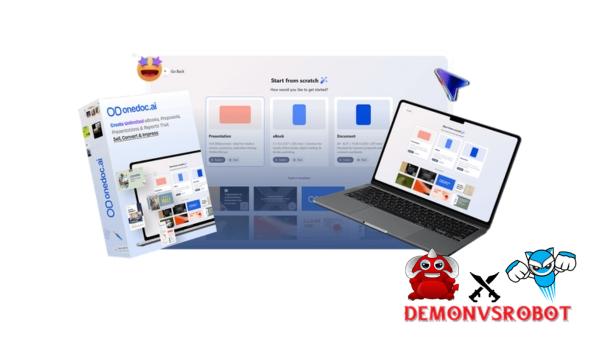
 OneDoc AI is made to help with these problems: feeling stuck gazing at a blank page, being scared of design tools, or being angry about how long it takes to turn ideas into a full document. This application doesn't aim to meet the needs of authors, designers, and a lot of complicated platforms. Instead, it puts everything into a systematic workflow. In this review, we'll look at what OneDoc AI can accomplish, who it's for, and why it has particularly caught my eye in the already very crowded field of AI-powered writing tools.
What is OneDoc AI?

OneDoc AI is a complete document creation tool that enables you turn your thoughts into polished, high-quality writing in only a few minutes. You don't have to start over or go between apps. Just type in your topic, some notes, or upload a PDF or internet link. OneDoc AI makes professional-looking documents including ebooks, reports, proposals, presentations, audiobooks, short courses, and interactive videos with deep structure that are ready for you to use.
This platform gets rid of the usual problems that come with making content. You don't even need to know how to write, design, program, or format. OneDoc AI writes, organizes, and puts everything together for you, so you can concentrate on the concept instead of how to write it. OneDoc AI is also great at reusing content. You can quickly change the same text into a lot of various formats, such ebooks, presentations, audiobooks, or short video courses. This lets you swiftly use the same content on many platforms, which saves you time and makes the most of every piece of content you make.
Key features of OneDoc AI
- Make smart content with AI: You can start with a title, a short idea, or even notes or source files in OneDoc AI. It has a smart suggestion generator that automatically writes outlines with sections, headings, and content flow, so you never have to worry about how to put your document together.
- AI-powered drag-and-drop editor: The built-in editor helps you make and change visual documents by dragging and dropping. You don't need to know how to code to move sections, pages, photos, and elements to the right place. This makes it easy to make content rapidly, even if you're just starting out.
- OneDoc AI can write clear, interesting writing for primary content, calls to action, buttons, or descriptions. This is a great way to get high-impact text. When distributing marketing materials, proposals, lead magnets, and sales-oriented information that needs reader participation, it's extremely crucial for them to be able to print.
- AI Image Creation/Animation Tools: You can talk to images to make them, take away the background and keep only the image, make the image better, filter it, and crop or trim it. This means you don't have to use template websites or other design software.
- Premium Templates and Layout Blocks: This platform comes with more than 50 high-quality templates and more than 100 pre-made layout blocks. This gives you a full platform to publish your own ebooks, reports, presentations, and more, but you may change everything inside it.
- Global Design and Branding Theme Management: You can use the same colors, fonts, and gradient effects on every page of your work at once. Global themes make it easy to get a consistent, branded look and feel no matter what hemisphere you're in, without having to manually overlap site elements.
- OneDoc AI has interactive features like CTA buttons, quizzes, and polls, as well as other types of media including embedded videos and autoplay media. It also has booking tools, maps, and calendars. These things make static documents anything but static.
- You can use the same material to make slides, audiobooks, videos, or even short courses in more than one format. This lets you produce material much more quickly than normal without having to start over from scratch every time.
- Data that is integrated and live tracking: Use integrated analytics to see how people read your documents. You can also monitor which parts are doing the best and keep track of tests and polls to get feedback.
- Advanced access control and security: Use passwords, terms & conditions, and redirect rules to keep your content safe. This is helpful for premium content, time-limited deals, or stuff for customers.
- Retargeting and marketing integration: Put Google and Facebook pixels right into your materials so that advertising can be shown to people who visit your site again. This is why OneDoc AI is effective for both getting new leads and improving conversions in campaigns.
- Full editing and multimedia toolkit: Your editor comes with everything you need, including an unlimited library of photos, videos, icons, GIFs, shapes, and fonts, as well as background media, overlays, and alignment guides with undo/redo functionality, page rearrangement, media upload, and many other features. You don't need any other apps to use them.
How to use OneDoc AI
Step 1: Create an Outline
You just need an idea, a short remark, a PDF file, or even a link to a website. OneDoc AI will quickly turn your data into a structured outline. This will help you see the whole framework of your book, presentation, proposal, or paper before you start writing. This initial step takes away the guesswork and lets you see the whole picture right away.
Step 2: Customize
OneDoc AI will write the material for you when you finish the outline. After that, you can change the layout, graphics, and utilize the drag-and-drop editor to make design themes. The formatting stays neat and professional, so you don't have to spend time altering instead of using third-party layout tools.
Step 3: Sell & Share
You can embed, download, password-protect, or limit access to your document after you write it. You don't need any more tools to make your content ready, whether you're getting leads, selling things, or working for customers.
Why you should use OneDoc AI?
- Address the issue of blank pages and offer immediate structure: OneDoc AI starts by turning an idea, note, PDF file, or link into a clear, cohesive outline. This solves the problem of the blank page and gives you quick structure. You don't have to guess what the next word is; you already know what the whole document is about. This lets you stay in charge, and the hardest and slowest portion of making content goes away.
- Turn ideas into material that is lighter than handwriting: Once you have an outline, OneDoc AI will write the whole thing for you. You write the message, and then AI does a lot of the hard work. This makes it easier, faster, and more effective to get from typing to editing.
Make sure your information is clean, well-formatted, and professional. - The output isn't just plain text. Everything is ready, including the photographs and styles. No more being annoyed that you have content ready but don't want to look unfinished or unprofessional.
It's just in the background: AI-generated templates, layout blocks, global themes, and graphics make your documents look professional without having to switch software or hire a designer. This helps keep things moving and lowers the number of projects that are dropped. - Stop getting interrupted all the time while you're working: You won't have to look for photos or switch tools because writing, design, images, and formatting are all in one spot. This is more significant than you might believe because most projects that don't get done don't do it because they don't have any good ideas; they do so because there is a problem with the workflow.
- OneDoc AI enables you turn a paper into slides, audiobooks, movies, or short courses, so you don't have to repeat yourself. You can save time and keep things consistent by reusing material across different platforms instead of repeating it over and over.
- Make interactions more than just simple text. Interactive widgets like buttons, embedded videos, quizzes, and polls help readers understand and take action. This turns inert papers into active assets that can sell, teach, or get potential consumers to pay attention to them better than ever before.
- Giving real feedback instead of guessing: Integrated analytics keeps track of how readers interact with your material. Using real data, you can immediately see what works, what doesn't, and where people are interacting to improve performance.
- OneDoc AI is more than simply a writing helper; it helps with the whole process, from writing to publishing. It combines brainstorming, coming up with ideas, making material, interacting, designing, publishing, and keeping an eye on everything into one process. It is important to note that it supports the whole process from beginning to end, not just the parts you utilize it for.
- OneDoc AI helps you make more with less work by getting rid of obstacles at every step. This lets you make useful documents faster, with fewer tools and less mental strain. The end result is better work, more consistent work, and a process that lasts longer.
The Upgrade/OTO details
Front-End: OneDoc AI – $37
- Convert ideas, notes, PDFs, or links into complete documents in minutes.
- AI-generated outlines to plan material prior to writing
- Create eBooks, reports, proposals, and presentations from a single dashboard.
- Integrated styles and formatting for clean, professional papers
- Interactive elements such as buttons, embeds, and simple interaction tools.
- Publish, share, or download documents without additional software.
- The 30-day money-back guarantee makes it a low-risk entry point.
OTO 1: OneDoc AI Unlimited – $67
- Best for users who desire no restrictions and complete commercial freedom.
- Create and publish an unlimited number of documents, lead magnets, and projects.
- Create unlimited eBooks, proposals, presentations, and visuals.
- Unlimited AI image creation, polls, quizzes, and interactive components.
- Built-in lead capture and unlimited lead storage.
- Unlimited workspaces, files, and project management
- Access to over 100 premium templates with worldwide design themes.
- Commercial license for selling documents to an unlimited number of clients
- Password-protected, time-limited documents
- Advanced charts, price tables, and professional design components
OTO 2: OneDoc AI Advanced – $47
- Ideal for teamwork, automation, and multimedia content development.
- Record videos immediately within the platform (up to ten minutes each).
- AI voice tools and audiobook authoring capabilities
- Advanced AI prompting and script generating tools.
- Automated email and SMS message (with 500 total sends included).
- In-app communication with limitless reminders and team notes.
- Supports up to 15 team members and 10 design collaborators.
- Up to 15GB of media storage with several corporate dashboards.
- Include a one-time 30-minute live setup call to expedite onboarding.
OTO 3: OneDoc AI DFY (Done-For-You) – $97
- Ideal for agencies, freelancers, and rapid client acquisition.
- 100+ ready-made premium documents for various business types.
- Every month for a year, 10 new done-for-you lead magnets are introduced.
- Documents inside OneDoc AI are fully editable and brandable.
- Use DFY assets as samples to close high-paying clients more quickly.
- Each paper includes pre-written marketing text and suggested use cases.
- Ready-to-send client outreach email templates are supplied.
- Free commercial license for customizing and selling documents as your own.
- You retain 100% of the profits, with no royalties or limits.
OTO 4: OneDoc AI Whitelabel – $297
- Designed for consumers that want to run OneDoc AI as a standalone software business.
- Full white-label license for your own branded platform
- Custom dashboard and login system with your corporate name
- Add your logo and branding to the entire interface.
- Create, manage, and sell limitless user accounts.
- Integrated client management to manage access and permissions
- End customers see only your brand, not OneDoc AI branding.
- Keep the entire earnings from subscriptions or software sales.
Advantages
- Speed up the whole creative process: You may get from idea to finished document in no time, without having to worry about structure, formatting, or layout.
- Cut down on stress and boost your focus on long-term design and content writing projects. The step-by-step procedure makes you feel less overwhelmed and helps you stay on track, making big content projects easier to handle.
- Help you plan your project from beginning to end: Everything is in one place, so you don't have to switch between tools or lose work.
- Encourage frequent publishing: It's easier to create material, so it's better to post it often than to publish it only seldom.
- Support natural content reuse: You can utilize the same idea in more than one product and get more out of each endeavor.
- More engaged readers: Documents with interactive material like buttons, embedded content, quizzes, and surveys are more interesting than files.
- Not much learning is needed: The interface is easy to use and understand, so you don't need to know anything about technology or design to utilize this tool.
- This tool is useful for a lot of different things, such making leads, writing proposals, creating internal documents, and even taking classes.
Disadvantages
- Creative control is still very important. It's still important to have creative control. You get the best results when you actively guide the AI in particular areas using your thoughts, ideas, and revisions. If you care about the results, it's not a “set it and forget it” solution.
- Quality depends on how clear your contribution is: if your suggestions aren't clear, the results won't be either. You already know that precise instructions always lead to excellent content.
Who is it for?
- Creators may quickly make digital tokens: OneDoc AI is great for creators who want to turn their ideas into ebooks, manuals, or downloadable documents as rapidly as possible without spending hours writing and creating. Its purpose is to enable you swiftly transition from an idea to a finished project while keeping the quality high.
- When you need PDFs, reports, or brochures for your affiliate programs, you don't have to hire writers or designers anymore. With OneDoc AI, you can now make professional, “real” rewards that are useful and part of your sales funnel to get more sales and higher conversion rates.
- Coaches and consultants who work with clients: Coaches and consultants who make proposals, reports, presentations, or training materials on a regular basis can now speed up delivery while still being professional and consistent with all of their clients.
- Small businesses making papers for both inside and outside the company: Business owners and entrepreneurs can use OneDoc AI to quickly make new employee handouts, proposal presentations, internal manuals, and standard operating procedures (SOPs). This helps keep communication clear without getting in the way of running the business.
- If you are a course builder, OneDoc AI lets you turn a main idea into supporting materials like workbooks, presentations, and lesson plans without having to do the same thing over and over again.
- OneDoc AI enables people, freelancers, and businesses with more than one client work faster and get better outcomes. It lets you write a lot of professional documents over and over again, and the quality stays the same.
- If you're new to writing and design and feel overwhelmed, OneDoc AI can help. It gives you structure and assistance while you're working with blank pages or graphic layouts. You can achieve clear, accurate results without having to be a typist or designer.
- Another usage for OneDoc AI is when you want to reuse material in different formats, such documents, slides, audio, or video. This makes the process useful instead of boring.
What You Get (Compared to Buying at DemonVsRobot)
- You will receive real analysis, not hype: We don't just list features; we explain how OneDoc AI really works in the process. You will get true analysis, not hype. That means you know what you're getting before you pay for it.
- You'll get updates and rewards when they become available. Buying through our website also guarantees you won't miss out on release prices, updates, or any other rewards relating to the deal.
- After you acquire something, we don't just want to assist you choose out a tool. We also want to offer you the confidence you need to use it well for your content production task, whether it's for clients or executives.
FAQs
- Do I need writing or design experience to use it?
No, OneDoc AI is for both new and experienced creators. The AI will take care of the structure, formatting, and layout. All you have to do is set the message and make the changes. - Can I reuse content in different formats?
Yes. One of OneDoc AI's best features is that it lets you reuse content. You don't have to start from scratch to make a presentation, audio file, or other document from an existing one. - Can I use OneDoc AI for my business?
Yes. You can use the license you buy to make content for clients, lead generating materials, giveaways, or digital items, depending on what you buy. - Does the content sound generic?
You are in charge of the quality. When you add clear ideas and direction, the final product will look neat and professional. You can also change the content and add comments or more references as you see fit. - Can it replace human creativity?
No, OneDoc AI should be seen as a tool to help with productivity and execution. It gets rid of roadblocks and time-consuming tasks, but your ideas, plans, and writing style are still very important.
Conclusion
In other words, OneDoc AI makes every part of making content easier. It makes steps that people typically get stuck on or give up on halfway through easier and better, such coming up with an idea, writing content, designing and laying out the book, releasing it, and interacting with readers. OneDoc AI is the writing tool that creators, marketers, trainers, and novices need to write more clearly, swiftly, and consistently. That's enough to make a big difference in a society where drive is more important than perfection.
[/tie_list] [/box]- SPECIAL BONUS 1 – MultiNetwork Poster

- SPECIAL BONUS 2 – ContentLynk

- SPECIAL BONUS 3 – AK Booster Pro

- SPECIAL BONUS 4 – FB MultiPoster

- SPECIAL BONUS 5 – GramHood

- SPECIAL BONUS 6 – Serp Scribe

- SPECIAL BONUS 7 – RankMe

- SPECIAL BONUS 8 – RankMe


















