 Demon VS Robot DVSR Marketing Website
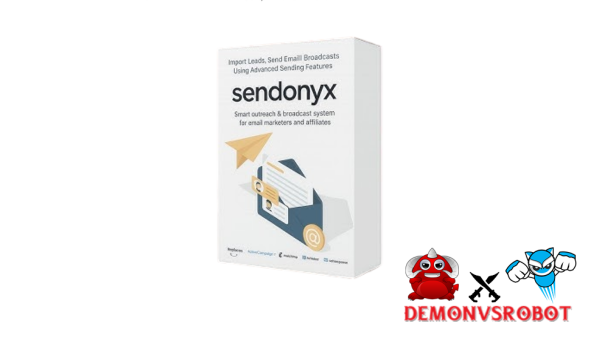
SendOnyx is a marketing and email autoresponder platform that uses AI and the cloud. For a single, one-time charge, it may execute as many campaigns, broadcasts, automated sequences, and landing pages as you like, all through external SMTP providers.
Think of it this way: SendOnyx is like having your own autoresponder engine and renting the distribution pipes from companies like Amazon SES or Mailgun. You are in charge of the strategy. The sending is done via the SMTP.
This platform is made for creators, affiliate marketers, solopreneurs, small agencies, and those that send a lot of cold emails. It's for people who are sick of paying monthly subscription fees and hitting send-limit limits over and over again. SendOnyx was made to answer a real, ongoing problem in the email marketing arena. It was made by a team with more than 10 years of expertise making software tools and tech solutions.
This article tells you what SendOnyx is, how it works, its main features, how much it costs, when it's best to use it, and how it compares to the most popular email programs in 2025. Screenshots and sample videos are used throughout to explain how the interface really works.
What Is SendOnyx? Core Definition, Origin & Positioning

SendOnyx is a cloud-based email marketing platform and autoresponder that leverages external SMTP infrastructure instead of sending servers that are included with the service. From one dashboard, it can handle broadcasts, automatic drip sequences, cold outreach, landing pages, and basic contact segmentation.
It's also crucial to know what it isn't. SendOnyx is not a full CRM like HubSpot or ActiveCampaign. It doesn't handle transaction phases, sales pipelines, or advanced contact records. Also, it is not an SMTP provider. Users need to join a different SMTP provider, like Amazon SES, SendGrid, or Mailgun, to send emails.
A group of people who have worked in software, tools, and technology for more than ten years built the platform. The main reason was practical: popular autoresponders constantly rising the cost of subscriptions and limiting the number of messages that may be sent. SendOnyx was marketed as a one-time alternative to the subscription model, with a pay-once engine instead of a pay-forever membership.
That viewpoint is very clear and stark in the world of email marketing right now.
Aspect | SendOnyx | Typical Autoresponder (2025) |
Billing model | One-time license | Monthly or annual subscription |
Infrastructure | External SMTP required | Built-in SMTP (bundled) |
Campaign limits | No in-app cap | Tier-based limits by list size |
Cold outreach | Supported | Often restricted or against ToS |
SendOnyx is in a different category from GetResponse, AWeber, Mailchimp, and ActiveCampaign since it is a “pay-once AI autoresponder.” These companies all charge on a regular basis.
How SendOnyx Works (Step-by-Step Overview)
To understand SendOnyx, you need to know how it is built. There are three working layers on the platform: the web app dashboard, the AI optimization layer, and the external SMTP pipeline.
The dashboard takes care of your landing pages, marketing, contact lists, and automated workflows. The AI layer is in charge of evaluating subject lines, suggesting when to send emails, and tagging depending on behavior. The SMTP connection, which is your selected provider, takes care of sending the emails and keeping the IP reputation up.
There is a defined order to setting up and using SendOnyx.
Step 1: Set up your account and fill up your profile. Setting up a basic account takes less than 10 minutes.
Step 2: Link up with one or more SMTP providers. You will enter your SMTP credentials, check your transmitting domain, then set up DKIM and SPF records for authentication. This stage is really important for getting into the inbox.
Step 3: Get your email list by importing it or making it yourself. You can get lists by uploading a CSV file, integrating with an API, or filling out a manual opt-in form that is linked to SendOnyx landing pages.
Step 4: Create your first automation sequence or campaign. You can use templates that are already made or make your own. Tags, fields, and segment filters for personalization work here.
Step 5: Start, watch, and make changes. The analytics dashboard keeps track of bounce data, open rates, click-through rates, and unsubscribes. AI ideas come up based on how people interact with them over time.
The AI elements operate in real life, not only in theory. SendOnyx automatically runs subject line tests, sends out different versions, keeps track of open rates, and sends the best one to the rest of the list. Send time optimization changes delivery windows based on how much people have engaged with each section in the past. Behavior-based tagging marks people who open emails a lot or click on links a lot so that they can be targeted later.
The platform controls the logic. Your SMTP provider takes care of the delivery. For example, an affiliate marketer can connect Amazon SES, import 20,000 subscribers, create a 7-day welcome sequence, and turn on AI subject line testing. SendOnyx takes care of the whole process, while SES sends the messages, but only up to SES's own rate limits, which depend on how old the account is and how warm it is.
That difference is important, and it has a direct connection to what “unlimited” really means in SendOnyx.
Key Features & Benefits of SendOnyx
A side-by-side comparison gives a quick idea of where SendOnyx stands compared to the most popular tools in 2025 before we look at each feature.
Feature | SendOnyx | GetResponse | AWeber | Mailchimp | ActiveCampaign |
Pricing model | One-time license | Monthly sub | Monthly sub | Monthly sub | Monthly sub |
Campaign limits | No in-app cap | Tier-based | Tier-based | Tier-based | Tier-based |
Automation depth | Moderate | High | Moderate | Moderate | Very high |
Landing pages | Yes | Yes | Limited | Yes | Yes |
Cold email | Yes (SMTP) | Restricted | Restricted | Restricted | Restricted |
AI optimization | Yes | Partial | No | Partial | Partial |
CRM features | Basic tagging | Moderate | Basic | Basic | Advanced |
External SMTP | Required | No | No | No | No |
SendOnyx is better at being flexible with prices, reaching out to people who aren't expecting it, and making prices easy to understand. It doesn't go as far in CRM depth and corporate automation complexity, where ActiveCampaign and GetResponse are obviously ahead. For marketers who want to send a lot of emails without paying a monthly fee, the trade-off is worth looking into closely.
Broadcast Campaigns & Automation Sequences
SendOnyx divides email sends into two groups: broadcasts and automations. A broadcast is a one-time send to a list or section. Weekly newsletters, promotional announcements, and event-driven campaigns are all examples of this type of send. An automation sequence is a set of steps that starts automatically when a subscriber does anything.
There are other types of triggers, such as when someone subscribes, adds a tag, clicks a link, or waits a certain amount of time. The automation builder can make a 5-part welcome series, a chain of reminders for abandoned carts, or a sequence of emails for affiliates before and after a launch. The AI layer can improve the subject lines and send times in those sequences, which means you won't have to make as many changes by hand as your lists grow.
Landing Pages & Opt-in Funnels
SendOnyx has a built-in landing page builder that lets you drag and drop elements. Templates include pages for lead magnets, signing up for webinars, waiting lists for products, and basic sales pages.
Each page goes straight to a SendOnyx list and adds tags as it is submitted. A/B testing happens at the page level, when different headlines or short-form and long-form layouts are tested. This feature cuts down on the number of tools you require and keeps attribution consistent from page to list to email for those that need basic funnel architecture without having to pay for a separate page builder.
Cold Email Campaigns via SMTP
SendOnyx itself does not stop people from sending chilly emails. But the SMTP provider you connect to decides what is and isn't allowed. For instance, Amazon SES has its own rules about what you can and can't do with your account, and you need to get permission to send a lot of emails at once.
Volume ramp-up is important for cold outreach to perform well. Start with a small number of emails sent each day, then slowly raise the number while adding engagement signals like replies and link clicks. SendOnyx's template system includes compliance fundamentals like unsubscribe links, physical address footers, and permission fields on forms. These features are built in and meet the structural requirements of CAN-SPAM, GDPR, and CASL.
AI Optimization & Personalization
SendOnyx's AI features are useful in three main areas. First, the platform sends out different versions of the subject line to a test group. Then, it sends the version that does best to the remainder of the list. Second, offer time suggestions for each section based on data from previous opens and clicks. Third, using merge fields and tag-based conditional content blocks to personalize content.
These features make it easier to figure out how to improve open rates without having to guess. Even a 2% to 3% increase in open rate can make a big difference in the reach and income of a campaign, especially for big lists.
Deliverability & Inbox-Focused Features
SendOnyx and your SMTP provider are both responsible for making sure that messages get delivered. SendOnyx takes care of list hygiene tools, engagement-based segmentation, send throttling, automatic bounce management, and complaint tracking from services like Amazon SES. These features let you grow and defend your sender reputation over time.
The SMTP provider is in charge of IP reputation and where the email actually goes in the mailbox. Keeping your bounce rates below 2% and your complaint rates below 0.1% will help keep your SMTP account safe and your long-term deliverability status high. SendOnyx's suppression list management takes care of a lot of it for you.
Pricing Plans and OTOs detailed
FE – Sendonyx 2.0 Core ($27.45 one-time)
- Import up to 20,000 email subscribers
- Send unlimited email campaigns and broadcasts
- Create unlimited automations and email sequences
- Connect unlimited SMTP servers for sending
- Drag-and-drop email builder with AI support
- Advanced tracking, segmentation, and resend features
OTO 1 – Sendonyx 2.0 Apex ($47.45)
- Remove 20,000 subscriber limit
- Import unlimited email leads for life
- Scale email marketing without restrictions
- Suitable for large lists and growing businesses
- Future-proof upgrade for long-term growth
- Unlock full potential of the platform
OTO 2 – Landing Page Builder ($67 / $47 downsell)
- Build squeeze pages and opt-in pages inside the platform
- No need for external tools like funnel builders
- Create lead capture pages quickly and easily
- Seamless integration with email campaigns
- Simplify your marketing tech stack
- All-in-one solution for list building
OTO 3 – Ultimate Reseller License ($197)
- Sell Sendonyx 2.0 as your own product
- Keep 100% of the profits from sales
- Done-for-you product and sales infrastructure
- No need for development or technical setup
- Launch your own software business instantly
- Add a new revenue stream
OTO 4 – Unlimited Sending (1-Year) ($697.45)
- Done-for-you email sending infrastructure
- Handle high-volume email campaigns
- Suitable for large-scale marketers and businesses
- Managed system for performance and deliverability
- Send hundreds of thousands of emails monthly
- Premium solution for advanced users and agencies
Who Is SendOnyx Best For (And Who It Isn't For)?
Knowing who a tool is good for and who it isn't helps both sides of the evaluation save time.
Affiliate marketers are one of the best fits. SendOnyx manages daily tasks like sending out promotions, launching sequences, and dividing audiences by engagement level without any problems with sending limits. The one-time cost structure also preserves profits on campaigns where recurring tool fees cut into commission returns.
For example, “Affiliate Amy.” She sends out weekly broadcast promotions to a list of 15,000 subscribers. With a normal autoresponder, the monthly charge goes up as the list grows. She pays once using SendOnyx and retains the rest.
Course makers and anyone who sell information products can use the evergreen automation feature to their advantage. Once you set up a welcome sequence, a nurture series, and a product-pitch flow, they run all the time without any further charges as your list grows.
SendOnyx is a cost-effective long-term solution for solopreneurs who send emails on a regular basis and don't need corporate CRM functionality. The operational complexity is reasonable, and the one-time payment takes the burden off the budget that comes with having to pay for things over and over again.
Agencies that handle several smaller client accounts, like “Agency Arjun,” which does email marketing for five small B2B clients, can use SendOnyx to separate their lists by tags or workspaces, depending on the level of their licensing. Connecting more than one SMTP account gives you even more operational flexibility.
SendOnyx can be used as an orchestration layer by cold emailers, SaaS founders, B2B lead generation experts, and outreach firms, as long as they use SMTP accounts with sending policies that follow the rules.
SendOnyx is not the appropriate tool for everyone, though.
SendOnyx is not very good at things like advanced CRM pipelines, deal stage tracking, dedicated account management, and SLA assurances for enterprise teams who need them. If teams want an all-in-one platform that includes sales, marketing, and support, they will need a solution that is made for that bigger purpose. And users who don't want to deal with any technical issues, like setting up SMTP or DNS records, or knowing about deliverability, will find the setup harder than products with fully managed, in-house infrastructure.
SendOnyx gives prizes to people who know the basics of email and want to be in charge. It expects more of that user in return for cheaper long-term costs and more freedom to send.
SendOnyx vs Other Email Tools (Comparative Analysis)
SendOnyx vs GetResponse
GetResponse is a fully developed platform that includes native landing pages, webinar hosting, marketing automation, and built-in SMTP infrastructure. It has a lot of templates and a workflow builder that can handle complicated conditional logic across huge contact databases.
SendOnyx does better when it comes to total cost. GetResponse's prices go up as your list grows. For mid-volume senders, a one-time SendOnyx license saves a lot of money over 24 or 36 months. SendOnyx also lets you send cold emails using SMTP, something GetResponse doesn't allow at the platform level. The distance between the two features gets a lot smaller for people who don't need webinar tools or built-in e-commerce integrations.
Feature | SendOnyx | GetResponse |
Pricing | One-time | Monthly (scales with list) |
Webinar tools | No | Yes |
Cold email | Yes (SMTP-dependent) | Restricted |
Automation depth | Moderate | High |
SendOnyx vs AWeber
AWeber has created a good name for itself over the past 20 years by always delivering and being easy to use. The UI is easy to use, and small business owners and content creators like the customer service.
But it doesn't have many AI functions, and its landing page builder isn't as good as newer solutions in the same pricing range. SendOnyx has extra options for AI subject testing and cold emailing. SendOnyx is a good option for anyone who have outgrown AWeber's simplicity or are unhappy with its pricing levels. This is especially true for people who are experienced setting up their own SMTP.
SendOnyx vs Mailchimp
There is a reason why Mailchimp is the most well-known name in email marketing. It has a lot of integrations, people trust the brand, and the free tier gets a lot of people interested in email marketing for the first time.
Mailchimp, on the other hand, has tight rules about affiliate marketing material and doesn't allow cold email outreach at all. People who consistently run affiliate marketing or cold prospecting often get into problems with Mailchimp's terms of service. SendOnyx doesn't have the platform-level content restrictions because it uses external SMTP. However, the linked SMTP provider must allow the specific use case.
SendOnyx vs ActiveCampaign
ActiveCampaign is in a different group when it comes to the level of marketing automation. Its CRM, deal pipelines, lead scoring, conditional automation trees, and reporting tools are made for marketing teams that are focused on sales and have complicated workflows.
SendOnyx doesn't need to compete with ActiveCampaign at that level. Instead, it gives marketers that need to run campaigns instead of manage their sales pipeline a leaner, cheaper option. SendOnyx covers that area at a much lower recurring cost than a multi-stage CRM that tracks deals and manages contacts. If the main purpose is to send emails and create a subscriber list, SendOnyx is the way to go.
Strengths, Limitations & Honest Caveats
Key Strengths
The price model is the most obvious benefit. A one-time license gets rid of the extra costs that subscription-based products add when your lists grow and you send more often. Over the course of two to three years, the savings compared to systems like GetResponse or ActiveCampaign are real, significant, and certain.
The external SMTP design lets users pick their own delivery infrastructure. For every 1,000 emails sent, Amazon SES costs only a few cents. Mailgun and SendGrid have different pros and cons when it comes to deliverability reputation, pricing tiers, and compliance assistance. The user, not the platform, has the final say in that choice.
It is also useful to have a solution that can do both warm email marketing and cold outreach. Most popular platforms make users use several tools and accounts to do these tasks. SendOnyx brings them all together into one interface.
The AI features, especially subject line testing and send time optimization, make campaigns work better in ways that can be measured without needing to know a lot about data science or do complicated setup work.
Real Limitations & Things to Watch
“Unlimited” in SendOnyx means that you can make as many campaigns and lists as you want. It does not go over the limits set by the SMTP provider. Amazon SES, for instance, starts customers with a low sending limit and slowly boosts it as the account's reputation grows. The SMTP layer, not SendOnyx itself, always limits the amount of sending.
To manage SMTP accounts, you need to know a little bit about technology. The user is responsible for setting up DKIM, SPF, and DMARC records, keeping an eye on bounce rates, and dealing with complaint thresholds. If you're new to email deliverability, this learning curve is real and should be taken into account while making a decision.
SendOnyx doesn't have the CRM depth, deal management, or enterprise-level reporting that platforms like ActiveCampaign or HubSpot have. People who need those features will find that the platform doesn't have everything they need to run their business.
Who Should Consider Alternatives
ActiveCampaign, HubSpot, or Keap are better options for users who need a CRM and marketing platform all in one. AWeber or Mailchimp are good options for people who want completely managed infrastructure without having to set it up themselves. SendOnyx is not a good fit for users who need a corporate SLA or specialized account management.
None of these means that SendOnyx is a bad product. It makes it a unique product, and when used correctly, it gives strong, consistent effects.
FAQ: Common Questions About SendOnyx
Is SendOnyx really “unlimited”?
The term “unlimited” only relates to in-app use. There is no limit on the number of campaigns, lists, automations, or landing pages that can be used within the app. Your connected SMTP provider sets the limit. Amazon SES, Mailgun, and SendGrid all have different rules about how many emails you may send, how fast you can send them, and how you can use them. In reality, your SMTP account status, not SendOnyx itself, determines how many emails you can send each day or month.
Is SendOnyx an SMTP service?
No. SendOnyx is an email marketing orchestration platform that takes care of your lists, campaigns, automations, and pages. It doesn't send emails from its own mail servers. To send real emails, you need to connect to an external SMTP provider like Amazon SES, SendGrid, Mailgun, Postmark, or a similar service.
Can I use SendOnyx for affiliate marketing?
Yes. SendOnyx offers affiliate marketing programs such as broadcast promos, launch sequences, and funnel-driven nurturing emails. The major concerns include your SMTP provider's policies, as some providers ban specific promotional content, and compliance with applicable regulations such as CAN-SPAM and GDPR, which require explicit unsubscribe choices and sender identification in every email.
Is SendOnyx safe and legitimate, or a scam?
SendOnyx is a legitimate software solution supported by a staff with more than ten years of experience in software and digital technologies. It boasts a loyal user base, a clear return policy, and effective customer care channels. Before making any software investment, it is usually a good idea to evaluate current customer reviews and double-check refund policies.
Which SMTP providers work best with SendOnyx?
Several popular services integrate directly. Amazon SES is the most cost-effective at scale and best suited to users who are familiar with AWS account management. Mailgun provides thorough API documentation and dependable transactional sending. SendGrid is ideal for those who emphasize dashboard-level reporting. Postmark is designed to ensure excellent deliverability on transactional emails. SMTP2GO simplifies the setup process for less technical users. Each has its own pricing tier and acceptable-use policy; verifying both against your use case is required before committing.
How long does it take to set up SendOnyx?
For customers with prior SMTP knowledge, the whole setup process, including account creation, SMTP connection, domain authentication, and the first campaign, normally takes 30-60 minutes. For those unfamiliar with SMTP principles or DNS record configuration, 90 minutes to a few hours is a reasonable estimate. The platform interface is user-friendly, however the SMTP and DNS processes require care and accuracy to work properly.
Can I migrate from Mailchimp, GetResponse, or AWeber to SendOnyx?
Yes, migration is easy at the level of the link. You can get your user list from the old platform as a CSV file, check it for hard bounces and unsubscribes, and then import it into SendOnyx. Tag mapping, which turns the segments and groups in your old platform into SendOnyx tags, may take more time based on how complicated your current list structure is. Workflow formats can't be used on different platforms, so automation processes have to be rebuilt by hand.
Does SendOnyx support GDPR and CAN-SPAM compliant email sending?
Yes, on a structural level. SendOnyx lets you manage unsubscribe links, add footer blocks with your physical address, add consent fields to opt-in forms, and export contact data. The sender is still responsible for compliance, though. No matter what platform you choose, you have to use these tools effectively and consistently throughout all of your campaigns.
Do I need technical skills to use SendOnyx?
People who aren't tech-savvy can use the campaign builder, automation editor, and landing page tool. You need to know a little bit about DNS settings to set up the SMTP connection, domain authentication, DKIM, SPF, and DMARC. Most hosting companies and domain registrars provide clear instructions for this, and SendOnyx's own setup guide covers the basics. Anyone can do it, even if they've never done it before. All it takes is time and attention to detail.
Can agencies manage multiple clients in one SendOnyx account?
This depends on the level of the account and how the platform organizes workspaces or list separation. Tag-based segmentation isolates client contacts in a shared account in a way that makes sense. Agencies who work with clients that have different sending domains and SMTP settings should check with SendOnyx directly about the current workspace and multi-account choices, since the features provided may differ depending on the subscription tier.
What happens if my SMTP account is suspended or throttled?
Email delivery stops if your connected SMTP account is stopped or hits its rate limit. As long as your settings allow it, SendOnyx will queue outbound sends. To lower that risk, use multiple SMTP accounts with different service providers, keep your lists clean so that the number of bounces and complaints stays below acceptable levels, and check your SMTP account health regularly. Having delivery systems spread across two or more providers adds a useful level of operational redundancy.
[/tie_list] [/box]- SPECIAL BONUS 1 – MultiNetwork Poster

- SPECIAL BONUS 2 – ContentLynk

- SPECIAL BONUS 3 – AK Booster Pro

- SPECIAL BONUS 4 – FB MultiPoster

- SPECIAL BONUS 5 – GramHood

- SPECIAL BONUS 6 – Serp Scribe

- SPECIAL BONUS 7 – RankMe

- SPECIAL BONUS 8 – RankMe


















