 Demon VS Robot DVSR Marketing Website
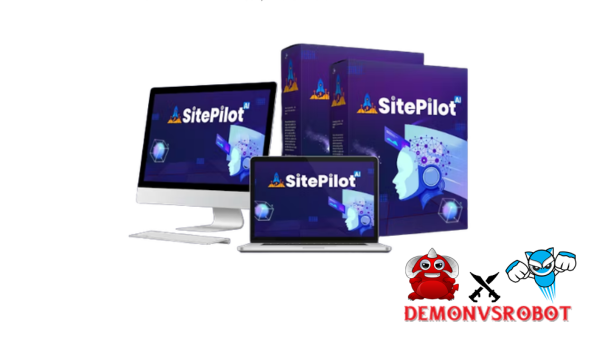
SitePilot AI is a hybrid AI platform that integrates web hosting, cloud storage, video hosting, and AI automation into one place where you don't need to write any code. This guide's goal is to give you more information than most product websites do in just one phrase.
This is not a page for selling things. This is a detailed explanation for anyone who wants to know what SitePilot AI is, how it works, who it helps, and how it compares to other website builders and AI chatbots.
The company behind it has been in the software, tools, and technology business for more than 10 years, which is important when you trust a platform with your online infrastructure. We need to start with a clear definition to understand what makes SitePilot AI different from everything else you've tried.
Think about how cool it would be to write down what you want your website to do in plain English and then see it develop itself in real time. That's the idea. This is how it really works.
What Is SitePilot AI?

SitePilot AI is an online platform that uses AI to power chat. Users tell the AI what they want in plain English, and it does those things, including generating pages, updating content, and managing media, without needing any code.
It's better to term it an AI-powered website operating system than a website builder. The term “builder” is overly limited. SitePilot AI connects automation, knowledge management, and web infrastructure into one system.
Here are its four main parts at a glance:
- No-code / low-code interface, task execution through natural language
- AI-driven automation, workflows that execute on command
- Built-in hosting and infrastructure, no third-party hosting required
- Real-time live preview, see changes before publishing
Tool Type | Primary Purpose | Hosting Included? | Automation Depth |
SitePilot AI | AI web platform + automation | Yes | High (executes tasks) |
Generic AI chatbot | Conversation only | No | None (no execution) |
Classic builder | Manual page building | Sometimes | Low (manual flows) |
This difference is the basis for everything else in this tutorial. SitePilot AI is not in the same category as Wix or ChatGPT; it is in a completely distinct one. Knowing how it works is the first step to knowing who really benefits from utilizing it.
Core Features of SitePilot AI: The 4-in-1 Platform Breakdown
AI-Powered Website Builder and Assistant
SitePilot AI's website builder isn't a drag-and-drop editor; it's a discussion. You input what you want, and the AI makes it in a live preview that you can look at before it goes live.
The AI can make page layouts from scratch, write body material, suggest headings that are good for SEO, and connect links for internal navigation. You ask if you want to rewrite a landing page for a different group of people. If you want to add a new part to the middle of the page, you need to explain what it is.
Some of the things that concrete can do are:
- Creating new pages and page sections on request
- Updating existing content without opening a page editor
- Improving readability and heading structure for SEO
- Rewriting copy for different audiences or reading levels
- Adjusting tone and voice to match brand guidelines
- Localizing or adapting content for regional markets
All of these operations go into the integrated infrastructure below. The pages you construct live directly on SitePilot's hosting layer, so you don't have to export them first.
Integrated Web Hosting
One useful thing about SitePilot AI is that it comes with hosting built in. You don't have to buy a hosting package from a different company, set up DNS settings, or manage server resources on your own.
This is more important than it seems. When your hosting and AI automation are on the same system, any changes the AI makes are immediately seen in the live environment. Your CMS and server are in sync, there are no plugin conflicts, and there are no version mismatches.
Aspect | SitePilot AI Hosting | Generic Shared Hosting |
Setup complexity | Low (Included) | Medium to high (Manual) |
Plugin requirements | None | Often required |
Automation readiness | Native | Not designed for it |
Maintenance burden | Platform-managed | User-managed |
The integrated hosting layer is what lets AI run in real time. It also gets ready for the next part, which is where your content and media really live.
Cloud Storage for Content and Media
All of the pages, documents, images, and files you use in SitePilot AI are kept in a central cloud hub. This isn't just a place to store files; it's also the AI's knowledge base.
When you change a document, the AI's knowledge of what it says changes as well. Because of this synchronization, the AI can get the right information when it makes or updates pages, which keeps everything on your site the same. You may also keep track of changes, when they happened, and why they happened with versioning in the cloud storage layer.
The benefits are real. Pages that link to the same material stay in line with each other. You don't have to change each page by hand when you update. And your media library stays neat and tidy with the stuff it supports.
Video Hosting and Video-Aware Automation
SitePilot AI has video hosting, which is something that most website platforms tell users to do with third-party embeds. The platform can hold marketing videos, product walkthroughs, tutorial videos, and course content.
The AI can use video metadata and transcripts as sources of information in addition to storage. That means that a recorded FAQ session or product demo can help the AI figure out how to answer inquiries or make support content. Instead than putting videos on pages by hand, they can potentially be integrated based on how relevant they are.
This feature is especially helpful for places where video and text need to function together, such training programs, customer care centers, and libraries of instructional content.
Pricing Plans and OTOs detailed
FE – SitePilot AI ($15 – $67)
- AI-first website builder with customizable design
- Built-in hosting, domain connection, and setup tools
- Drag-and-drop editor with no coding required
- AI copywriter for content, headlines, and blogs
- ChatGPT-style assistant for real-time guidance
- SEO optimization with meta tags and structure
- E-commerce support for products and payments
- Analytics dashboard for traffic and performance
OTO 1 – Pro Edition ($47 – $97)
- Unlimited projects with no restrictions
- 50+ AI content creation tools for websites
- DFY templates for multiple business niches
- Advanced analytics dashboard for deeper insights
- Built-in SEO tools for better ranking
- Unlimited commercial license for client work
OTO 2 – DFY Article Edition ($37)
- Access 1000+ high-quality ready-made articles
- Content across 7+ niches for versatility
- SEO-optimized and plagiarism-free content
- Regular updates with fresh articles
- License to use for blogs, websites, and campaigns
OTO 3 – Agency Edition ($67 – $167)
- Create and manage multiple client accounts
- Agency dashboard for full control
- Custom branding and domain setup
- Built-in CRM for client management
- Sell website services and keep full profits
- Scale into a full web design agency
OTO 4 – Traffic Edition ($37)
- Built-in traffic automation tools
- SEO and keyword optimization system
- Social media traffic integration
- Drive targeted visitors to your sites
- Improve rankings and visibility
- Increase leads and conversions
OTO 5 – AI Made Easy Edition ($19)
- Beginner-friendly AI training modules
- Step-by-step lessons for online income
- Copywriting and marketing guides
- Real-world case studies and strategies
- Content creation frameworks
- Ideal for users new to AI tools
OTO 6 – Reseller Edition ($97 – $197)
- Resell SitePilot AI and keep 100% profits
- Done-for-you sales funnel included
- No need for product creation or support
- Launch your own software business quickly
- Earn from full funnel commissions
- Simple setup for fast monetization
OTO 7 – Whitelabel Edition ($497)
- Rebrand platform with your own logo and domain
- Sell as your own SaaS product
- Full control over pricing and users
- Keep 100% of all revenue
- Done-for-you setup and deployment
- Build a long-term scalable software business
Who Is SitePilot AI For and What Problems Does It Solve?
The platform is made for teams and business owners that spend too much time on their websites and not enough time on their businesses.
There are four main types of people who would be the best users. First, small business owners who don't have a team of developers and can't wait weeks for simple page upgrades. Second, marketing teams and agencies that have to deal with more than one client site at a time. Third, corporations, consultants, SaaS organizations, and online instructors that need their websites to show their content in real time. Fourth, operations teams that want to combine their tools into one: no more separate CMS, hosting panel, video platform, and automation software.
SitePilot AI fixes problems that most website owners know about right away:
- A broken-up set of tools where hosting, CMS, automation, and data are all kept in separate dashboards
- Putting too much faith in workers to make changes that should only take minutes, not days
- Content bottlenecks are caused by publishing processes that are slow and done by hand.
- Customers don't have the same experience on different pages, FAQs, and help resources
This is what it looks like in real life. A proprietor of an online store wants to add a page that compares products and change the top navigation to show it. In a standard system, there is a developer, a CMS login, and at least a few revisions that go back and forth. With SitePilot AI, they type in their request in simple English, look at the live preview, and then approve it. Finished.
A marketing consultant who runs five client websites may put up task labels for each site and update the FAQ sections on all of them at once, without having to change any plugins or templates.
Comparing SitePilot AI with Other Tools and Approaches
Most people who evaluate SitePilot AI are coming from one of two directions: they're either using a traditional website builder and want to see if AI can speed things up, or they're currently using an AI chatbot and want to see if there's a version that actually does stuff.
SitePilot AI vs. Traditional Website Builders
Traditional website builders such as WordPress, Wix, and Squarespace allow you to manually alter the design and content. That works effectively when changes occur seldom. When your site has to keep up with regular updates, it begins to expose its limitations.
Aspect | SitePilot AI | Traditional Builder |
Setup complexity | Low (Natural language) | Medium to high (Templates) |
Hosting | Built in | Usually separate or add-on |
Automation depth | High (Native execution) | Low (Add-on tools) |
Maintenance burden | Platform-managed | User or dev-managed |
Dev dependency | Minimal | Moderate to high |
Traditional builders are not terrible choices; they are simply designed for a different way of functioning. If you require pixel-perfect manual control and have the crew to maintain it, a classic builder may still be appropriate. If you want to make fewer infrastructure decisions and focus more on production, SitePilot AI is the better option.
SitePilot AI vs. Generic AI Chatbots
ChatGPT, Claude, and Gemini are all examples of generic AI assistants that can answer inquiries and write content. They can't get into your website, make a change, and publish it.
SitePilot AI fills that gap. The conversational interface looks the same from the outside, but the backend is very different. When you tell SitePilot AI to alter the headline on your homepage, it connects to the content layer of your site, performs the change, and displays you a live preview of it. A generic chatbot gives you an idea, and then you have to follow through on it.
This part gives you a 30-day plan for how to use SitePilot AI in 2026 and short answers to the most typical binary inquiries. I changed the headings, made important words bold, and changed all the long hyphens to commas. The content and length are still the same.
Getting Started with SitePilot AI: Setup and First 30 Days
The first 30 days with any AI platform usually decide if it becomes a part of your business or just sits there collecting digital dust. This is a useful plan for getting SitePilot AI to work in a way that is safe and easy to measure.
Step 1: Make sure you know what you want to do before you use the platform. What do you want this to do? Some common beginning points are making it faster to publish new pages, putting all the FAQs in one place so they stay correct, or automating content updates across all product areas. Every configuration decision that comes after is based on a defined goal.
Step 2: Connect your website or set it up. SitePilot AI will look at the structure of your site, how users can get around, and make a baseline snapshot. This is where you should start. The AI needs to know what is already there before it can assist you change it.
Step 3: Add to your baseline knowledge base. Upload the right documents, link to information that already exists, and set rules for your style and tone. The AI picks up new things from what you offer it. The more information you give it at the start, the better its results will be.
Step 4: Make 5 or 10 labels for beginner tasks. These are types of tasks you want the AI to do, such as “add a product page,” “update the FAQ section,” or “revise the navigation links.” Do jobs that are low-risk and high-frequency first.
Step 5: First, try everything out in preview mode. Before any AI-driven change goes into production, it should be reviewed. This isn't a problem; it's how you create faith in the system and find things that need to be improved.
Step 6: Give some tasks access to production. You can let outputs go live without manual approval once you've looked them over and are sure about certain types of tasks. Start small. Grow as your confidence develops.
Step 7: Check your metrics every week. Look at the log for automation. Check out the pages that changed, how well they're doing, and where the AI is making things better. Use that information to find the next group of tasks that would be good to automate.
Here are some practical ideas for the first month:
- Keep human approval enabled on every automation until you've reviewed at least 10 outputs from that task type
- Start with non-critical pages, an “About Us” section, not your homepage
- Document what's working so you can replicate the setup across other sites or team members
- Treat the first 30 days as a calibration period, not a full deployment
You'll have a system that works, a cleaner content process, and a good idea of how AI automation is really saving you time by the end of the first month.
Questions About SitePilot AI
Can I use SitePilot AI without any coding experience?
Yes. You can use natural language to control the whole interface. You don't need to know HTML, CSS, or scripting at any time.
Does SitePilot AI replace my existing hosting provider?
Yes, if you relocate your site to SitePilot AI's servers. The platform includes hosting, so sites that are handled within it don't need a separate provider.
Can SitePilot AI make changes without my approval?
You can only give production access to certain sorts of tasks if you do so on purpose. Changes go to a preview state first by default. You choose what to post and when.
Can I roll back AI-driven changes if something goes wrong?
Yes. Version history snapshots are kept on the site, so you can go back and change any page to how it was before. It's like an undo log with dates and times.
Can SitePilot AI work with my existing website?
Yes. The onboarding process involves a site assessment to map your current structure. You do not need to start from scratch, although some configurations will be dependent on your present setup.
Is my content used to train external AI models?
No. Your stuff remains within your instance. It is used to guide the AI's behavior on your site and is not shared with or added to any external training dataset.
Can multiple team members use the same SitePilot AI account?
Yes. The platform provides team access, which is critical for agencies and internal marketing teams that manage shared workflows.
Does SitePilot AI support multilingual sites?
Yes. The AI can adapt and localize material in many languages, making it ideal for enterprises that operate in multiple markets.
Do I need separate tools for video hosting?
Not at all. One of the four built-in parts is video sharing. For normal video use, you don't need a different Vimeo account or to depend on YouTube.
Can I export my content if I stop using SitePilot AI?
Yes. You can use your material and media on any platform. You still own it, and if you choose to go somewhere else, you can export what you need.
Is SitePilot AI suitable for ecommerce sites?
Yes, but with a message. It does a good job with ecommerce activities that require a lot of information, such product pages, comparative sections, and updating FAQs. Check to see if your checkout system works with the platform if you need advanced transactional features.
Does SitePilot AI require ongoing technical maintenance from my side?
No. The provider takes care of platform maintenance, updates, and infrastructure management. You are in charge of the AI and checking what it produces.
Before, there wasn't a clear category for SitePilot AI. It's an AI-powered web platform that doesn't simply propose things; it also does them. The criteria stay the same whether you're looking at it as a replacement for your present builder, a step up from your AI chatbot, or a means to make developers less dependent on mundane activities. If speed, tool integration, and natural language control are important to how you operate, SitePilot AI is made for that. The conventional way is still useful if you want to be able to control things by hand and change the design. The best thing this guide can do for you is help you figure out which one you need.
[/tie_list] [/box]- SPECIAL BONUS 1 – MultiNetwork Poster

- SPECIAL BONUS 2 – ContentLynk

- SPECIAL BONUS 3 – AK Booster Pro

- SPECIAL BONUS 4 – FB MultiPoster

- SPECIAL BONUS 5 – GramHood

- SPECIAL BONUS 6 – Serp Scribe

- SPECIAL BONUS 7 – RankMe

- SPECIAL BONUS 8 – RankMe


















