 Demon VS Robot DVSR Marketing Website
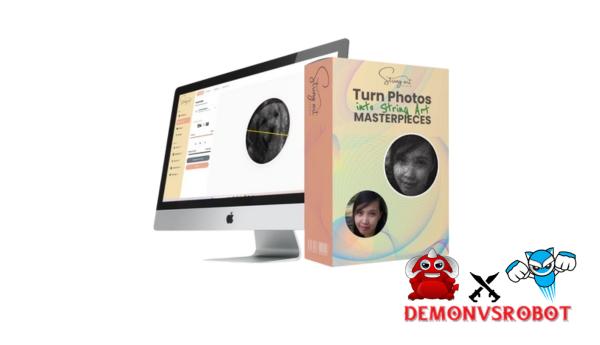
 Knitting may look easy at first, but everyone who has ever attempted it knows how quickly that ease can turn into frustration. Planning, managing contrast, and doing complicated stitching may make a delightful idea into a job that never gets finished. That's why we made String Art Studio! This software makes knitting easier by getting rid of the technological problems that come with it. It turns pictures into exact knitting patterns that can be seen ahead of time, along with detailed knitting instructions. This makes it possible for even beginners to get professional results, while still satisfying the needs of professional crafters and merchants.
What is String Art Studio?

String Art Studio is a pattern-making program that you may use online to make string art patterns from pictures that look like they were made by a pro. The software takes care of all the technical details for you, so you don't have to spend hours figuring out where to put the nails, where the threads should go, how much contrast to use, and how to shade. Just upload your picture, let the computer make a string art piece, and then see the finished product online. The software also gives clear directions on how to wrap the thread around each nail in the right way.
String Art Studio makes it easy for even complete beginners to make beautiful string art portraits that can be hung on the wall. Everything is done automatically and in a way that makes sense, so there is no guesswork or need for artistic talent.
Key features of String Art Studio
- Unlimited String Art Pattern Creation: You can make an endless number of string art patterns. Other programs may limit you to a certain number of credits or charge you for each pattern. This is important because you may need to make some changes and try new things to get amazing contrast and detail.
- Real-Time Virtual Knitting Image Preview: You can see what the finished string art will look like before you get your hammer or buy any supplies. You can put the knitting picture on top of the original photo and try with different colors to make sure they look right.
- Interactive Knitting Tutorial Player: The built-in knitting instructional player will show you how to join each piece of yarn step by step. You don't have to squint to find the next wrap; you can just glide along step by step. This saves you hours of frustration, especially with some complicated images that have thousands of connections.
- String Art Studio makes neat, easy-to-use, work-oriented PDF files that you may print off. You can print off these things right away for use on your board: directions for where to put nails, instructions for threading, project templates, and layouts that are easy to use on a board.
- 5GB of storage space in a cloud project library: The cloud keeps all of your projects safe, so you can get to them whenever and wherever you need to. DesignCLUB is excellent for you if you draw patterns on your computer and then cut them out in the workshop with a tablet or similar device.
- You can sell the art you make with my templates because they come with commercial use permissions. Being a vendor of bespoke string art is more than just a hobby; it's also a business opportunity. You may take orders, sell portraits, make things on Etsy, and more.
How to use String Art Studio
Step 1: Upload your image
You can use nearly any kind of picture, like wedding images, pet photos, logos, family photos, selfies, or pictures that honor someone. This tool works best with photographs that are crisp and have a lot of contrast.
Step 2: Print and place nails
After you make all the changes you want, String Art Studio will make a nail placement template that you may print off in A4 or Letter format. Just print it off, glue it to your board, and then follow the directions on the template to nail it!
Step 3: Use the interactive threading guide
Instead of making the user do it themselves, there is an interactive step-by-step threading wizard. It tells you where to put the nails next, and then it gives you clear instructions that even beginners can simply follow until your masterpiece is done.
Why you should use String Art Studio?
- It eliminates the hardest part of string art: When you work with string art, putting pins in by hand, painting lines, and shading might make you go insane. String Art Studio automates all of this for you, so you can focus on making things instead of doing math.
- Before you start, you can see how it will turn out: Before you use the tool, you can see the image's contrast, backdrop color, and clarity in real time with a virtual knitting preview. This eliminates mistakes that cost a lot of money and waste supplies.
- Make even the most complicated designs easier: You won't have to guess or look at difficult schematics; the knitting instructions will show you how to do it step by step. This even helps beginners learn how to make a detailed portrait.
- There are no hidden fees and unlimited design options. You can also use as many credits as you like, so you can try out different ideas until you have the right product. This is very vital for full-scale productions or projects that are paid for.
- Not only is it a hobby, but it may also be a way to get money: You can sell your final string art, which is what commercialization means. You can see your great work or personal designs on Etsy or other local selling sites.
- Cut down on frustration and save time: Instead of spending hours trying to figure things out, you get step-by-step instructions that you can see ahead of time.
The Upgrade/OTO details
FE: String Art Studio – $17
- Make infinite string art patterns from pictures.
- Preview realistic virtual weaving before construction.
- Interactive step-by-step threading player
- Templates for nail positioning are printable in PDF format.
- Cloud-based access, including project saving
- Commercial rights are included when selling artwork.
- There are no monthly fees or subscriptions.
OTO 1: String Art Studio PRO Edition – $47
- Square and sophisticated board layout possibilities
- Advanced settings for pin count and line intensity.
- Fine-tuning brightness and contrast to produce crisper portraits
- Improved step-by-step weaving instructions with audio coaching.
- Relaxing background sounds for lengthy build sessions.
- Increased cloud storage from 5GB to 25GB.
- Designed for quality portraiture and client tasks.
OTO 2: Mandala String Art Edition – $37
- Unlimited mandala string art pattern generation.
- Customizable forms, symmetry, and layered patterns.
- Control the spacing, thickness, and string density.
- Create in-demand decorative and gift-ready designs.
- Ideal for Etsy sets and bundled bundles.
- Quick creation with real-time preview controls.
- Ideal for scalable home decor goods.
OTO 3: Quote Art String Designer – $37
- Create personalized quote, name, and date string art.
- Supports system fonts and custom TTF/OTF uploads.
- Precise spacing and sizing for easy readability
- Live preview before creating final templates
- Printable, numbered PDF nail placement guides
- Ideal for weddings, anniversaries, nurseries, and gifts.
- High-personalization designs that sell quickly
OTO 4: Geometry String Art Edition – $32
- Make up new geometric string art ideas
- Use mathematical pin connections to make designs.
- Change the number of pins, the rotation, and the factors.
- Preview in real time with controls for color and transparency
- Make wall art and home decor ideas in a high-end style
- Many different forms can be made from simple bases.
- Perfect for outfits that won't go out of style
OTO 5: Whitelabel Branding – $49
- Send custom PDF string art guides that are ready to print.
- You can add your brand's colors, logo, and unique headers.
- You can protect and brand your drawings with watermarks.
- Offer string art designs that can be downloaded.
- There is no need to physically make, pack, or send anything.
- Make digital goods that can be sold on Etsy and in stores.
- Make your string art name known quickly
Advantages
- Beginner-friendly system: String Art Studio is easy for beginners to use, therefore it's a good choice for people who have never done it before. The step-by-step system takes away the guesswork and makes it simple to finish projects that work.
- You may see what your string art will look like before you start with real-time preview. This keeps you from wasting time on the project. This helps keep mistakes, wasted supplies, and extra work to a minimum.
- The built-in threading tool indicates you which pegs to connect next, so you don't have to guess anymore. This saves you hundreds of hours of frustration.
- Making things is easy with printable templates: PDF templates that are clear and easy to use make it easy to move designs from your computer to a real skateboard without having to measure and repaint.
- You can make as many patterns as you want without worrying about copyright. This is a terrific free tool for practice making images.
- Cloud Project Storage: Your projects are kept online, so you can go to them and change them from anywhere, even your garage or living room.
- Commercial Potential: You can make wire art to sell, take orders, and make things for stores like Etsy with this craft. This gives you a real profession that you can do from home.
- Great for gifts and side jobs: This tool is great for both personal projects and producing money as an entrepreneur, thus it's good for both hobbies and business.
Disadvantages
- Requires Patience and Time: Wire art is complicated, and even with automation, you still need to pay attention to the details and have a steady hand.
- The quality of the images affects the results: You won't obtain the same results if the image is low quality or not well lighted, so make sure the one you choose is good quality.
Who is it for?
- Complete beginners: People who are new to string art and want to try new things and have access to a lot of reference resources so they can get started easily without any technical or sketching skills.
- People who like to do things yourself and make things: People who like to do practical projects but want better results without having to guess or prepare ahead.
- those who make gifts are those who want to make meaningful, unique gifts like wedding paintings, pet pictures, memorial items, or family treasures.
- Side hustlers and Etsy sellers are artists that wish to sell string art, take orders, and make unique portraits in a more professional and efficient way.
- Artists looking for digital help: Traditional painters who wish to make hand-painted paintings but also appreciate the use of planning tools and accuracy.
- Art studios and hobby workshops: Teachers or workshop leaders that desire to lead a large group in a structured method.
What You Get (Compared to Buying at DemonVsRobot)
- You'll receive clear, easy-to-understand, and practical explanations: We don't merely give a list of features. We provide evaluations that emphasize on how it feels to use String Art Studio in a real-life creating setting, so you can make up your mind before you start.
- Has directions that are easy to follow: You won't have to guess when you buy from our site. We give you step-by-step instructions on how to install, print patterns, and use the knitting guide the right way.
- Find the best pricing and deals here: We change pricing when new bargains come out, and if you buy through our links, we might get a tiny cut of the money.
- Help after you buy: If you have concerns about how to use the program or how to make money on the side with it, we've made content to help you after you buy it.
FAQs
- Do I need to know about string art?
No, String Art Studio is for beginners and gives you step-by-step tutorials from beginning to end. - What type of images yield the best results?
Pictures with good contrast, such faces, pets, logos, and clear pictures, will work very well. You can check the results before you deploy them with the preview tool. - Am I allowed to sell the string art I make?
Yes. You get a Standard Commercial License, which lets you sell up to 500 finished items on your own website or store and make up to 500 products when you use a print-on-demand service like Zazzle's Merch. - Am I allowed to create an unlimited number of string art samples?
No. You may make practically any string art design for free and with no quantity restrictions. - What tools or materials do I need?
To do string art, you will need certain things you may already have: things to hang things to, nails, and some form of thread. The software will take care of the planning and design. - Can I use my project on multiple devices?
Yes. Projects are kept in the cloud, which allows you to access them from any device with an internet connection.
Conclusion
String Art Studio takes away the hard part that stops most people from finishing a string art creation. This software makes a difficult craft easy and fun by automating pin placement, showing you the results in advance, and walking you through the threading process step by step. It's not just for design; it's also a functioning system for making and selling high-quality string art. Plus, you can use it as often as you like and sell it. String Art Studio is a great choice if you want to get professional results without having to try out a lot of different things.
[/tie_list] [/box]- SPECIAL BONUS 1 – MultiNetwork Poster

- SPECIAL BONUS 2 – ContentLynk

- SPECIAL BONUS 3 – AK Booster Pro

- SPECIAL BONUS 4 – FB MultiPoster

- SPECIAL BONUS 5 – GramHood

- SPECIAL BONUS 6 – Serp Scribe

- SPECIAL BONUS 7 – RankMe

- SPECIAL BONUS 8 – RankMe


















