 Demon VS Robot DVSR Marketing Website
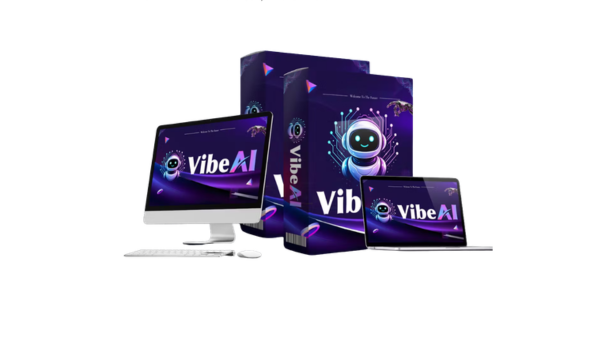
 If you've searched “Vibe AI” recently, you've probably run into two different things at once. One refers to a specific AI-powered workspace product. The other describes a broader shift in how people interact with AI, telling it what outcome they want instead of walking it through every step. And somewhere in between, there's a third thing people mix in: vibe coding, a term Andrej Karpathy introduced that's related but not the same.
This guide cuts through that confusion. It's written for executives, knowledge workers, founders, product and engineering teams, and anyone trying to understand where this technology fits in 2026. You'll walk away knowing the core definition of Vibe AI, how it works under the hood, what you can actually do with it, and how it compares to traditional SaaS tools and standard chatbots. You'll also get an honest look at the risks, because no tool worth using comes without them.
Before comparing anything, though, you need a clean one-sentence definition. That's where this starts.
Vibe AI in One Minute: Clear Definition and Core Idea

Vibe AI is an AI-powered, outcome-first workspace that turns your meetings, documents, and connected tools into a single contextual “brain” you can query and direct in natural language.
That's the clearest way to put it. Instead of opening five apps and hunting through meeting notes, Slack threads, and project boards to find what was decided last Tuesday, you ask Vibe AI directly, and it pulls the answer from across your entire work context.
The term carries two distinct meanings that run in parallel. As a specific product (associated with platforms like Vibe.us), it functions as an agentic AI assistant that captures audio, ingests documents, connects to your existing tools, and takes action on your behalf. As a broader paradigm, “Vibe AI” describes the design principle behind this category of tool: you describe the outcome you want, and the system figures out the steps. Think of it as moving from “click-driven” work to “intent-driven” work.
The most useful analogy is this: Vibe AI works like a chief of staff who never forgets a meeting, has read every document in the organization, and can act on your instructions without needing to be told the background twice.
To really grasp what makes this different, you need to understand what happens when you actually use it, step by step.
How Vibe AI Actually Works: From Intent to Action
Step-by-Step: What Happens When You Ask Vibe AI to Do Something?
The process looks simple from the outside, you type or say what you need, and the system responds. But the mechanics behind that interaction are what separate Vibe AI from a regular search bar or a generative chatbot.
Here's what happens between input and output:
- Step 1 — Intent capture: You describe what you want in plain language, either by typing or speaking. There's no form to fill out, no specific syntax to learn. A request like “Summarize all decisions from last week's product meetings and email the leadership team a one-pager” is exactly the kind of input the system is designed to handle.
- Step 2 — Parsing and understanding: The AI reads your request and identifies the goal, the constraints, the relevant stakeholders, and the data sources involved. It's not just keyword-matching. It's identifying what you're trying to accomplish and what information matters for that task.
- Step 3 — Context retrieval: The system pulls relevant data from connected sources, past meeting transcripts, documents, emails, task boards, CRM records. This is where the “contextual brain” idea becomes tangible. The AI isn't working from a blank page, it's working from your actual work history.
- Step 4 — Planning: The goal gets broken into subtasks. The system decides what to produce, in what order, and which tools or data sources to involve. This is the orchestration layer doing its job.
- Step 5 — Execution or assistance: Depending on how the platform is configured, Vibe AI either drafts the output for your review or takes action directly, writing the summary, scheduling the meeting, updating a project board, sending a notification. Some organizations start with a “suggestions only” mode, where every output requires human approval before anything happens. That's a reasonable starting point for most teams.
- Step 6 — Review and feedback: You read the output, approve it, edit it, or send it back. Your edits aren't just corrections, they're signals the system can learn from.
- Step 7 — Learning: Over time, the system adjusts. It picks up on your preferred tone, the level of detail you want in summaries, what you tend to mark as urgent, and even the internal vocabulary your team uses. The more it's used, the better calibrated it becomes to your specific context.
This seven-step loop is what separates Vibe AI from a one-shot prompt in a general-purpose chat tool. The loop is continuous, not transactional. But to sustain that loop, there are specific architectural components that need to work together.
Under the Hood: Key Components of a Vibe AI System
Think of Vibe AI as three things working in concert: a brain (the language model), long-term memory (a knowledge graph), and hands (the integrations that let it act on your tools). Each component carries a distinct role.
- The language model core powers understanding and generation. It reads your input, interprets intent, and produces language, whether that's a summary, a drafted email, or a structured task list.
- The agent and orchestration layer manages multi-step work. When a single request involves multiple tools, decisions, and outputs, this layer coordinates the sequence. It handles tool calls, decision branching, and error recovery.
- The memory and knowledge graph stores the entities your organization cares about, people, projects, decisions, deadlines, along with the relationships between them. This is what allows Vibe AI to answer “What did we decide about the pricing model in Q2?” without requiring you to specify where that conversation happened.
- The integrations layer connects Vibe AI to the tools where work already lives: email, calendar, Slack, Google Docs, Notion, Jira, CRM systems, and task managers. The depth of these connections determines how much context the system actually has access to.
- The security and permissions layer defines the boundaries of what the AI can read and what actions it can take. Role-based access control and audit logs sit here. This layer is what allows a team to say “the AI can draft emails, but it cannot send them without approval.”
- The explainability layer surfaces the reasoning behind any action or output. When something looks off, you can ask “Why did you include this?” and trace the answer back to a specific meeting, document, or signal.
Vibe AI is not a chatbot with a nicer interface. It's an orchestration layer that sits across your existing tools and work context. What that looks like in practice, the day-to-day capabilities, is what the next section covers.
What You Can Actually Do With Vibe AI: Core Features and Capabilities
Contextual Workspace: Turning Meetings, Docs, and Messages Into One “Brain”
The most immediate capability of Vibe AI is organizational memory. When you connect your meeting recordings, documents, and communication tools, the system auto-transcribes conversations, tags the people involved, identifies the topics discussed, and logs decisions and action items, automatically.
What changes is how you find information. Instead of searching by file name or scrolling through a Slack thread, you query by meaning. “What have we decided about the enterprise pricing tier?” pulls from every relevant meeting and document at once. “Who owns the onboarding redesign?” surfaces the answer even if it was mentioned three weeks ago in a kickoff call. “When did we change our mind on the API rollout?” traces the decision trail back to its source.
New team members get up to speed faster because the full project history is searchable. No one needs to hold institutional knowledge in their head anymore, it lives in a form the whole team can access.
Autonomous Task Execution: From Suggestions to Hands-Off Work
Once the contextual layer is connected, Vibe AI can do more than retrieve information. It can draft, schedule, assign, and update on your behalf.
Practical examples include drafting follow-up emails after a meeting ends, creating and assigning tasks with priorities and due dates pulled from the meeting transcript, and building executive summaries or board updates by pulling from multiple data sources at once. A request like “Prepare a one-pager for the board using Q3 metrics, customer feedback, and our top five risks” is handled in one pass rather than an afternoon of manual assembly.
The level of autonomy isn't fixed. Three tiers are common in practice. The assistive tier suggests tasks, text, or decisions but waits for human approval before anything moves. The semi-autonomous tier handles low-risk, repetitive tasks automatically, calendar scheduling, routine updates, while maintaining a log of every action taken. The autonomous with guardrails tier executes more consequential workflows under defined policies, such as “never send a customer-facing email without review.” Templates, approval flows, and audit logs are what make this safe to deploy at scale.
Adaptive Learning and Explainability: How Vibe AI Improves and Builds Trust
Static tools don't adapt to how you actually work. Vibe AI is designed to change over time based on what it observes.
On the learning side, the system picks up on edits you make to its outputs, adjusting tone, changing the level of detail, restructuring a summary. It learns which types of requests you tend to escalate, which signals you treat as urgent, and which internal terms or abbreviations your team uses consistently. An executive who always rewrites AI-drafted emails in a more direct tone will find, over time, that Vibe AI starts drafting in that register automatically.
On the explainability side, the system can answer “Why did you do that?” for any action it takes. Every summary links back to its source materials. Every recommendation can be traced to the meeting or document that informed it. Admins get dashboards and logs that show what the AI has accessed and what it has done.
One boundary worth understanding: learning from your edits and preferences is different from using your data to train a shared model. The first is internal personalization. The second involves your data leaving your organizational context. Any Vibe AI deployment worth trusting should be transparent about which of these applies.
Pricing Plans and OTOs detailed
Front-End – Vibe AI ($16.95 one-time)
- All-in-one AI platform builder with monetization and white-label capabilities
- Create and launch your own AI apps, websites, funnels, and SaaS platforms
- Includes AI generation engine, hosting, and core automation features
- Commercial-ready system with built-in monetization tools
- No monthly fees, pay once for lifetime access
- Beginner-friendly with scalable business use cases
- Includes a 30-day money-back guarantee for risk-free testing
OTO 1 – Vibe AI Unlimited ($67 – $167 one-time)
- Removes all platform limitations and usage caps
- Unlimited app creation, AI platforms, domains, and clients
- Includes hosting, SSL, and full commercial rights
- Faster processing and enhanced branding capabilities
- Ideal for scaling AI platforms and client-based businesses
OTO 2 – Vibe AI Done-For-You ($197 – $297 one-time)
- Complete DFY setup handled by expert team
- Includes niche selection, platform setup, and monetization configuration
- Pre-built SaaS marketplace and agency website included
- Ready-to-sell offers and payment integrations
- Perfect for beginners or users who want instant results
OTO 3 – Vibe AI Automation Pro ($27 – $47 one-time)
- Adds full automation to your AI platform
- Handles content creation, code generation, chatbots, and monetization
- Runs 24/7 in the background with minimal manual input
- Supports continuous updates and improved efficiency
- Ideal for hands-free operation and passive workflows
OTO 4 – Vibe AI Swift Profits ($47 – $67 one-time)
- Designed to generate faster results and early sales
- Quick activation system for immediate monetization
- Helps validate offers and gain traction quickly
- Ideal for users who want rapid feedback and income
OTO 5 – Vibe AI Limitless Traffic ($67 – $167 one-time)
- Drives targeted buyer traffic to your platform and offers
- Traffic sources include Facebook, YouTube, TikTok, Instagram, and more
- Increases clicks, leads, and conversion opportunities
- Helps scale faster without relying on organic traffic
- Ideal for consistent growth and exposure
OTO 6 – Vibe AI Agency ($67 – $167 one-time)
- Create and manage unlimited client accounts
- Sell Vibe AI services and keep 100% profits
- Includes agency dashboard and client management tools
- Charge recurring or one-time fees
- Perfect for building a scalable AI agency
OTO 7 – Vibe AI Reseller License ($67 – $167 one-time)
- Resell Vibe AI and keep 100% of the profits
- Includes done-for-you sales pages, funnels, and support system
- Earn on both front-end and upsell sales
- No product creation or technical setup required
- Ideal for affiliate marketers and online entrepreneurs
OTO 8 – Vibe AI 10X Edition ($27 – $47 one-time)
- Unlocks 200+ additional tools for multiple income streams
- Expand monetization across different niches and offers
- Build diversified revenue sources with minimal effort
- Enhances long-term scalability and income stability
- Ideal for maximizing earning potential from one platform
Vibe AI vs. Other Approaches: SaaS, Chatbots, and Vibe Coding
Vibe AI vs. Traditional SaaS Tools
The most common objection to Vibe AI sounds like this: “We already have tools for that.” And it's a fair starting point, until you look at how those tools actually handle cross-functional context.
Traditional SaaS apps are built around specific functions. A project management tool tracks tasks. A CRM tracks customer relationships. A note-taking app stores documents. Each works well within its lane, but the work of connecting information across lanes falls on the human. That's where Vibe AI sits, not replacing those tools outright, but operating as the layer that ties them together and acts on the context they collectively hold.
The comparison table below captures the clearest distinctions:
Dimension | Vibe AI | Typical SaaS App | Using Multiple Tools Manually |
Interaction model | Conversational intent in natural language | Forms, buttons, structured inputs | Switching between apps and copying data |
Learning curve | Describe what you want | App-specific training required | High, varies per tool |
Workflow design | AI plans the steps dynamically | Manual configuration by the user | Fully manual |
Context | Unified across connected tools | Siloed within the application | Fragmented, user must aggregate |
Adaptability | Adjusts behavior based on feedback | Static templates and rules | No adaptation |
Action capability | Can draft, schedule, update, and notify | Depends on the tool's function | Depends on user effort |
The positioning here matters. Vibe AI doesn't aim to replace Jira or Google Workspace or Salesforce. It works alongside them, reading what's inside and acting across them, which is exactly what makes it useful rather than disruptive to your existing stack.
A common misread, though, is treating Vibe AI as “just a smarter chatbot.” That comparison deserves its own section.
Vibe AI vs. Traditional Chatbots and AI Assistants
A standard chatbot waits for a question and answers it. That's the full scope of its operation, reactive, bounded, and usually relying on a single knowledge source like an FAQ database or a product manual.
Vibe AI operates on a different model. It's proactive, not just reactive. Within the rules you define, it surfaces issues before you ask: follow-ups that haven't been closed, decisions that contradict earlier ones, tasks that are overdue. It works across multiple sources simultaneously, meetings, documents, emails, task boards, rather than treating each as a separate query surface. And it can take multi-step action, not just return a text response.
The clearest way to see the difference is through a direct scenario. You ask a standard chatbot: “What happened in last week's product meeting?” If it can answer at all, it either retrieves a transcript or says it doesn't have access. It returns text. You ask Vibe AI the same question, and it retrieves the meeting transcript, identifies the decisions made, flags two action items that haven't been assigned, and drafts a follow-up message to the relevant owners, all from one input.
The distinction is between chatting with an AI and having an AI work within your systems. One is a conversation tool. The other is an operating layer for knowledge work.
Benefits of Vibe AI: Why Teams and Individuals Use It
Productivity and Time-Saving Gains
The most direct benefit is time recovered from administrative overhead. Meeting note-taking, status report generation, context-searching, and drafting routine communications are where knowledge workers lose the most hours per week, and they're exactly the tasks Vibe AI handles.
To put it concretely: a manager who spent 3 hours per week writing status updates, attending sync meetings, and searching for past decisions might reclaim 1 to 1.5 hours. Across a team of ten, that's 10 to 15 hours per week returned to actual work.
Reduced Cognitive Load and Better Decisions
Beyond time, there's a mental bandwidth benefit that's harder to quantify but easy to recognize once you've experienced it.
When you know that every meeting is captured, every decision is logged, and everything is searchable, you stop carrying the organizational context in your head. That's a real reduction in cognitive overhead, the kind that accumulates quietly and shows up as distraction, missed details, or the need to re-ask questions that were already answered.
Better decision quality follows from better recall. Instead of asking a team member “What did we decide about the API timeline?” and waiting for them to dig through notes, a manager searches Vibe AI and sees the full decision trail, including who raised concerns, what alternatives were discussed, and when the direction changed. Assumptions get validated faster. Misalignments surface earlier.
Democratization of Expertise and Leveling Up Teams
One of the less obvious effects of Vibe AI is what it does for team members who don't have the institutional memory of someone who's been around for three years.
A junior analyst, given access to a well-connected Vibe AI workspace, can produce an executive-grade summary of a product area because the system surfaces the relevant history and context automatically. A new product manager can get up to speed on a feature's decision history without hunting through three years of Confluence pages and Jira tickets. A non-technical team member can interact with complex data systems by describing what they want to understand, rather than learning to write SQL queries.
The knowledge distribution that normally favors insiders, people who know where things are, who to ask, what decisions were made in which meetings, becomes flatter. That shift has real consequences for onboarding speed, team performance, and knowledge retention when people leave.
Limitations, Risks, and Challenges of Vibe AI in 2026
Privacy, Security, and Compliance Concerns
Centralizing your organization's meetings, documents, and communications into a single AI layer creates a meaningful security surface. That's not a reason to avoid the technology, it's a reason to evaluate it carefully before deploying.
The primary risks sit in three areas. First, misconfigured permissions can expose information across teams that shouldn't have access to each other's data. Second, centralizing sensitive communication creates a high-value target for data breaches. Third, regulatory requirements, GDPR in Europe, HIPAA equivalents in healthcare, financial compliance frameworks, may impose constraints on where data is stored, how long it's retained, and whether it can be processed by a third-party AI system.
A responsible Vibe AI deployment addresses these risks through role-based access control, encryption at rest and in transit, clear data retention and deletion policies, and, for organizations with stricter requirements, on-premise or private cloud hosting options.
Accuracy, Hallucinations, and Over-Reliance on AI
Language models can generate text that sounds correct but isn't. In the context of Vibe AI, that risk has specific forms: a summary that misattributes a decision, a recommendation that misreads a data trend, or an action item that was never actually agreed upon but appears in the output as if it were.
The failure mode isn't random inaccuracy, it's plausible inaccuracy. Outputs that look polished and coherent can still contain errors that only surface when someone checks the source. The practical risk is over-trust: teams that stop verifying outputs because the AI has been right enough times.
The mitigations are design choices, not afterthoughts. Any action that carries real consequences, a customer communication, a decision documented as final, should require human review before it's treated as authoritative. The ability to inspect the source materials behind any summary or recommendation is what makes that verification possible. Starting with low-risk use cases before moving to higher-stakes workflows gives teams the experience to understand where the system's accuracy holds and where it needs a closer eye.
Cost, Complexity, and Change Management
The technology itself is only part of what you're buying. The practical cost of a Vibe AI deployment includes subscription or licensing fees, the time and engineering effort required to connect existing tools through APIs, and the training time for teams who need to shift from click-driven workflows to describing outcomes in natural language.
Complexity compounds when you try to connect many data sources at once. Each integration requires scoping what data the AI can access, what actions it can take in that system, and what the approval flow looks like for consequential operations. Designing those policies takes time, and doing it poorly creates either an over-restricted system that provides little value or an under-restricted one that creates operational risk.
The change management piece is often underestimated. Helping people trust a system enough to actually use it is a different problem from configuring the system itself. A recommended rollout pattern: start with a small pilot team, focus on one or two clear use cases (meeting summaries and status reporting work well), collect feedback, and expand once the system's behavior is well-understood. Champions within each team, people who are genuinely enthusiastic about the tool, accelerate adoption more reliably than top-down mandates.
Key Questions People Ask About Vibe AI
Is Vibe AI a Single Product or a General Concept?
Both, and the distinction matters less than the capabilities. Vibe AI refers to a specific class of product, contextual AI workspaces built around outcome-first interaction, and it also functions as shorthand for the broader paradigm of agentic, intent-driven AI assistance. When evaluating a tool that calls itself Vibe AI, focus on what it can actually do: does it capture context across your tools? Can it act autonomously within defined guardrails? Does it learn from use? The label matters less than the answers to those questions. The definition and workflow sections earlier in this guide provide the full framework for that evaluation.
Can Non-Technical Users Effectively Use Vibe AI?
Yes, that's the design premise. Vibe AI is built around natural language as the primary interface, which means no code, no complex configuration, and no app-specific training curve for day-to-day use. The workflows it handles most naturally, meeting summaries, status recaps, follow-up drafts, are things every knowledge worker already does. An HR manager retrieving the hiring decision trail for a role, or a sales rep pulling together account history before a call, can use Vibe AI without any technical background.
The exception is the setup phase. Connecting integrations, configuring permissions, and defining autonomy policies typically requires someone with technical or operations experience. Once deployed, though, the system is designed to be used by anyone who can describe what they need.
When Should an Organization Not Use Vibe AI?
Some environments don't fit the model. Organizations operating in air-gapped networks, where no external software can connect to internal systems, face an immediate integration barrier. Teams that operate under regulations requiring data to remain fully on-premise may not find a compliant deployment path with current cloud-based Vibe AI offerings.
Beyond infrastructure, there's a cultural fit question. Organizations that have strong resistance to AI involvement in knowledge work, or that aren't willing to centralize meeting and communication data even internally, will see low adoption regardless of how well the technology works. Forcing adoption in that environment creates friction without value.
The practical advice: if you're unsure, run a narrow pilot on one team with one non-sensitive use case. The pilot will tell you more about fit, technical and cultural, than any vendor demonstration.
How Does Vibe AI Fit With Tools We Already Use?
Vibe AI is designed to sit on top of your existing stack, not replace it. The typical integration pattern connects it to four categories of tools: email and calendar (Gmail, Outlook, Google Calendar), team communication (Slack, Microsoft Teams), document and project management (Google Docs, Notion, Confluence, Jira, Asana), and CRM systems (Salesforce, HubSpot). Each connection expands the context the system has access to and the actions it can take.
The tools that may become less central over time are those used primarily for manual note-taking and status aggregation, because Vibe AI handles those functions automatically once connected. The depth of the integration determines how much value the system provides. A Vibe AI connected only to your calendar delivers far less than one connected to your calendar, your meetings, your documents, and your project board. That integration investment is where the real ROI sits, and it's worth planning for from the start, rather than bolting on connections after the fact.
As Vibe AI and systems like it continue to develop, the boundary between “AI assistant” and “operating layer for knowledge work” will keep shifting. What you're looking at today is early infrastructure for a way of working that's still being defined, which means the organizations that understand it clearly now are the ones best positioned to use it well when the category matures.
[/tie_list] [/box]- SPECIAL BONUS 1 – MultiNetwork Poster

- SPECIAL BONUS 2 – ContentLynk

- SPECIAL BONUS 3 – AK Booster Pro

- SPECIAL BONUS 4 – FB MultiPoster

- SPECIAL BONUS 5 – GramHood

- SPECIAL BONUS 6 – Serp Scribe

- SPECIAL BONUS 7 – RankMe

- SPECIAL BONUS 8 – RankMe


















