 Demon VS Robot DVSR Marketing Website
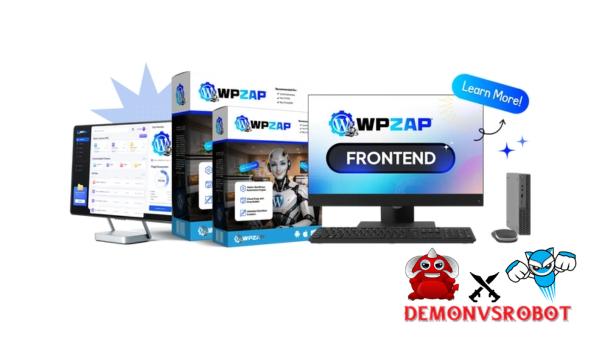
 WordPress needs automation, but most of the solutions that are already out there have problems, such having to pay monthly fees, being hard to set up and configure, and depending on third-party services. Most website owners, freelancers, and WooCommerce store developers find this to be expensive and limiting. WPZap does things differently. WPZap adds Zapier-style workflows directly to WordPress, so you don't have to send your important data through third-party automation platforms. With its easy-to-use constructor, built-in WordPress triggers, and one-time price, it's a simple method to automate processes without losing control of your data or spending too much.
What is WPZap?

WPZap is a WordPress automation plugin that lets you create and run Zapier-style processes from inside WordPress, where your website already does everything else. WPZap lets you construct automation workflows right on your own WordPress site instead of transmitting your data to third-party SaaS services. This implies that things will happen faster, you'll have better control, and you won't have to rely on third-party services or weak API connections.
WPZap gives WordPress users strong automation tools without charging them every month or making things more complicated than they need to be. It's made for developers, marketers, and website owners who want full control over their data and how they work. In short, WPZap is a system that works like this: trigger → action. WPZap will automatically do a number of things when anything happens on your website, such a WooCommerce order, a form submission, or a new user registration. These things include sending emails, changing user roles, calling webhooks, or syncing data. The drag-and-drop interface makes it easy for everyone, from non-technical users to developers, to write less code and get more done.
Key features of WPZap
- Intuitive Workflow Builder: WPZap is a sleek and easy-to-use drag-and-drop visual builder, so you won't have to mess with coding. You just pick a trigger, add one or more actions to it, and set up how the automation works. This makes WPZap easy to use for newcomers, but it also gives more advanced WordPress users more control over their workflow.
- WordPress Native Trigger: WPZap is made particularly for WordPress, unlike other automation tools that sees WordPress as simply another program. It can handle built-in WordPress actions, custom post kinds, user roles, user metadata, and, most crucially, plugin add actions. This close interaction makes automated operations more dependable and opens up new possibilities for using external technologies that don't always perform well.
- Unlimited Number of Automation processes: WPZap does not limit the number of automation processes you can make. Users can make as many automation workflows as they want without any limits or having to switch to a different subscription. This is a big plus over SaaS automation services, which only let you have a certain amount of workflows dependent on your current subscription plan.
- Advanced Conditional Logic: The plugin has smarter automation workflow features that let you use if/then logic. You can define rules to make a certain action happen based on the amount of the order, the role of the user, the data entered in the form, or even custom conditions if you need more freedom. This lets WPZap handle things like split notifications, upgrades to role-based access, or custom tracking.
- Execution Logs and Monitoring: Execution logs keep track of every automation run in detail. Users can see exactly when the workflow ran, whether it worked or not, and if it didn't work, they can see any error messages that explain why. This level of openness makes it easier to find and fix problems, and it also lets automation processes get better over time.
- Automated Retry Tool: If an automation activity fails because of a momentary problem, such a slow email server or a connectivity issue, WPZap will try again. This stops workflows from being missed and lets important automated processes keep going without any help from people.
How to use WPZap
Step 1: Choose a Trigger Event
A trigger event, which can be a private or public event on your WordPress site, initiates WPZap. A new user signing up, an order being finished in WooCommerce, a form being submitted, a post being updated, a cron job, or even an incoming webhook may all trigger this. WPZap will know exactly when to run your automation procedure when the trigger event happens.
Step 2: Set Up One or More Actions
You will instruct it what to do next when you choose a trigger event. With WPZap, you can combine activities that happen one after the other, including sending emails, updating articles, changing user roles, linking data to a CRM or another system, and even automatically filling in material in Google Sheets. All of these actions can trigger custom logic. You may now automate more complicated procedures from a single event.
Step 3: Activate and Monitor Workflows
After activation, workflows start and run on their own. WPZap gives you logs of what happened, tracks mistakes, and attempts again automatically if something goes wrong. This offers you a general idea and makes sure that your automated procedures are working as they should.
Why you should use WPZap?
- A less expensive option to expensive automation solutions: WPZap can automate tasks like Zapier, but it doesn't charge a monthly fee. If you're already paying monthly fees for an automation workflow, moving to WPZap could save you a lot of money in the long term.
- Everything happens in WordPress: WPZap is incorporated straight into WordPress, so automated workflows are now faster, more reliable, and less likely to make mistakes than workflows that employ several external systems and APIs.
- You are in charge of your data: WPZap saves all of your data on your server, so you don't have to send it to a third-party platform. This is great for businesses that want to keep their data private and have control over it.
- Good for both new and experienced users: The visual builder lets beginners start with simple workflows, and as they get better, professional users may make more complicated logic and linked automated workflows.
- Good for WooCommerce and client work: WPZap lets shop owners, freelancers, and businesses automate the same tasks for both sorts of clients. This lets them grow without having to pay more each month.
The Upgrade/OTO details
Front-End: WPZap Commercial – $27
- Visual drag-and-drop workflow builder (no coding needed)
- Unlimited automation workflows on a single location.
- WordPress core triggers (posts, users, media, and cron)
- WooCommerce triggers and actions supported webhooks, conditional logic, and branching flows.
- Execution logs, including status and error tracking
OTO 1: WPZap Unlimited – $37
- Unlimited task execution (no hidden limits)
- Priority workflow processing is completed faster.
- Advanced multi-step automations (three or more actions per flow).
- Increased automation dependability under load.
- Designed for high-traffic, automation-heavy sites
- Removes the performance limitations from the FE version.
OTO 2: Team License – $47
- Install on limitless WordPress sites.
- Access Management for Teams and Collaborators
- Shared Flow Library across all client sites.
- Copy and reuse automation workflows immediately.
- Perfect for freelancers and WordPress firms.
- Saves time when managing automations at scale.
OTO 3: DFY Automations – $67
- 100+ pre-built automation workflow templates.
- One-click import for common usage scenarios
- Pre-built WooCommerce, CRM, and email flows
- This arrangement is ideal for beginners or those looking to save time as it does not require logic construction or testing.
- Customisable templates for any website or topic.
OTO 4: Agency / Reseller License – $97
- Sell WordPress automation services to customers.
- Keep 100% of the client fees and profits.
- Client management and reporting features
- Professional automation delivery without bespoke coding.
- Suitable for service-oriented business models.
- Monetise WPZap as a recurring client solution.
OTO 5: Whitelabel Edition – $197
- Completely rebrand WPZap using your own logo and name.
- Custom plugin dashboard branding.
- Sell as your own software package.
- There is no obvious WPZap branding for end users.
- Perfect for SaaS-style or productized services.
- Increased control and long-term business value
Advantages
- WPZap is sold as a one-time purchase, so you don't have to pay a monthly fee. This sets WPZap apart from apps like Zapier, which charge a monthly fee to use. You can keep using it after you buy it without having to pay more membership costs as your task gets more complicated.
- WPZap is made just for WordPress. It's not a framework that was adapted from a general automation tool. It knows a lot about important WordPress events, user roles, and even custom post kinds or plugins like WooCommerce. This makes automation workflows more accurate and reliable.
- Easy to use for beginners: Anyone can use the easy-to-use drag-and-drop design tool to automate tasks. You don't even need to know how to code, set up APIs, or deal with complicated settings to make effective processes.
- Excellent WooCommerce support: WPZap works with WooCommerce triggers and actions, so business owners may automate order processing, customer tracking, role assignment, or combined processes in the backend without needing any outside tools.
- Full control and protection of your data: All of your workflows operate on servers that you own, and your data is never routed to a third-party automation environment. This is great for businesses and websites that need to handle private consumer information.
- Scaleability with available upgrades: WPZap does a great job of handling basic automations right away, but you can add optional features to make it easier to handle more complicated workflows as your business expands without having to pay more each month.
Disadvantages
- WordPress-only platform: WPZap is a platform that only works with WordPress. There are yet additional external technologies that can help you if you also handle automation for more than one non-WordPress environment.
- Setup needed at first: The UI is easy to use for beginners, but users will need to spend time setting up workflows and learning about triggers and actions, especially for more complex automation workflows.
Who is it for?
- Owners of WordPress websites: WPZap is the best way for WordPress sites to automate things like managing users, updating content, and sending notifications without having to use third-party SaaS tools.
- WooCommerce store owners: More automated order processing, customer follow-up emails, job assignment, and other administrative tasks can help store owners cut down on response times and mistakes made by hand.
- Freelancers and Businesses: WPZap lets freelancers and businesses make custom systems for their clients, speed up tasks, and make their labour seem more valuable without having to pay more each month.
- Automation Consultant: WPZap gives you a lot of different ways to control things, set as many criteria as you like, and follow WordPress-specific paths to learn more about advanced automation pathways and complicated business processes.
- Businesses who care about privacy: WPZap is perfect for anyone who wants to keep their data private and not share it with third-party apps because all of the automation happens on your own WordPress server.
- For people who are new to automation and don't want to learn how to code: WPZap is easy to use for people who aren't tech-savvy or have never programmed before because it has a workflow designer that is easy to understand and utilise.
What You Get (Compared to Buying at DemonVsRobot)
- Access that is verified and trustworthy: When you buy WPZap from us, you can be sure that you will get the official version of the plugin with all of its core features, updates, and support. You won't get a modified or tampered free version that we got from other sites.
- A clear and honest guide to the product: We don't just tell you about the product we use; we also look at what WPZap is, how it works, who it's best for, and how it compares to competing automation systems. This helps you feel more sure about your choice before you buy.
- Focus on Long-Term Value: We focus on solutions that help you save money over time and develop with your organisation. WPZap matches that idea perfectly, thus it's a good long-term investment, not just a monthly price.
- Content and Regular Updates: As WPZap expands, we keep all of our guides, comparisons, and tutorials up to date so that you always have the most current, relevant, and valuable information.
FAQs
- Is WPZap an alternative to Zapier?
Yes. WPZap was made as a WordPress alternative to Zapier for people who desire automation but don't want to pay monthly fees or let other people handle their data. - Does WPZap require programming?
No, WPZap includes a drag-and-drop builder that is easy to use and a workflow architecture that is still sophisticated enough for advanced users. - Can WPZap work with WooCommerce?
Yes. WPZap works very well with WooCommerce, so you can automate things like managing orders, customer events, notifications, and the processes that go along with them. - Are there any limitations on workflows?
WPZap has no limits; you may make as many workflows and features as you like! We don't charge per feature like some other SaaS automation software does. - Where is my data stored in WPZap?
All of the automation happens on your WordPress site, so you own and keep your data on your server instead of having to use another provider. - Is WPZap suitable for companies and freelancers?
Of course. It's made for freelancers and businesses who use more than one WordPress site and require an affordable, scalable automation solution that doesn't cost them every month.
Conclusion
WPZap is one of the best ways to automate things with WordPress. It fixes a lot of the problems that come up with standard automation systems by providing a fully native WordPress experience, getting rid of the monthly subscription model, and including an easy-to-use workflow builder that doesn't need scripting. WPZap could be the answer for you if you want an automation tool that doesn't cost a lot of money every month.
[/tie_list] [/box]- SPECIAL BONUS 1 – MultiNetwork Poster

- SPECIAL BONUS 2 – ContentLynk

- SPECIAL BONUS 3 – AK Booster Pro

- SPECIAL BONUS 4 – FB MultiPoster

- SPECIAL BONUS 5 – GramHood

- SPECIAL BONUS 6 – Serp Scribe

- SPECIAL BONUS 7 – RankMe

- SPECIAL BONUS 8 – RankMe


















