 Demon VS Robot DVSR Marketing Website
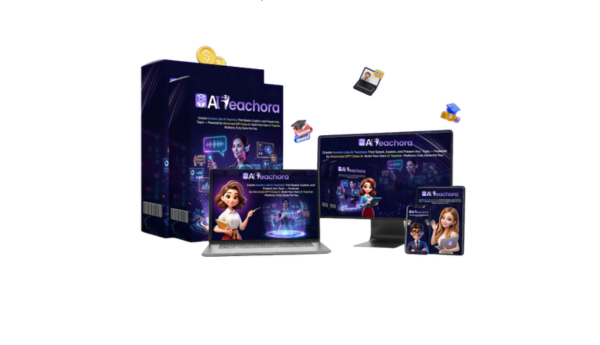
 If you landed here trying to figure out what AI Teachora actually is, not just another affiliate review pushing a buy link, you are in the right place. AI Teachora is a cloud-based platform that lets you build and sell AI-powered “teachers” or tutors without filming yourself or writing course content from scratch.
The typical person searching for this tool is a solo creator, coach, or online entrepreneur who wants to sell educational products, but either does not want to appear on camera or does not have deep subject matter expertise. Think someone building an “AI fitness coach” or an “AI crypto basics teacher” to sell as a digital product.
Most search results right now lean heavily on affiliate reviews. This guide aims to be a neutral, utility-first explainer, grounded in over 10 years of evaluating SaaS tools and AI software. Information here is current to 2025 and will shift as the platform evolves.
Here is what this guide covers: what AI Teachora is, how it works step by step, its core features, who it fits best, its real advantages and drawbacks, how it compares to alternatives, and whether it is worth your time or money.
Before you decide, you first need to understand exactly what it is and how it works.
What Is AI Teachora? Core Definition in Plain English

AI Teachora is a cloud-based course creation platform that uses AI to generate lesson content, avatar-based video teachers, and a student-facing portal, so you can sell educational products without recording yourself or building a curriculum manually.
The product sits in a specific category: AI teacher builder, or AI tutor creator. It is not a generic chatbot. It is not a simple AI video tool that just adds narration to slides. And it is not a traditional course platform like Teachable or Thinkific, which expect you to bring your own content. AI Teachora positions itself as an all-in-one system where the AI handles lesson generation, delivery, and student interaction.
The core components typically include an AI lesson generator, customizable video or voice avatars, an interactive Q&A layer where students can ask questions, a student portal with progress tracking, and a built-in checkout for payments.
Here is a concrete way to picture it: you type in “weight-loss program for busy parents,” and the platform generates lesson outlines, explainer video content, and a site where people can register and pay. The quality of what comes out depends directly on your prompts, your niche choice, and how thoroughly you review the output.
Who is this for? People who want to sell informational or coaching products, productivity systems, language basics, beginner investing explainers, hobby tutorials, without being the expert on camera. It targets the make-money-online segment and is marketed as a commercial SaaS tool, not an academic or enterprise learning product.
To decide if it fits your needs, you need to see how AI Teachora actually works behind the scenes.
How AI Teachora Works: From Idea to AI Teacher in 3–5 Steps
The workflow inside AI Teachora follows a logical sequence: you start with a topic, configure the AI, build the teacher, set up the learning experience, then open it for students to access and pay.
Step 1 — Define your topic and target audience.
This is where everything starts. You pick a specific niche and audience: “Keto basics for beginners,” “Crypto fundamentals for teenagers,” or “Beginner French for busy professionals.” The narrower your input, the more focused the AI output.
Step 2 — Configure the AI “Teaching Brain.”
The platform uses a large language model to generate lesson outlines, individual lesson scripts, and FAQs based on your prompts. Some versions let you paste in your own reference material or upload documents to guide the content direction. This step sets the intellectual foundation of your AI teacher.
Step 3 — Create and customize your AI teacher avatar.
You choose the avatar style, human-like or animated, along with voice, language, accent, and tone. The platform handles lip-sync and basic expressions. The result is a video-style teacher that speaks your generated content without you ever being on screen.
Step 4 — Build the learning experience.
Your AI-generated scripts become video modules, text lessons, or interactive Q&A flows. Students watch, read, and chat with the AI teacher inside a gated portal. This is where the “teaching” actually happens from the student's perspective.
Step 5 — Launch and collect payment.
You connect a domain or use the hosted site, set your pricing plan, and go live. Students find your page, pay, and gain access.
Here is the key distinction the marketing often blurs: steps 1, 2, and 4 require your active input. The AI handles drafting and delivery, but you must review AI-generated content for factual accuracy, especially in any niche touching health, money, or legal advice. An “AI Yoga Teacher” for general wellness is lower risk. An “AI Nutritionist” giving dietary protocols is a different matter entirely.
Now that you understand the basic workflow, let us break down the specific features and what they actually do for you.
Key Features of AI Teachora (And What They Actually Mean for You)
The features of AI Teachora fall into four functional areas: content generation, teacher presentation, student experience, and revenue setup. Understanding each area separately keeps you from conflating what is automated with what still needs your judgment.
AI “Teaching Brain” and Lesson Generation
The AI engine takes your topic, target level (beginner, intermediate), and tone preference as inputs, then produces lesson outlines, individual lesson content, and Q&A material, all generated from a single prompt.
Speed is the real advantage here, a first-draft 10-module curriculum can appear in minutes, versus weeks of manual scripting. The trade-off is depth, pattern-based generation covers broad ground but can miss nuance, contain outdated facts, or produce generic explanations. Editing is not optional. Treat the output as a working draft, not a finished product.
For example, prompting “beginner SEO course for small business owners” might yield a structured 8-lesson plan covering keyword research, on-page basics, and link building, but the examples and data inside will need your review before students see them.
Once you have the brain, you need a face and voice for your teacher.
AI Avatars, Voice, and Multilingual Support
The avatar layer converts your text scripts into a speaking, on-screen teacher. You pick from avatar templates, ranging from human-like figures to more stylized characters, then select voice, accent, language, and speaking pace. Lip-sync technology makes the avatar appear to speak naturally, though results still sit below what a real, filmed presenter delivers.
One practical use case: you create an English-language base script and use the platform's dubbing or localization feature to produce the same lesson in Spanish or French, reaching a broader student base from a single content set. Whether users can upload their own voice or likeness depends on the plan tier, confirm this directly on the official site.
With your AI teacher ready, the next step is where your students will actually learn: the portal and site.
Website, Student Portal, and Course Delivery
AI Teachora generates a mini-site or landing page alongside the student-facing learning portal. Students pay, create an account, log in, and see their course modules organized by lessons, with a “Chat with your AI Trainer” interaction box built in.
The portal typically includes curriculum navigation, progress tracking, lesson replays, and basic branding options like your logo and color scheme. Custom domain support varies by plan. Think of it as a lightweight LMS (learning management system) built into the same tool, so you do not need to connect a separate course hosting platform.
All of this only matters if you can turn it into real revenue, which is where monetization comes in.
Built-In Monetization and Business Tools
The revenue layer lets you set one-time purchase pricing, subscription plans, or course bundles depending on what the platform supports at your tier. Payment processing typically connects through Stripe or PayPal. Basic sales analytics, sign-ups, revenue data, display inside the dashboard.
A practical framing: you set your AI fitness teacher course at $49 per course, build a simple sales page, then drive traffic through organic social media or paid ads. The platform handles the checkout and access delivery. Traffic and marketing remain entirely your responsibility, AI Teachora does not generate students for you.
Pricing Plans and OTOs detailed
Front-End – AI Teachora ($15.99 one-time)
- All-in-one AI teaching and course creation platform
- Create AI-powered teachers, lessons, and educational content
- Generate videos and interactive Q&A learning experiences
- Includes website builder for hosting and delivering content
- Built-in monetization tools for selling courses and access
- Commercial license included for client work and income generation
- No monthly fees, pay once for lifetime access to core features
- Beginner-friendly system for creators, educators, and marketers
- Includes a 30-day money-back guarantee for risk-free testing
OTO 1 – AI Teachora Unlimited ($27 – $37 one-time)
- Removes all platform limitations and usage caps
- Create unlimited teachers, content, and lessons
- Scale across multiple niches without restrictions
- Focus on growth, testing, and higher output
- Ideal for users who want to build and expand
OTO 2 – AI Teachora DFY ($47 – $67 one-time)
- Done-for-you setup with pre-built teaching system
- Includes structured content, niches, and optimized configuration
- Eliminates trial and error and speeds up launch
- Start with a ready-to-run, monetized system
- Ideal for beginners or fast-track results
OTO 3 – AI Teachora Automation ($26 – $30 one-time)
- Adds full automation to your teaching platform
- Generates content, lessons, and updates automatically
- Runs your system 24/7 without manual input
- Keeps your platform active and growing continuously
- Ideal for hands-free scaling
OTO 4 – AI Teachora Traffic ($37 – $67 one-time)
- Drives targeted traffic to your teaching platform
- Promotes videos, pages, and funnels automatically
- Increases visibility, engagement, and conversions
- Removes the need to find traffic manually
- Ideal for consistent growth and audience building
OTO 5 – AI Teachora Agency ($87 – $127 one-time)
- Create and manage client accounts
- Offer AI teaching services and charge fees
- Build a scalable service-based business model
- Keep 100% of profits from client work
- Ideal for freelancers and agencies
OTO 6 – AI Teachora Whitelabel ($247 – $497 one-time)
- Rebrand the platform as your own software
- Use your own domain, logo, and brand identity
- Sell as your own SaaS product and keep full profits
- Includes setup, automation, and ready-to-launch system
- Ideal for building a long-term software business
Who AI Teachora Is For: Ideal Users and Realistic Use Cases
AI Teachora makes sense for specific types of users, and actively mismatches others. Knowing which group you belong to saves both money and wasted time.
Solo Creators and Course Sellers
Camera-shy creators get the most direct benefit here. You can build and sell a course without ever appearing on video yourself. The avatar handles all the visual delivery. This works especially well in informational niches where your brand authority comes from the content quality, not from your face recognition.
Good topic fits include productivity systems, beginner language basics, hobby tutorials (photography, home cooking), and general business skills. What to avoid: niches that require professional licensing, like medical protocols, legal advice, or regulated financial guidance. A productivity blogger launching an “AI Deep Work Coach” is a reasonable fit. Someone launching an “AI Cardiologist” is not.
Coaches, Consultants, and Service Providers
Established coaches can use AI Teachora to scale content they already teach in 1:1 sessions. If you have a validated client framework, say, a 6-step sales process you walk clients through, the platform can turn that into an AI-led group learning experience that runs without you.
Practical uses include pre-work modules before coaching sessions, client onboarding education, FAQ libraries, and evergreen courses that complement live services. One marketing consultant, for example, could build an AI onboarding coach that educates new clients on campaign basics before the first strategy call, saving 30 to 60 minutes per client intake. The caution: whatever the AI teacher says carries your professional name. Review every claim carefully.
Agencies, Small Teams, and SaaS Founders
Organizations can use AI Teachora for internal training, standard operating procedures (SOPs), product walkthroughs for new hires, or partner education portals. A SaaS product, for instance, could bundle an AI onboarding teacher that walks new users through the platform's key features in an interactive, self-paced format instead of a long PDF manual.
White-label options, where your branding fully replaces the platform branding, may be available at higher plan tiers. Confirm current availability directly with the vendor before building a client-facing “academy” product on top of it.
Even if you see yourself in these groups, you still need to understand the pros, cons, and practical limitations.
Is AI Teachora Legit? Pros, Cons, and Limitations
This section addresses the most-searched evaluative question directly: is AI Teachora a real, functional tool, or a scam? The short answer, it is a commercial SaaS product with genuine utility and real limitations. Whether it is worth your money depends on how clearly you understand both sides.
Main Advantages of AI Teachora
- Speed of course creation. Compared to filming a 10-module course yourself, scripting, recording, editing, hosting, AI Teachora can generate a working first draft of content in hours. For creators who want to test multiple niches quickly, this speed-to-market advantage is real.
- No camera or studio required. The avatar layer removes the filming barrier entirely. You do not need equipment, lighting, or editing software. For creators who have knowledge but lack production resources, this lowers the entry cost noticeably.
- Multi-niche experimentation. Because content generation is fast, you can build and test multiple AI teacher concepts, a beginner investing explainer, a keto guide, a productivity course, without committing months to each. Think of it as a minimum viable product (MVP) approach to course creation.
- Round-the-clock availability. Once launched, your AI teacher answers student questions and delivers lessons 24 hours a day without your involvement. This matters for coaches and consultants who want passive income alongside active client work.
- Reduced tech stack. The platform combines content generation, avatar video, course hosting, student portal, and payment processing in one place. This avoids the complexity of stitching together five different tools, saving setup time and monthly subscription costs.
- Multilingual reach. One base script can potentially serve students in multiple languages through avatar dubbing, expanding your addressable audience without creating separate courses from scratch.
However, there are real trade-offs and risks you should know first.
Drawbacks, Risks, and When It is Not a Good Fit
- AI-generated content needs your review, always. The teaching brain produces pattern-based output. It can be factually inaccurate, outdated, or surface-level. If you publish AI-generated health, finance, or legal content without checking it, you are creating liability, not just for your brand, but potentially for your students.
- YMYL niches carry specific risk. Topics that affect a person's health, money, or legal standing, what Google categorizes as “Your Money or Your Life“, require a higher standard of accuracy than an AI draft provides. An AI “doctor” or “lawyer” teacher, presented without qualified professional oversight, is irresponsible. Avoid this category unless you have licensed professionals reviewing every claim.
- Perceived authority depends on content depth. Generic avatars and generic AI-written lessons can feel thin to students who have consumed quality educational content elsewhere. If your AI teacher says the same things as every other beginner guide, your product will struggle to justify its price point.
- Platform dependence is a real business risk. Vendor lock-in is a factor with any SaaS tool. Pricing structures change, features get deprecated, platforms shut down. Build your email list and audience independent of any single tool.
- Marketing is entirely your job. AI Teachora does not bring you students. It builds the product. You still need traffic, through organic content, paid ads, social media, or existing audiences. Earnings claims in the platform's own marketing materials should be approached with healthy skepticism. Results vary based on your niche, audience, and marketing effort.
- There is a learning curve. Prompt engineering, interface navigation, and building a content strategy still require time. Do not expect to go from zero to profitable in a few days.
Given these pros and cons, cost and value for money become the next important questions.
When You Should Not Use AI Teachora
Some situations are a clear mismatch for this platform, and it is worth naming them directly.
If you want a fully custom-coded learning environment, custom-built assessments, API integrations with your existing systems, bespoke user flows, AI Teachora will not deliver that. The platform offers templates and pre-built structures. Developers who want to build from scratch will find it limiting.
If you already have a mature tech stack, an established LMS, a payment system you trust, and a video production workflow that works, adding AI Teachora creates redundancy rather than efficiency. The platform makes most sense when you are building from zero.
If your content must be 100% human-authored with no AI involvement, either for ethical reasons or audience expectations, this platform does not fit. The core product relies on AI generation at every stage.
If you expect the platform to generate student traffic and sales without marketing effort, the tool will disappoint. AI Teachora reduces production friction, it does not remove the need to market and serve customers. A published course with no traffic strategy is still a course with no students.
In those cases, look at purpose-built alternatives, a custom LMS built by a developer, an established course platform like Teachable or Thinkific for hosting, or Synthesia/HeyGen if you only need avatar video production without the course infrastructure.
If you are still weighing options, it helps to see how AI Teachora stacks up against popular alternatives.
AI Teachora vs Competitors: How Does It Compare?
Comparison Overview Table
The most useful way to position AI Teachora is against tools that overlap with parts of its functionality, avatar video platforms on one side, course hosting platforms on the other. No single competitor replicates the full combination that AI Teachora offers, but each specializes in something the platform either matches or trades off against.
Here is a conceptual comparison based on publicly available product information. Pricing and features may change, use this as a decision-support reference, not a live data source.
Tool | Core Focus | Price Range | Automation Level | AI Q&A Tutor? | Best For |
AI Teachora | All-in-one course builder with avatar teacher | One-time fee + OTOs | High | Yes | Beginners, solo creators, agencies |
Synthesia | Avatar video production | Monthly subscription ($18–$67+/mo) | Medium | No | Corporate training video teams |
Teachable | Course hosting and sales | Monthly subscription ($59–$299+/mo) | Low | No | Established course creators with existing content |
HeyGen | Avatar + video personalization | Monthly subscription ($24–$120+/mo) | Medium | No | Marketing, sales video content |
Kajabi | Full course + community + marketing | Monthly subscription ($149–$399+/mo) | Medium | No | Full-scale online business operators |
The pattern is clear: AI Teachora's 24/7 AI Q&A is a feature no dedicated competitor currently matches within a course delivery context. Its weakness is the trade-off against the depth and maturity that specialized tools like Kajabi or Teachable offer in community, advanced marketing, and long-term platform stability.
The table is helpful, but which should you choose in real scenarios?
When to Choose AI Teachora vs Other Tools
The decision comes down to what you are starting from and what you need most.
- Choose AI Teachora when: You want one tool to handle content creation, avatar video production, course hosting, and student Q&A, and you are building from zero. Speed and low barrier to entry matter more to you than granular control over each component. You want to test a course idea without spending months on production.
- Choose specialized tools when: You already have course content and just need better avatar video, go with Synthesia or HeyGen. You need a mature, community-driven platform with advanced marketing automation, Kajabi or Teachable will serve you better. You need enterprise-grade LMS compliance, custom development or an established enterprise platform is the right path.
- A hybrid approach works too: Use AI Teachora to prototype and validate a course idea quickly. If the niche proves out and you outgrow the platform's feature set, migrate to a more specialized stack. The cost of starting on AI Teachora is lower than the cost of building on a full-featured platform before you know whether the course sells.
Next, let us address the most common questions people bring to this product before they decide.
Supplemental Content: Quick Answers & FAQs About AI Teachora
Is AI Teachora beginner-friendly?
Yes, for most use cases. The platform is designed to remove technical barriers, no coding, no video editing, no separate hosting setup required. A non-technical user can publish a course without prior experience in any of those areas. The learning curve sits in content strategy and marketing, not in the software itself.
Is AI Teachora a scam?
No. It is a real product with a functional platform, a defined feature set, and a standard refund policy. The concern that sometimes tags this question is the affiliate marketing ecosystem around JVZoo-style launches, which can over-represent income potential in promotional materials. The platform itself performs as described, the gap is between marketing language and realistic outcomes, not between what the product does and what is advertised at a technical level.
Does AI Teachora guarantee income or sales?
No tool guarantees income. AI Teachora generates courses and course sites. Whether those courses sell depends on your niche selection, your pricing, your marketing, and how well the content addresses a real student need. The platform handles production, the business outcome depends on execution.
Can I use AI Teachora without showing my face?
Yes. The entire platform is built around AI avatars specifically so that creators do not need to appear on camera. This is one of its central use cases, face-free course creation with a professional presenter that is not you.
Can AI Teachora replace real teachers?
For self-paced, structured knowledge transfer, yes, within reasonable limits. The AI teacher can deliver content, answer questions based on the course material, and maintain consistent quality across sessions. It cannot replicate the relational depth of a live instructor, adapt in real time to complex emotional cues, or handle truly novel student questions outside the course scope.
What platforms does AI Teachora integrate with?
Integration depth varies by plan. Payment integrations with Stripe and PayPal are standard. Email marketing and third-party tool connections may require additional setup or higher-tier access. Check current documentation for live integration status before purchasing.
Does AI Teachora work on mobile?
The student-facing course portal is accessible via mobile browser. The course creation dashboard may be better suited to a desktop environment for full usability. Check product notes for mobile app availability if that is a primary workflow requirement.
Is AI Teachora suitable for corporate training?
It is a workable option for small-to-medium internal training programs, onboarding, product knowledge, compliance basics. For enterprise-scale deployments with SCORM compliance, SSO requirements, or custom reporting integrations, a purpose-built LMS would be a more appropriate fit.
What types of courses work best with AI Teachora?
Evergreen, structured “how-to” content performs best. Topics with clear steps, defined outcomes, and stable information, personal finance basics, language learning, fitness programs, digital marketing fundamentals, are strong fits. Topics requiring live interaction, real-time community support, or rapidly changing information are less suited to the platform's self-paced, recorded format.
Which is better: AI Teachora or traditional course platforms?
They serve different starting points. Traditional platforms like Teachable or Thinkific are built for creators who already have content and an audience. AI Teachora is built for creators who are starting from scratch and want the platform to handle content generation alongside hosting. If you have existing course material and a student base, a traditional platform gives you more marketing and community tools. If you are starting from zero, AI Teachora reduces the time from idea to published product.
AI Teachora vs hiring a freelancer: which is cheaper?
For an initial course build, AI Teachora is cheaper. A freelance instructional designer, scriptwriter, video producer, and web developer combination could cost anywhere from $2,000 to $10,000+ for a single course. AI Teachora's front-end price is a fraction of that. The trade-off is output quality and customization, a skilled freelance team produces more bespoke results. AI Teachora produces faster, lower-cost output that still meets a functional standard for most self-paced eLearning products.
AI Teachora vs generic AI chatbots: what is the difference?
A generic AI chatbot, ChatGPT, for example, can answer questions, but it has no awareness of your specific course content or your student's progress. AI Teachora's Q&A tutor is trained on your course material, so its answers stay within the scope of what you have taught. It also sits inside a structured course environment tied to lesson content, student access, and payment systems. A generic chatbot is a standalone tool, AI Teachora's Q&A is a course-embedded support layer.
Is AI Teachora better for evergreen courses or live cohorts?
Evergreen courses are the clear match. The platform is built around recorded, self-paced delivery with automated Q&A support. Live cohort programs, where real-time interaction, peer accountability, and scheduled sessions are central, need community tools and live session infrastructure that AI Teachora does not currently prioritize. If you run cohort-based learning, a platform with built-in community and live session features (like Kajabi or Circle) is a better structural fit.
Deciding whether AI Teachora fits your situation comes down to one question: do you want to go from topic idea to published course with minimal production overhead, and are you willing to market the result? If yes, the platform addresses that path directly. If you need more control, deeper community features, or enterprise-grade compliance, the right choice sits elsewhere, and knowing that distinction is what helps you pick the right tool for the right job.
[/tie_list] [/box]- SPECIAL BONUS 1 – MultiNetwork Poster

- SPECIAL BONUS 2 – ContentLynk

- SPECIAL BONUS 3 – AK Booster Pro

- SPECIAL BONUS 4 – FB MultiPoster

- SPECIAL BONUS 5 – GramHood

- SPECIAL BONUS 6 – Serp Scribe

- SPECIAL BONUS 7 – RankMe

- SPECIAL BONUS 8 – RankMe


















